


nik.m
Community Manager
Community Manager
Oct 16, 2026 5:49 PM UTC

InDesign Creative Challenge #1: Design the next cover for a Magazine
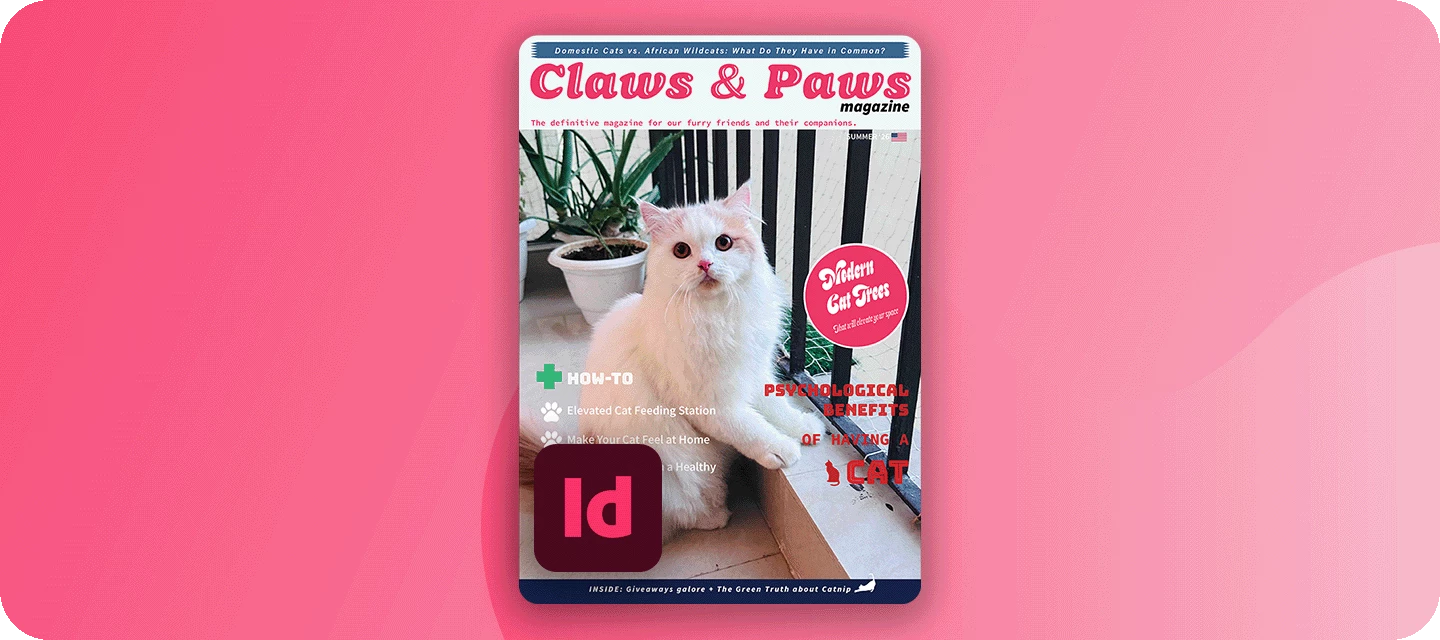
 

The November issue of FERAL goes to print soon, and it still needs a cover. The editor’s only note - it needs attitude. This month, you’re the art director.

Welcome to the InDesign Creative Challenges - a brand-new monthly series and a companion to the Illustrator challenges many of you already know. We’re starting on InDesign’s home turf - magazine cover design, where layout, type, and imagery all have to work together on a single, striking page.


THE CHALLENGE: DESIGN THE NEXT COVER FOR FERAL


The magazine FERAL is a monthly wildlife magazine with bite: bold photography, big personalities, and the stories behind nature’s best and worst behavior. Read by wildlife lovers, photographers, and design-minded readers who want their nature with a bit of attitude.

Your cover star: Any wildlife you like: a big cat, a bird, a reptile, a bug, a fish. Pick a shot with presence, ideally looking down the lens, with clear space for your masthead and cover lines.


WHAT TO INCLUDE

  • Masthead - set big and confident across the top (or wherever suits the design). The treatment is up to you.
  • Hero image - your chosen animal, filling the cover and setting the mood.
  • A few cover lines - written in FERAL’s voice and the Attitude Issue, with clear hierarchy: one main headline, a couple of smaller teasers.
  • Cohesive color palette - ideally pulled from your image, so type and photo feel like one piece. (Optional) The finishing touches - the issue date, price, a barcode, and an “exclusive” flash. Small details, big realism.


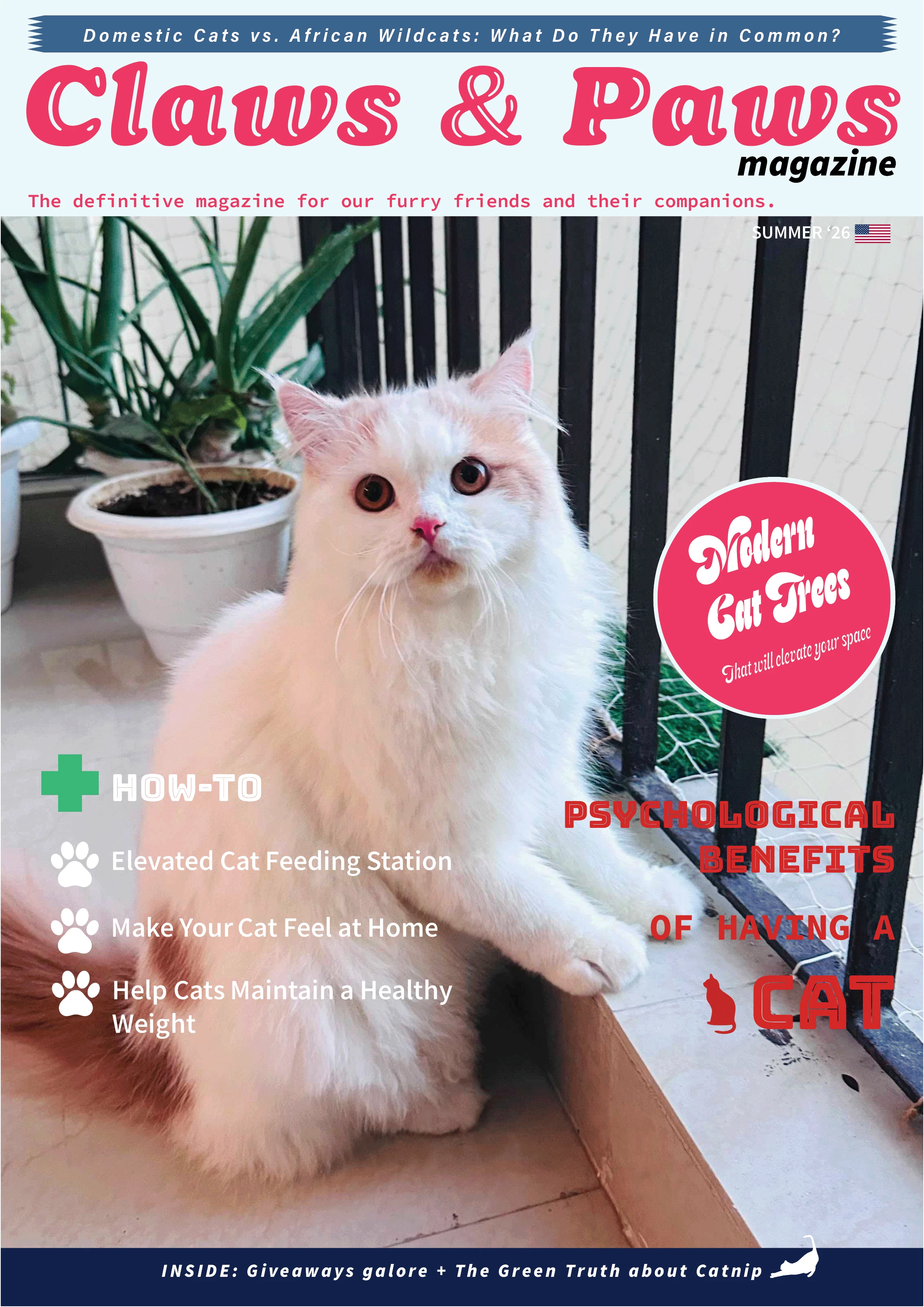
HERE'S AN EXAMPLE


YOUR INDESIGN TOOLKIT

Everything a great cover needs lives in InDesign:

  • Place your image - File > Place drops your hero animal (or use this Lightroom album and select the image you like) into a frame you can crop, scale, and position.

  • Fonts & Adobe Fonts - the masthead is your magazine’s identity; browse Adobe Fonts for a display face with real personality.

  • Paragraph & character styles - build your cover-line hierarchy once and keep it consistent; rescale the whole cover in seconds.

  • Effects: drop shadow & feather - a soft shadow or feather keeps cover lines readable wherever they cross the image.

  • Color Theme tool - click your photo to pull a five-color palette straight from the animal, so type and image agree.

  • Text wrap - optional, for flowing a cover line neatly around the animal’s silhouette.


HOW TO TAKE PART

Reply to this thread with:

  • Your finished cover.

  • A line or two on your response to the brief: which animal you chose, why, and how you built it. Honestly, this is the best part to read, so don’t skip it.

  • Submit your designs by October 31.


WHAT'S NEXT?

This is challenge #1 of a brand-new series, so we're building it around you. Event poster? Zine spread? Book cover? Restaurant menu? Tell us what you'd like to design next in the comments.

👍 Like ⭐ Subscribe to follow the new series 📣 Share with someone who'd join in

    44 replies

    tonks_the_auror
    Community Expert
    Community Expert
    Oct 28, 2026 6:01 AM UTC

    Yay! An InDesign Challenge!

    This tilcayo cat (Leopardus tilcayo) is a new species of wild cat native to Bolivia's Yungas cloud forest and represents the first wild cat species described by scientists in over a century. 

    There aren't a lot of photos of this little cat yet—I found a few images on the web and chose this one. (Photo credit: Fernando Faciole/National Geographic/)

    I did some minor color and curves adjustments in Photoshop, then placed the image into InDesign where I did everything else. (I do almost everything in InDesign.)

    I'm a big fan of layers—I use a little script I wrote that adds text, image, and background layers to InDesign files. In this file, the image layer is the bottom layer. The background layer is above the image layer—that's where I created very light, feathered backgrounds to go behind the text blocks. And yes, there are drop shadows on the text.


    Translate
    Participating Frequently
    Oct 27, 2026 3:17 PM UTC

    Firefly via Adobe Photoshop created with Nano Banana 2, Text is Photoshop… Concept fun to create… 


    Translate
    Shawn Kosel
    Community Expert
    Community Expert
    Oct 27, 2026 1:06 PM UTC

    I wanted to create a print ready PDF file of the cover I posted below.  Thank you and keep the challenges coming.


    Translate
    Nite-Stian
    Community Expert
    Community Expert
    Nov 1, 2026 12:57 PM UTC

    haha love that you turned the barcode into a puffin 🙌

    Translate
    Inspiring
    Oct 27, 2026 11:32 AM UTC

    This was a great challenge it was nearly 15 years ago, last I used Id, So before I did this challeng I did a fast recap of Adobes tutarial. I used Fi and Ps and pull all in to Id her is my result of cover-


    Translate
    Participant
    Oct 27, 2026 10:26 AM UTC

    Here are my designs for the cover. 
    Photographs taken in Sundarban, Bangladesh. Adobe Photoshop is used to edit images. Color palette generated in Adobe Color Palette Generator used photographs. The QR and Barcode were generated in Gemini. The design was finished in Adobe Illustrator. 

    Translate
    Layzu77
    GeekyGirlRex7295714
    Community Expert
    Community Expert
    Oct 26, 2026 4:38 PM UTC

    Latest issue of Adobe Extreme!


    Translate
    Writer | Developer | Facilitator | Geek!
    N8.
    Community Expert
    Oct 27, 2026 10:10 AM UTC

    Wow that this a very spooky Halloween cover. 
     I love the paper cut out effect. The Zombie vibe is incredibly well done.

    Nate

    Translate
    daniellei4510
    Community Expert
    Community Expert
    Oct 25, 2026 3:10 AM UTC

    Finally getting around to this one. Haven’t had to create a magazine cover or ad for a number of years, but the ad last series I did (much to the chagrin of the CEO, involved animals. He hated them. Then his competitors started using animals in their ads as well, so he caved and let me do an entire series. 


    Translate
    Adobe Community Expert | I have miles to go before I sleep, but I'm all done on this end.
    N8.
    Community Expert
    Oct 24, 2026 4:27 PM UTC

    The Jelly’s are back. Don’t let this cute looking Jelly fool you. She’s got a sting when she hasn’t had her coffee. 
    Used Firefly to generate the Jelly in a cafe.
    Took the image into PS to clean up the image and bring out specific colours.
    After the image was cleaned up, I took the image into Adobe Colour to create a colour pallet.

    Went into Illustrator to create the mug, the title, and a put the elements into the CC library.
    Visited Adobe Express for the QRcode and Bar Code.

    » I put all the elements into my CC Libraries.

    Finally, put the cover together in InDesign. 

    https://drive.google.com/file/d/1Hc0XIHpiiaJj6hY5vDzAsiirgJx2lDfA/view?usp=sharing

    Translate
    derekwatson
    Community Expert
    Community Expert
    Oct 23, 2026 3:05 PM UTC

    Used one of the Lightroom images in the end after trying a couple of my own! Wanted to keep image full bleed for impact and bold Masthead. Pulled colours from the image but only used for articles block in the end.


    https://www.dropbox.com/scl/fi/p20sttgk1af8z3772czcj/ID-Challenge-Magazine-1.jpg?rlkey=vacy9182vq8bb9yt3gvy9cvwz&dl=0

    Translate
    Derek Watson
    derekwatson
    Community Expert
    Community Expert
    Oct 23, 2026 3:06 PM UTC

    Cannot get image to upload...

    Translate
    Derek Watson
    daniellei4510
    Community Expert
    Community Expert
    Oct 23, 2026 3:15 PM UTC

    This is a known issue due to a recently discovered PHP vulnerability requiring certain features to be disabled. I suppose one work-around would be to upload images to a Dropbox, Google Drive or other off-storage site and include a link to the image(s). I would assume that’s within the rules of the project. No timeline that I’m aware of for a fix has been announced.

    Translate
    Adobe Community Expert | I have miles to go before I sleep, but I'm all done on this end.
    Shawn Kosel
    Community Expert
    Community Expert
    Oct 22, 2026 1:55 PM UTC

    This was a ton of fun!  I started working in Boards and created a full moodboard for this cover.  Jumping between Ai and Boards for asset creation.  Build from scratch the cover in Id.  The puffin is my photo from Iceland and fell in love with those little guys.

    Trying upload an image with no luck.

    Here it is live. 


    Translate
    daniellei4510
    Community Expert
    Community Expert
    Oct 22, 2026 2:18 PM UTC

    As you may have noticed, image uploads to the forums are not presently working. 

    Translate
    Adobe Community Expert | I have miles to go before I sleep, but I'm all done on this end.