



Francis-Crossman17221443
Community Manager
Community Manager
October 24, 2025
Question

Beta version 26 out now

  • October 24, 2025
  • 2 replies
  • 2997 views

Hey, beta users! 


Starting today, October 24, Premiere Pro betas will switch from v25.6 to the next major version, v26. We make this switch once a year, when we get close to shipping the last dot release of a major version and move to the beta of the next major version. 


Premiere Pro will guide you through the project upgrade and automatically version the project file. Unless you specifically save over the original file, you will have a backup.
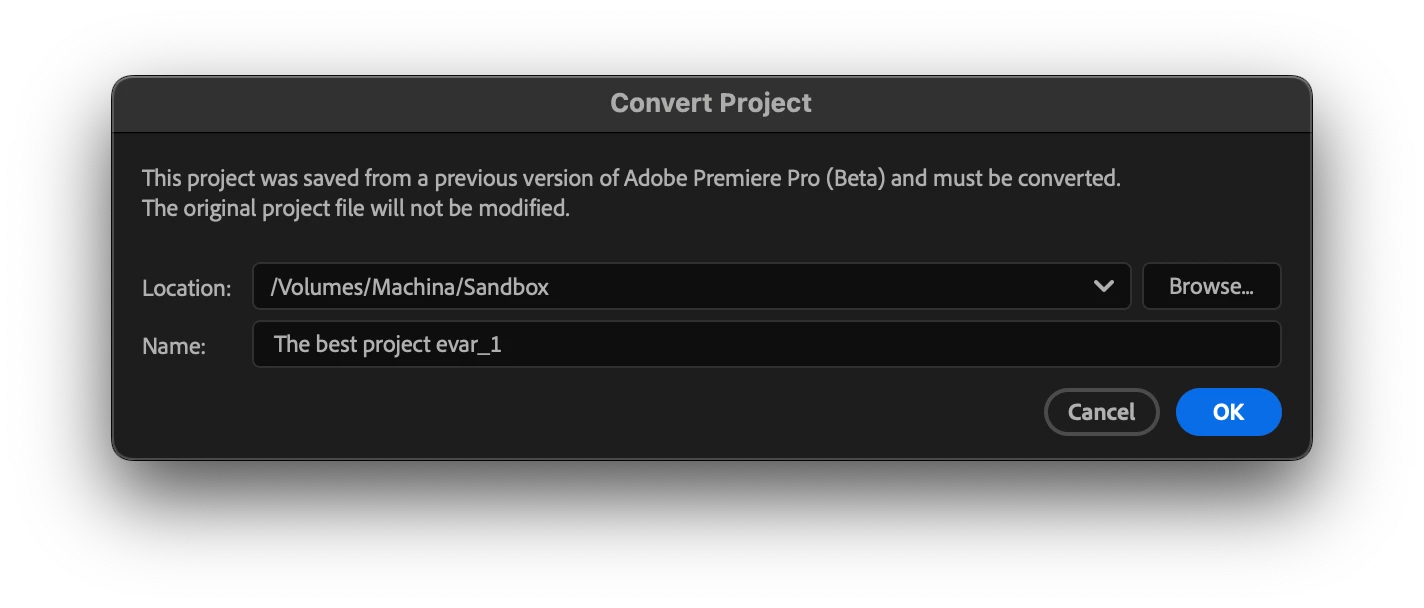
As with previous major version changes, Premiere Pro projects saved in v26 cannot be opened in earlier versions of Premiere Pro, including the shipping version (v25.5 at the time of this post). This means that a project opened and saved in the v26 beta cannot be moved back to the shipping version. 


It is also required to have v26 of After Effects and Media Encoder to make use of Dynamic Link.  It's recommended that all three be updated at the same time.


As always, we recommend that you do not use a beta version of Premiere Pro for critical production work, but we’re reminding you here just in case. 


To learn about work-in-progress features, click on the flask icon at the top right of the app. More information about the Creative Cloud beta program is here

2 replies

Participant
November 20, 2025

Sir My Premiere Pro Jumped back to V25.6, was working on V26 and now the same old chaos cant access higher version project to older version and cant see the beta app section in creative cloud nor in App neither on Creative Cloud Desktop site I need to access v26 again to résumé my edits

Stan Jones
Community Expert
Community Expert
November 20, 2025

@Monick_Patel1802,


> cant see the beta app section in creative cloud 

I see the Beta section and Premiere Pro Beta 26 in both of my computers' cloud desktops. I am Win11.


Do you still have PR Beta installed on your computer? When you open it and look at Help -> About, what version does it show?

Stan


Participant
November 20, 2025

Hello, I am having the exact same problem as OP. 


-I do not have access to "beta" options on my account

-I installed 25.6.1 and was given the option to "enable the new masking" (beta option somehow). I clicked no for a week before clicking yes once-- the same pop up to "enable the new masking" kept popping up until i hit "skip" 


-Now all of my edits are unopenable by coworkers.... For them, it says they are not able to open the project because "the project was made in a newer version of premiere" 

-In a weird circumstance, I was on 25.6.1 but also able to update to 25.6.1 all the while being given the beta option popup (again, I do not have access to beta on my account... So I cannot revert or change beta versions)


-To try and fix this, I updated to 25.6.2. 

-Now, all my projects are bricked and unable to open. 


If you have any solutions, thank you for any insights you have. 


Stan Jones
Community Expert
Community Expert
October 24, 2025

For anyone confused by the versioning: I believe that, if you enabled the new masking in Beta 25.6, at that point, your project file version became 44, the new 26.0.0 version. Such a project could not be opened in PR 25, even if you did not masking.


If you did not enable it, it remained as project file version 43, and could be opened in PR 25 versions.


You can roll back to Beta 25.6.


Stan


Christian Leibig
Inspiring
October 27, 2025

Beta 25.6 will stay available at the current version until release, or are there going to be updates to that?


I'm asking because I'm willing to install v26.0 for testing, but if there's no "previous version fallback" for my projects in an emergency breakage I would rather not risk it. As I understand right now I could always switch back to 25.6 Beta if I really needed to (and later obviously the 25.6 release version)?

Stan Jones
Community Expert
Community Expert
October 27, 2025

@Christian Leibig,


I don't think the last Beta of version XX ever updates once it goes to XX+1. Of course, I never know!


And I think recently, that previous last Beta has been available to install from the desktop for several versions now. I don't know what build that is; it may not be the last one you had.


But I would never rely on any of that. First, I don't do production work in the Beta. And second, my method is to clone my drive before any major updating, so I can roll back if necessary.


Stan