













Premiere (Beta)
Actividad reciente
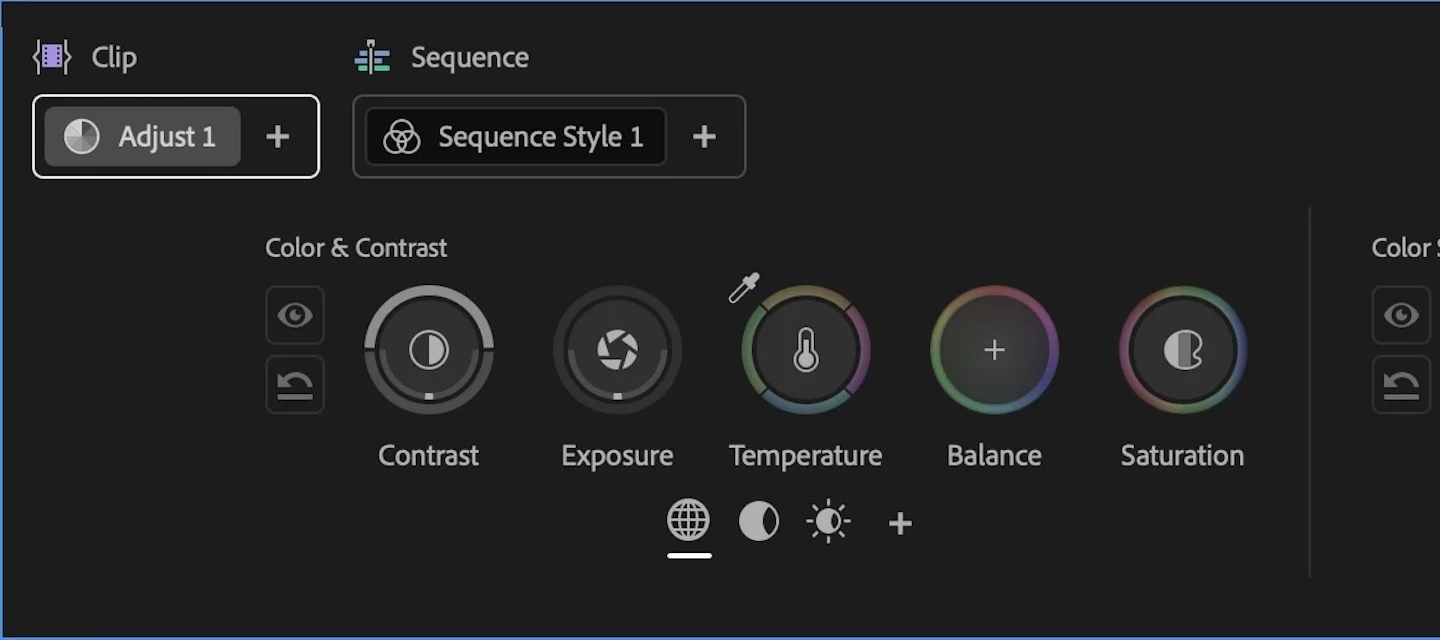
Welcome to the public beta of our brand new Color Mode! This is a colossal release that's been years in the making, months in private beta, and now we're excited to share it with you. Here's all the most important information to get you started.Resources for Learning About Color ModeGiven how new this is, we've prepared the following videos and articles to get you up to speed on Color Mode as quickly as possible. Color Mode Announcement Video Color Mode in Premiere Page Color Mode Training Course Frequently Asked Questions Videos HelpX ArticlesAbout Color ModeColor Mode is a brand new approach to color grading created specifically for the needs of editors. It's been designed to be an accessible, fast to learn, and efficient environment for making every clip in your sequence look its best right inside of Premiere. However, Color Mode has also been built to provide the full functionality necessary for users at every level to make highly detailed improvements as well as the broad stylisti
Hey everyone! We're excited to share a new addition that just landed in Premiere Beta 26.5.0 Build 66: iXML metadata right in your audio clip headers and source monitor. Production sound carries a wealth of metadata, and now you can see it without leaving the timeline or the source monitor.What's New?When your audio has iXML metadata, Premiere now surfaces it directly on the clip header. No more digging through panels or cross-referencing sound reports to know what you're looking at. The same metadata shows up in the source monitor too, displayed at the level of the channel labels, so you can make sorting and selection decisions before a clip ever hits your sequence. It's a global setting, so once you turn it on, it applies in the timeline and the source monitor.Where to find itThe control lives in Settings > Media, under a preference called Show iXML metadata in audio clip headers and source monitor. Flip it on to display the metadata across the timeline and source monitor and flip
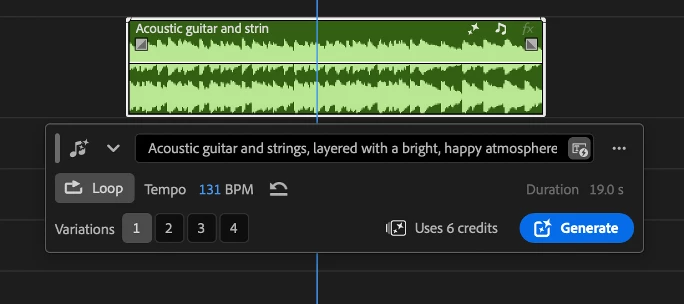
Hey everyone!We're excited to share that Generate Music is now available in Premiere Beta 27.0 (build 22), powered by the Firefly Music model. It brings AI-generated background music right into your timeline, so you can score a scene without ever leaving your project.What's New?Generate Music lets you create original music without stepping outside Premiere, right from your timeline.You've got a few different ways to generate:Describe the music you want in a prompt, with built-in prompt enhancement to help you get better results. Generate from your video with Video to Prompt: make a range selection under a video clip, choose Video to Prompt, and the music is generated to match what's happening on screen. Generate loops for music that needs to repeat seamlessly.You're in control of the details, too. Set the tempo yourself in BPM, or leave it automatic and let the model choose, and pick a duration anywhere from five seconds up to five minutes. Every generation returns four variations, so
Hey everyone! We're excited to share a new Firefly AI-powered audio feature that just landed in Premiere Beta [26.5.0 (Build 75)]: Separate Crosstalk.If you've ever shot a scene on a single mic – whether that's a boom, a phone, or just one lavalier on set – you know the moment: two people start talking at the same time, the mic can't tell the voices apart, and the only real fix is a re-record. Now Separate Crosstalk gives you a way to pull those overlapping voices apart, right inside your timeline! What's New?Separate Crosstalk is built for one specific moment: when two speakers talk over each other at the same time on a single recording – actual overlapping speech, not just two people who happen to be in the same scene. It works on mono and stereo clips and separates up to two overlapping speakers from that shared audio. This isn't full diarization and it isn't meant to split every speaker onto their own track across a whole project. It's meant to solve the crosstalk moment that today
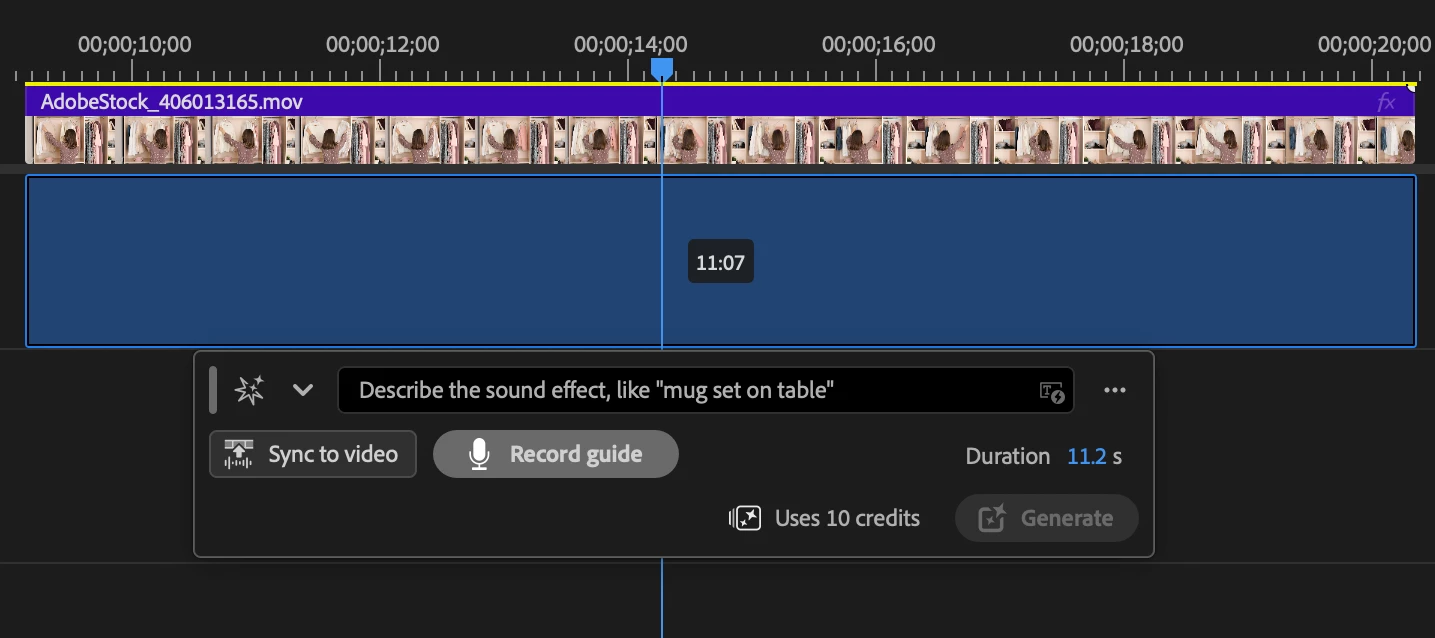
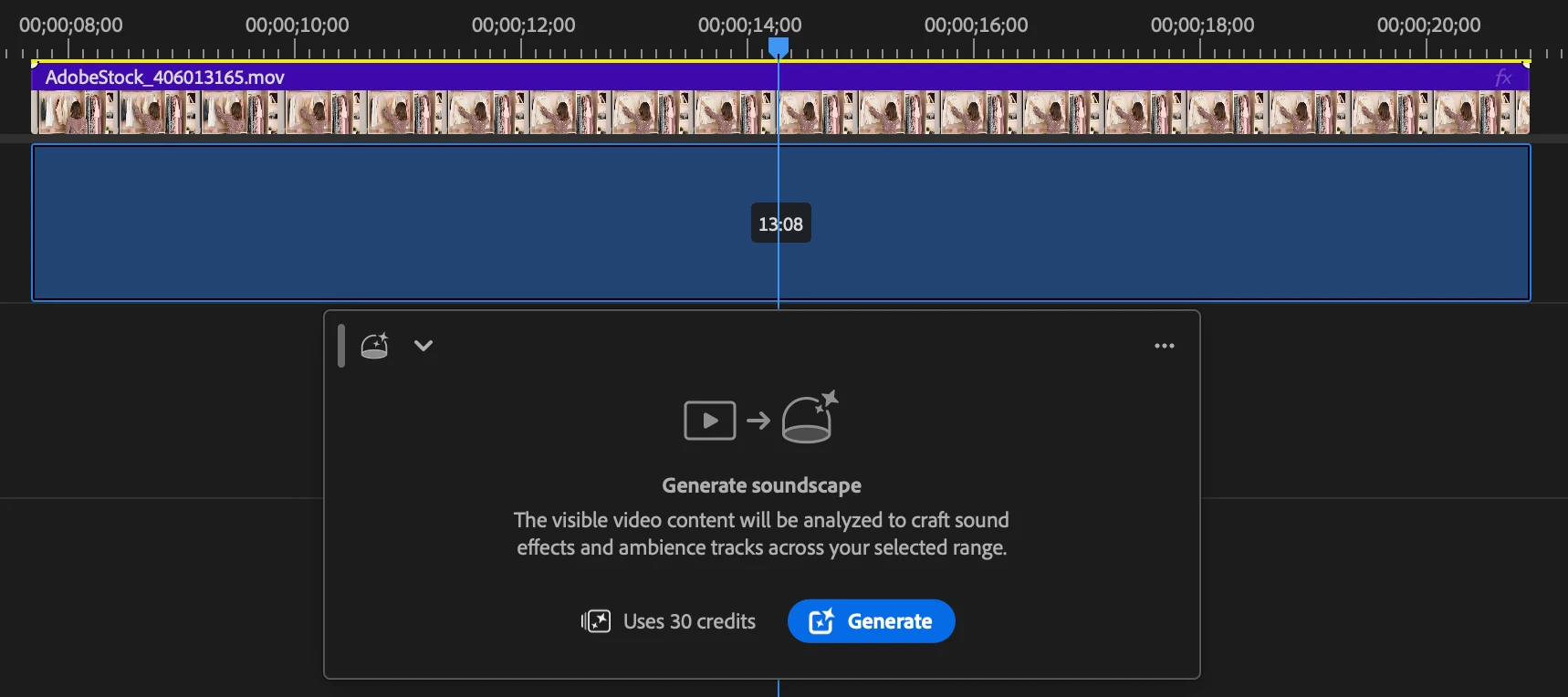
We’re excited to introduce a new generative workflow in Premiere. The new Generative Media Tool lets you generate sound effects and video exactly where you need them, directly in your timeline. Simply select a range in your timeline, describe what you want, and you can generate media directly into your edit. Whether you need missing ambience, a custom sound effect, b-roll, a cutaway or an establishing shot, you can stay focused on editing without switching applications. To add the visual context of your project, use the eyedropper to sample reference frames without leaving the timeline. Generate Sound Effects in ContextNow you can generate custom sound effects directly in the Premiere timeline.Select any audio range, describe the sound you want, and generate multiple variations that match the duration of your selection.Need more control? You can use your voice to guide the timing and intensity of the sound effect, making it easier to create sound effects that feel natural in your ed
In Premiere 2026 you can copy / paste clips into AE comps. This copy /paste feature isnt working in beta.
Scale keeps on resetting. With or without key frame it snaps back to 100% every time making it impossible to re frame clips or keep scale keyframes!
When I adjust the scale on an image, it's not holding and reverts back to 100%
I have been editing in premiere for 10+ years and this might be the worst update ive seen. Keyframes for the mask tool dont work at all. The AI mask tool doesnt work at all and it broke the whole tool. I cant even do a simple hand animated mask. Adobe is way too big of a company for there to be problems like this with essential tools that we've had for decades. These are the things that make me want to abandon these programs. It is my fault I started this project in the beta version though i guess. Cant even revert to another version.
Quando vou para a tela de exportação do premiere, em qualquer projeto, a minha tela simplesmente carrega pra sempre, já cheguei a deixar horas parada pra ver se mudava algo mas não mudaPreciso de ajuda com urgência, isso pausou 100% da minha produtividade
Mask positioned outside adjustments. When try to move or paste to adjusment premiere broke.
When Premiere Beta runs on a second monitor both in clip LUT and sequence LUT the options are greyed out and I can not select anything. I have to move the premiere window to the main macbook monitor to be able to see the selection of LUTs
Premiere 26.5 Beta contains a regression that affects any third-party plug-ins based on the AE SDK. If a plug-in attempts to extract frames during event processing (a common task to perform frame-by-frame video analysis) Premiere Beta will display errors for all frames requested by the plugin. Thankfully the host app still returns the correct PF_LayerDef to the plugin, but the user is presented with a long stream of errors. Steps to reproduce:Install any recent version of FxFactory from https://fxfactory.com/download/ Launch the FxFactory app and install a product that performs frame-by-frame video analysis, such as Face Blur Launch Premiere Beta and apply the Video Effects > Face Blur > Object Blur plugin to an existing video clip on your timeline: Apply the Object Blur under the Face Blur categoryBring up the effect parameters in the inspector and click the track forward button to begin analysis, under Object Tracking section: Notice that as the plug-in starts requesting a
I am trying out the current beta’s color controls. Though the tools seem somewhat powerful, accessing them through a separate workspace is very clunky. Especially given the controls are so small, and may be intended to replaced the lumetri panel. It seems like this system is trying to take on Resolve, but in a way that seems far less convenient than Premiere’s existing color tools. I would also love to see an option to edit with sliders instead of the wheels. Though I applaud the commitment to color tools, in its current state, the beta color tools feel more like a cosmetic upgrade to the UX without adding much to the functionality. That said, I really appreciate the texture controls. In a perfect world, I’d say just bring over the panel from Lightroom/lightroom classic into a unified color/image quality panel in Premiere. Tools like texture, clarity, dehaze, basic noise reduction, HSL sliders, and lens distortion correction would be a godsend incorporated into the Lumetri panel in Pre
I was trying to enlarge my video to 200% scale, but accidentally typed 200% into the Opacity field and hit enter. Seeing as there is no such thing as 200% opacity, Premiere apparently decided the only reasonable response was to crash. Version 27.0.0 BETA StaticLib (Build 18)MackBook Pro 16-inch, 202364GB MemoryApple M2 MaxTahoe 26.5.2
It is slow. the menu is slow. I cant use this program. Its annoying and costing me money and my reputation
The program monitor freezes completely on a single frame during playback when encountering sections with subtitles, shapes, gradients, or custom effect presets. Audio continues to play normally, but the video preview remains stuck. This issue arose immediately after updating to Premiere Pro Beta 27.0.0.20.System specifications:CPU: AMD Ryzen 9 9950XGPU: NVIDIA GeForce RTX 5070 Ti 16 GBRAM: 64 GB DDR5OS: Windows 11Here you can watch a video that shows the error.https://drive.google.com/file/d/1NrTozF6I3BnzEYklB7KkatWbtg-nK9ar/view?usp=drive_link
Export freezes while "Preparing Content Credentials”Exporting as usual and the first loading screen while exporting says “Preparing Content Credentials” and is stuck at 100%. I’ve tried toggling Content Credentials on and off. I’ve cleared my cache. I’ve tried moving on and out points, I’ve tried rebooting, I’ve tried exporting different codecs. If I export with Credentials on, it says "Applying Content Credentials” and also freezes at 100%. I’ve verified my identity and credentials. I’ve tried media encoder with things toggled on/off and multiple codecs. I’ve also tried other project files. I must export.
The object detection in Object Masking tool is getting an upgrade. If you are using the latest Beta, you are already using it. We wanted to share what's changing.When you move your cursor over the Program Monitor with the Object Mask tool active, colored overlays snap to objects in the frame before you click. That instant preview is meant to be fast, confident, and complete. It works great for common foreground subjects. But for many other things you might have found yourself reaching for the rectangle or lasso fallback more often than you'd like.What's changingWe've upgraded the underlying model powering object detection. The new experience is meaningfully better across three dimensions:More objects detected. The new model surfaces roughly twice as many selectable objects per scene. Objects that were previously invisible to the object detection pipeline- props, background elements, layered subjects with props, now light up.More complete object boundaries. Mask boundaries are more accu
Title: Audio Plug-In Manager scan hangs and returns no plugins (VST3 + AU) — 27.0.0.17 and 26.0 beta, macOS 26.5.2. Release Premiere scans the same folders correctly.Environment: Premiere Pro (Beta) 27.0.0.17 and the prior 26.0 beta build. macOS 26.5.2 (25F84), Mac17,6, Apple Silicon, 64 GB. Audition (Beta) exhibits the same. Premiere Pro 2026 release and Audition release on the same machine are unaffected.Symptom: Preferences > Audio > Audio Plug-In Manager, folder list contains only /Library/Audio/Plug-Ins/VST3 (VST2 paths removed). Click Scan for Plug-Ins with Rescan existing plug-ins checked. Beach ball, then the Available Plug-Ins list is empty — no VST3, no AU. Effects > Audio Effects shows only Adobe built-ins. ~/Library/Preferences/Adobe/DVAAudioFilterScan is never created after the scan.Control: On the same machine, Premiere Pro 2026 release launched after DVAAudioFilterScan was deleted, rebuilt it on its own, and loads every third-party plugin (iZotope Ozone/Neutron/
Steps to reproduce:1. Fresh install of Premiere (Beta) v27.0.0.16 on macOS 26.5.22. Open Effects > Audio Plug-In Manager3. Confirm /Library/Audio/Plug-Ins/VST is in the VST folder list4. Click Scan for Plug-InsResult: Scan completes with 0 third-party plugins found. Opening a.prproj referencing iZotope Ozone (VST) and Insight 2 (VST) throws"Audio Filter missing" for both.Expected: Scan detects installed VST2/VST3 plugins. Release & Beta Auditionon the same machine scans the identical folders successfully andopens the same project with both effects intact.Audio Filter missing: 3:5653545a 6e4f5a4f 7a6f6e65 2050726fAudio Filter missing: 3:56535449 4e533049 6e736967 68742032
When I create a new project and drag my first clip into the timeline to create the timeline it does in as it should. however any other clips do not. please fix.
when I stop the play head over one of my clips, I can see the clip, but when I play the video the clip is not showing. Chatting with the AI assistant - this error appears to be with Film Impacts Bokeh effect on the clip. It seems it can't render the frames in real time so they are being dropped
I appreciate Adobe providing complimentary AI Assistant usage during the Premiere beta. However, the current usage limits are so restrictive that they are preventing me from meaningfully testing the product.In my case, I exhausted the available Assistant capacity within essentially one day of working on a relatively simple project: a roughly 108-second sequence made up of 433 still images. This was not a heavy post-production project involving multicam footage, complex audio, large amounts of video analysis or sophisticated compositing. Much of the work was repetitive timeline editing and applying straightforward effect settings.During that single project I encountered a per-response tool-call limit, a daily limit and ultimately a weekly processing limit. Once the weekly limit was reached, I could no longer continue testing the Assistant at all.I understand why Adobe needs limits during a public beta and I appreciate that the usage is complimentary. But a limit this low undermines the
Who just got a glow-up? Effects, that's who!If I had a nickel for every time a new video editor opened up the ECP and said, "Wow, was this built in the 90s?" I wouldn't be typing this blog post right now. I'd be sitting on my veranda with a strong Manhattan in my hand and looking out at the Caribbean. If I had a penny for every time a seasoned video editor told me they had the muscle memory of an Olympic typist, but that they need to invest in 4.00 reading glasses just to SEE the parameters for Bokeh blur well... you get it. Your disdain for the ECP is loud and clear.Have we got a solution for you! Brand new to Public Beta we now have Effects in the Properties Panel! Video Effects! Audio Effects! Masks! Even some color (but you should still go over to our brand new Color Mode for adjusting your Temperature and Saturation because oo la la!)You may have noticed that we are investing in better effects experiences. Building on the acquisition of Film Impact last year, we are now surfacing
Remix with Firefly Community Gallery
Thousands of free creations to fall in love with and remix in Firefly.
¿Ya tiene cuenta? Iniciar sesión
¿Aún no tienes una cuenta? Crea una cuenta
Enter your E-mail address. We'll send you an e-mail with instructions to reset your password.