Participant
February 4, 2025

AO baking error in substance painter

  • February 4, 2025
  • 18 replies
  • 8313 views
I got an error when doing bake ambient occlusion.
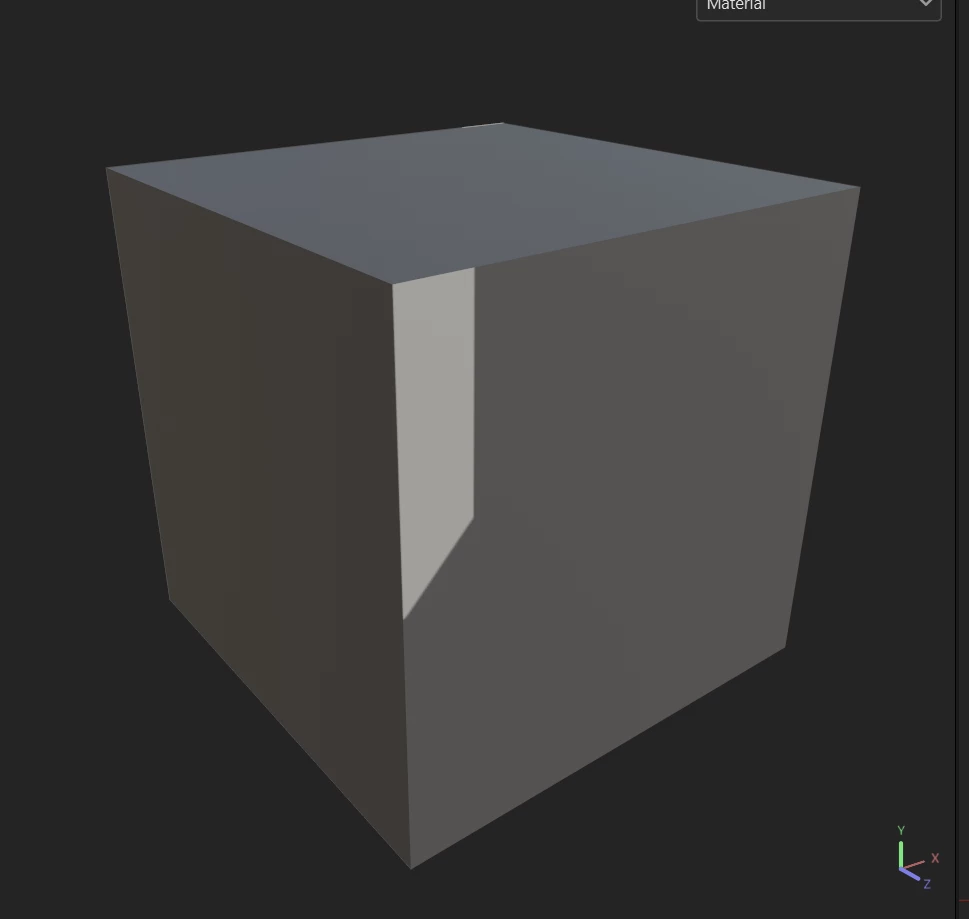
the AO display looks inappropriate, with strange patterns, completely unable to detect the angles on my object. On all the 3D objects that I use, the results are the same.
Here I give an example of only using a cube because the results will be more certain, it is impossible to experience a wrong backface or UV. but the result is still like this.
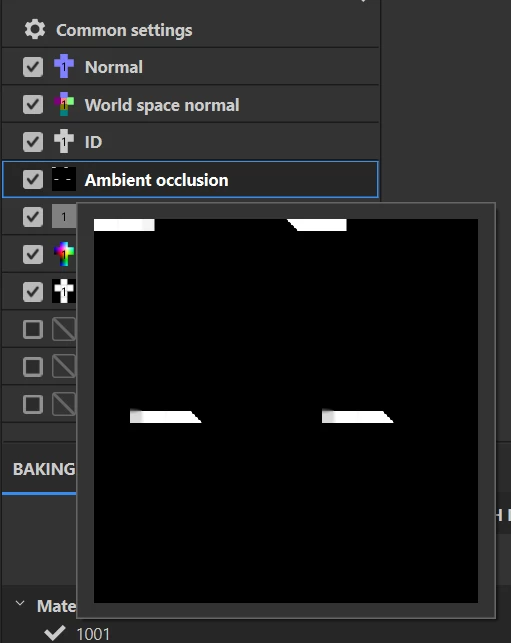
what do I have to do ? This bug occurred suddenly.


18 replies

Participant
June 17, 2025

Hello..
Is there an update regarding this issue..?? How close are we to getting a fix..??

Participant
May 24, 2025

Any update on this issue..??
Latest Nvidia Studio Driver (576.52) doesn't seem to fix it either.

Participant
May 19, 2025

Hi @Cyril Dellenbach 

I have tried both the current studio driver (576.02) and game ready driver(576.40).. still the issue is there.


Cyril Dellenbach
Community Manager
Community Manager
May 19, 2025

Hi @PSKAtelier,


Thank you for the report and the screenshot!


I'm sharing the problem with the team, so we can reproduce the bug and share data with Nvidia. Can I also have your GPU info? 


In the meantime, I advise you to try latest drivers updates and let us know if one seems to fix the problem.


Best regards,


Cyril Dellenbach (Micro) | QA Support Artist | Adobe
Participant
May 17, 2025

Yup this issue is still not fixed for me even after the nvidia 576.02 driver update.
I'm using substance 3D painter 2024 version 10.1.2
Both highpoly and lowpoly were exported from blender
bake parameters :
resolution - 4096
Average normals - Off
AntiAliasing - 16x
Match by mesh name.
(This occurs While baking AO, Curvature and Thickness)

Cyril Dellenbach
Community Manager
Community Manager
March 25, 2025

Hi @Max28617167iqjd,


Can you let us know which version of Painter you're using? In addition, what are your baking parameters (Resolution, anti-aliasing, etc.)?


I'd also appreciate a screenshot of the issue.


Cyril Dellenbach (Micro) | QA Support Artist | Adobe
Participant
March 22, 2025

Im still getting this issue with latest driver 572.83, RTX 5080. Any solution?

Participant
February 27, 2025

The new driver published today, 27th feb, version 572.60 fix the issue ! 🙂

shawns96704139
Participating Frequently
February 25, 2025

Gotcha, yes that appears to work. Thank you. Shouldn't be necessary, but here we are.

Participant
February 25, 2025

Not what I said, I did not use the "Use Low Poly Mesh as High Poly Mesh" checkbox, I added the Low Poly fbx mesh to the "High Definition Meshes" list. The same low poly mesh I am using for the project is being used again in the High Definition Meshes lister.