Participant
February 4, 2025

AO baking error in substance painter

  • February 4, 2025
  • 18 replies
  • 8313 views
I got an error when doing bake ambient occlusion.
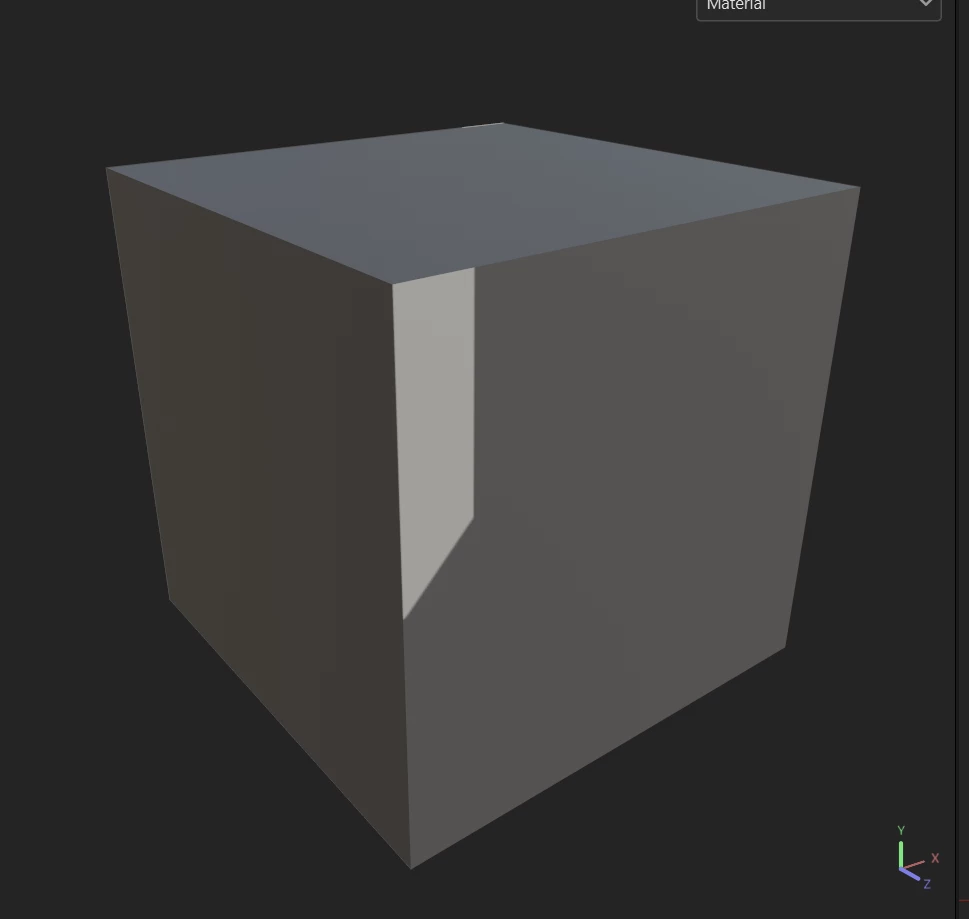
the AO display looks inappropriate, with strange patterns, completely unable to detect the angles on my object. On all the 3D objects that I use, the results are the same.
Here I give an example of only using a cube because the results will be more certain, it is impossible to experience a wrong backface or UV. but the result is still like this.
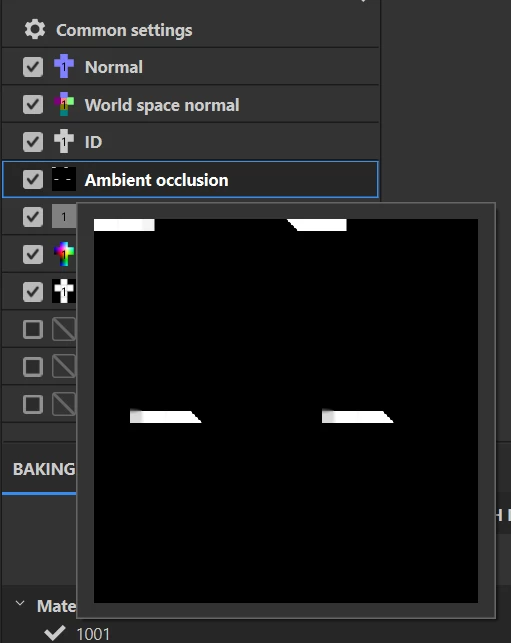
what do I have to do ? This bug occurred suddenly.


18 replies

shawns96704139
Participating Frequently
February 25, 2025

No, setting it to Use Low Poly as High Poly does not fix it either. Tested on multiple models. So far the only fix is to roll back to the older driver.

Participant
February 24, 2025

Participant
February 24, 2025

I found that you can add the Low Poly mesh into the "High Poly parameters", and this fixes the issue on limited testing, as seen in the "blue" chair images

Participant
February 24, 2025

adding --force-optix in the launch arguments solved the issue, but both studio and game drivers for nvidia still have this issue on Jan 30th. If anyone is trying to figure out how to add the launch arguments you can add non steam applications to steam and use the launch arguments in the properties. fixed it for me at least.

Participant
February 18, 2025

Facing de same issue, still not resolved in Nvidia 572.42 drivers published 13 feb 2025. I have an RTX 4070 Laptop GPU.

shawns96704139
Participating Frequently
February 14, 2025

The new NVidia driver released today, Feb. 13th, 2025, did not fix the issue.

Cyril Dellenbach
Community Manager
Community Manager
February 5, 2025

Hi,


Thank you for reporting.


Unfortunately, this is an issue we're facing with Nvidia latest driver.


  • You can try this fix, but from users feedback it doesn't work for everyone.
  • You can also try to disable the GPU Raytracing (Edit > Settings > General > Baking options > Enable GPU Raytracing) 
  • Utlimately, you can rollback to a previous driver version


For the information, we're currently in discussion with Nvidia to find a fix a soon as possible.


Best regards,


Cyril Dellenbach (Micro) | QA Support Artist | Adobe
Participant
February 4, 2025

had the same issue, after I updated my GPU driver in the weekend
I was using the latest NVIDIA Studio Driver 572.16 reverted back to 566.36 - resolved for me, for now