

Todd Shaner
Legend
March 16, 2021

P: 10.2 Grain Effects Render Incorrectly In Develop Module

  • March 16, 2021
  • 67 replies
  • 10695 views

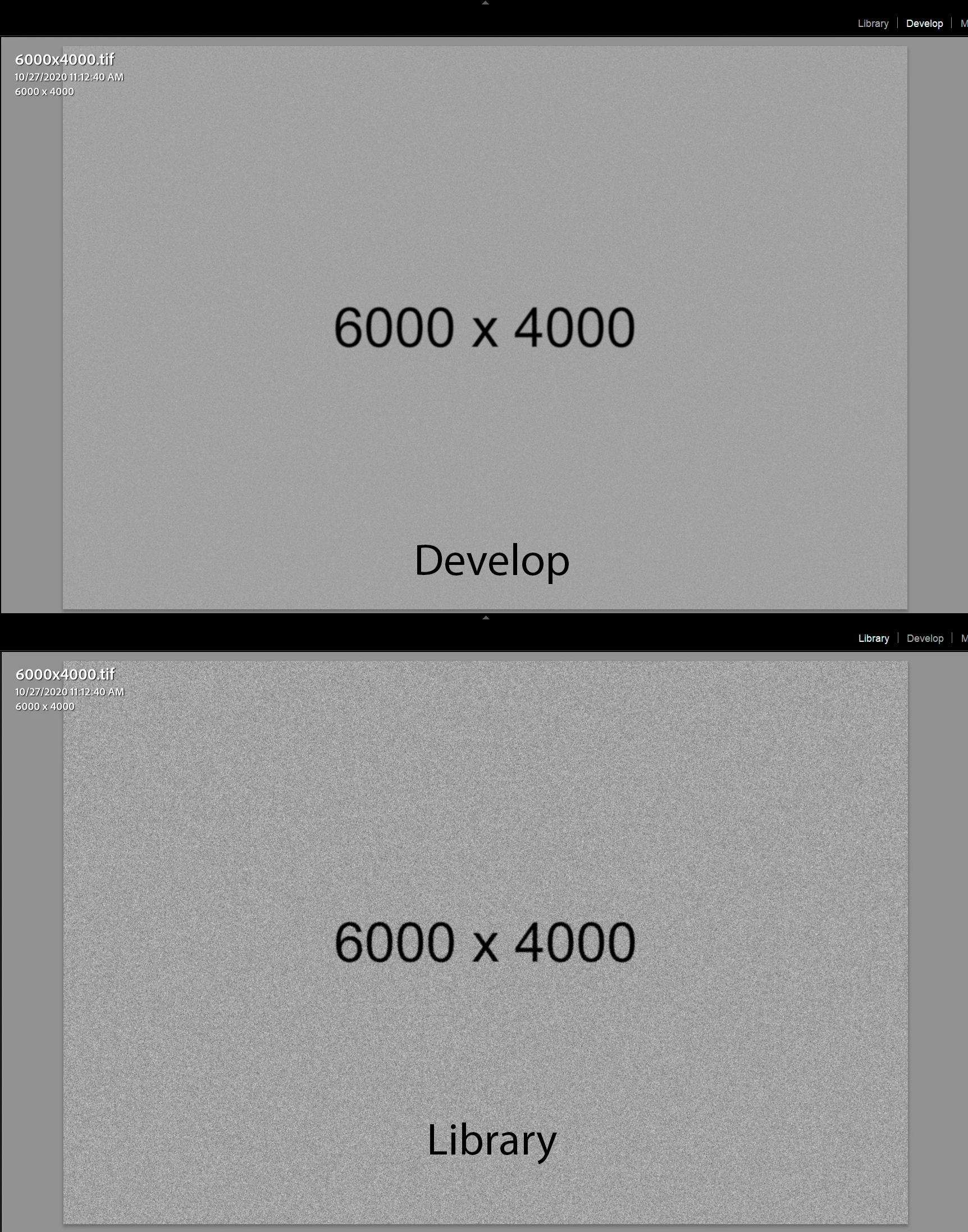
The Develop module no longer properly renders the Grain Effect settings in LrC 10.2, which appear much more pronounced and correct in the Library module and exported files. I tested with GPU enabled and disabled with LrC restarted and the issue persists on my Windows 10 system.


The below screenshots are with LrC 10.2 using Grain settings Amount 100, Size 50, and Roughness 100.
 

This topic has been closed for replies.

67 replies

Participating Frequently
June 9, 2021

Also big thanks for increased frequency of releases and issuing X.X.1 hotfixes when they are necessary. Keep up the good work.

Participating Frequently
June 9, 2021

Thanks for fixing this issue it timely and responsible manner Adobe... oh wait, it's NOT fixed. Good to know that it makes sense to prioritize small or OS-specific bugs like 'send email and column icon misalignment' over main functionality of the app ( Develop module). Always nice to see you hiding your head in the sand when it's uncomfortable to acknowledge that the bug has been ignored for months. Here's to waiting another 3+ months for the fix or the issue to be ignored again . Cheers.

robertod93911732
Participant
June 6, 2021

I don’t think they will fix this issue.. more than 8 months since reported and nothing.. that is a shame Adobe.

Participant
June 6, 2021

The same here!!! In Library i can see grain effect but in develop Fit view mode - NO!!! Adobe FIX IT!!!

Todd Shaner
Legend
April 29, 2021

Actually I don't know anymore than you concerning when this will be fixed. When it does the status at the top of the page will be changed to 'Implemented.'

Participating Frequently
April 29, 2021

@todd_shaner_6660895 Sorry Todd, I'm new here and hadn't realised that you were official acknowledgement... my bad. I was more concerned about radio silence for a while, but you of course have been very helpful. Thanks

robertod93911732
Participant
April 28, 2021

They are actually aware of this issue since November .. don’t know if hey actually know how to fix it at some point, very very disappointing

Participating Frequently
April 28, 2021

@SoreFinger1 

If Adobe intends to fix it in the next update then taking into account their ~2month update cadence, it should come out around mid-May.

Todd Shaner
Legend
April 28, 2021

This post is marked as Acknowledged. See status at the top of the page.

Participating Frequently
April 28, 2021

Still no word on this? No news of a possible update, or at least an acknowledgement by Adobe that this is a thing is a problem (it is).