Inspiring
April 5, 2021

P: loses connection with files after folder is renamed

  • April 5, 2021
  • 137 replies
  • 7688 views

I've been using Lightroom for many years, and I've never experienced this problem until the last two updates to the application.

When I upload photos to Lightroom, the app creates a folder that is by default named with the date, in this format: 20210403.

I usually rename the folder, in Lightroom, with something more descriptive, just after the upload is complete. For example, 20210403_family-gathering.

Starting with the previous version of Lightroom, after I perform this action, Lightroom loses the connection with the files in the newly renamed folder. A question mark appears on the folder in the Navigation panel, and in Loupe view, every photo now displays a small exclamation mark in its upper right corner.

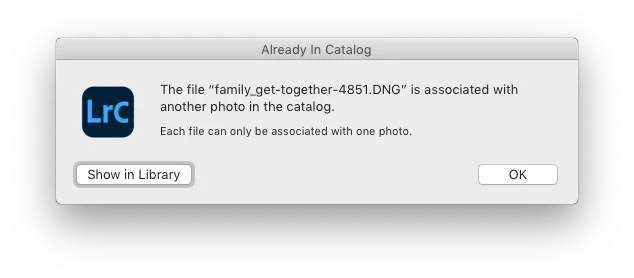
When I click on an exclamation mark, a dialog box appears, like the first one of three that I've uploaded.

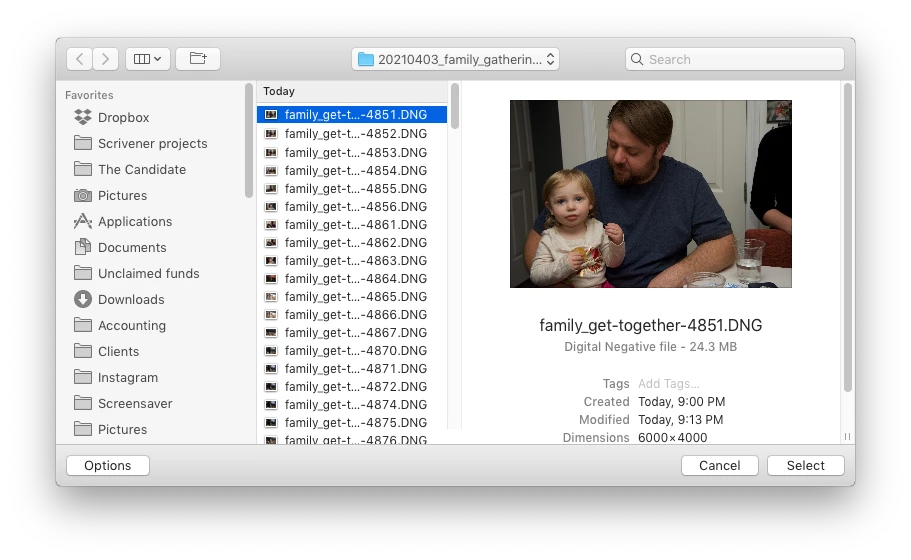
When I click on "Locate," another dialog box appears. For example:
The first file, which is highlighted, is the one that is missing (although at this point, Lightroom has lost track of all of the files in the renamed folder). When I click the "Select" button, this dialog box appears:
Lightroom is obviously confused, and the only way around this, in the current version of Lightroom, is to quit the application and re-launch Lightroom. After I relaunch Lightroom, it re-finds the files and the exclamation marks are gone. When I quit Lightroom after renaming the folder from the most recent upload, I back up the catalog. I don't know if this is necessary, but I back up the catalog whenever I quit Lightroom.
 
This is a bug, which never existed for me, until the last two updates of the app.
This topic has been closed for replies.

137 replies

Participating Frequently
May 8, 2021

@bill_3305731

This is a Mac only issue. Please stop weighing in with irrelevant comments about your Windows experience. You are muddying the waters.

PPz
Participating Frequently
May 8, 2021

I Have the same problem with LR and MAC OS 10.14 Mojave.

Participating Frequently
May 8, 2021

Thanks Rikk. I can provide any data points you need regarding this issue. I have seen it across numerous client installations.

Participating Frequently
May 8, 2021

I can reproduce this bug consistently across several of my own and my client's Macs. I am running the latest version of Catalina and it is consistently throwing this error.

It is exactly as described. Following import, the renaming of a folder results in that folder's contents falsely reported as being missing. Any attempt to reconnect the images results in the error message indicating it is already associated with another photo in the catalog.

Quitting and restarting fixes the issue immediately.

Please address this bug. It is indeed repeatable. Happy to provide any data you need.

Current test rig:

iMac 27" Core i9
macOS Catalina 10.15.7

Lightroom Classic 10.2

Have done preference reset and more.

Have checked disk access permissions in Security and Privacy System Preference.

Bug remains.

Participating Frequently
May 8, 2021

@bill_3305731

No, that's not what users are experiencing in this case. It's a consistent and reproduceable bug with the latest version on macOS. Renaming a folder following import causes the contents of that folder to be falsely reported as "missing". They are not. And the filenames are unique. That's not an issue.

Participating Frequently
May 8, 2021

I have the exact same issue across several Macs. Always following an import. Renaming the folder results in the folder contents going missing even though they are present. Quitting and relaunching is the only workaround.

I have many users experiencing the same glitch.

Participating Frequently
May 8, 2021

Following an import, renaming folders results in all contained images going "missing" even though the folder is online and even shows as available in LrC. It's a false error, though. The images are there and are being reported as missing.

In fact, if you try to find and reconnect any of the so-called missing images, you get a message that the file is already associated with "another" image in Lightroom.

Quitting and relaunching the program solves the problem but this is only a workaround.

Please address this bug ASAP. Being able to rename folders is a crucial basic function. I should not have to quit and relaunch after every import just to be able to rename a folder.

Inspiring
April 30, 2021

Indeed it is - and very annoying too

Inspiring
April 29, 2021

Hello,

I went through this thread and as is frequently the case, many people are stating the obvious solutions and the discussion is all over the place.  Since you know what you are doing I can cut to the chase.  I have the same problem.  I have a brand new macbook pro with the most current version of lightroom and all my images are on board the laptop.  My macbook pro has 64gb of memory and 8-core i9 processor. i have a 1tb ssd drive. So my machine certainly doesn't suffer resources. I am on Big Sur.  

I renamed a folder (IN LIGHTROOM) and Lightroom lost the connection to the files and I ended up in a vicious circle you describe above. 

It's a bug.

Inspiring
April 28, 2021

Sounds exactly as I described it. Really frustrating....