Known Participant
March 31, 2021

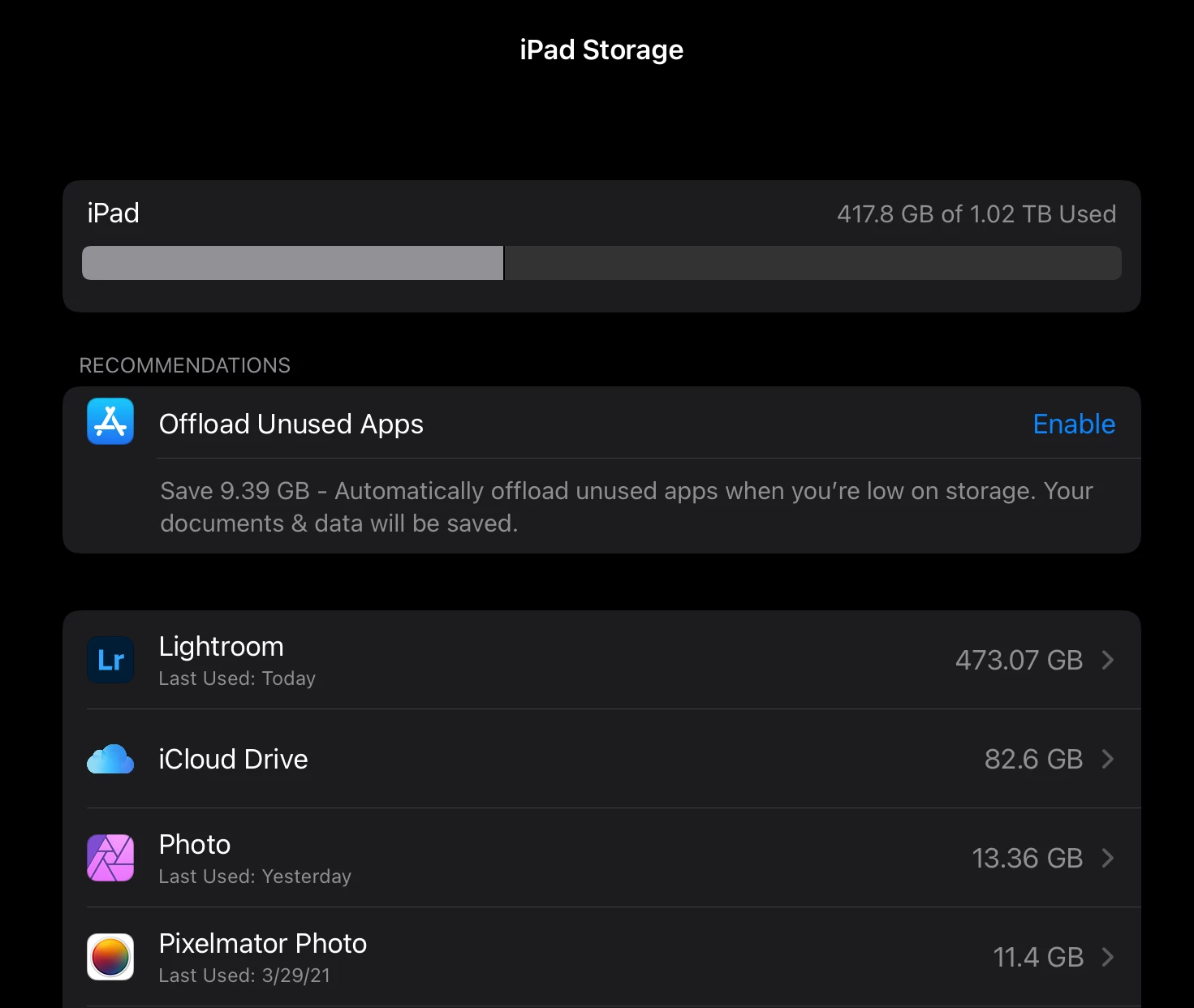
P: 6.2.1 on iPad 2020 12.9 1TB (with 500GB free) - Tried 2x with the same error

  • March 31, 2021
  • 22 replies
  • 664 views

Hi Folks,


I have 30K pictures on my Adobe Cloud (also fully cached on my iPad) , I've selected 9289 good ones and I am trying to export (as is, no conversion) using the option "Export as original".


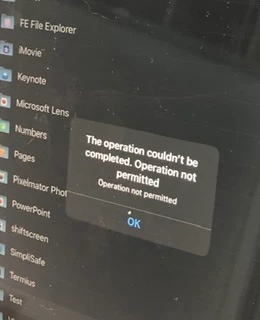
After 15 minutes thinking and validating I've got the prompt to save, so I've created a ipad folder called "test" and tried to "export". After 5 minutes I've got the error "The Operation couldn't be completed. Operation not permitted - Operation not permitted"


On the destination folder "test" only 2051 files (of 9289) was saved. As a former kernel developer (Solaris) I noticed that it is pretty close to 2048 (2x1024) limit, so I don't know if it makes sense but I can smell something as RFE for IPad OS or to Adobe.


Bottom line is:

* iPad with 500GB free

* 2020 12.9 6GB RAM (only running LR)

* Using local resources (iPad storage)


Please help! I don't know if anyone from Adobe could help me, otherwise I'd use my windows machine to get this done.


See attached pictures...
This topic has been closed for replies.

22 replies

Participant
October 29, 2023

Over the last few weeks, I have consistently been experiencing export issues with Lightroom for iPad. The use case is relatively straightforward -


1. Import images into Lightroom. These are about ~450 RAW images from a Sony A7CR at full 61MP resolution.

2. Light edits and crops here and there.

3. Export a batch of ~250 images post edit.


For Step 3, I've tried the "Save to device" option and "Export as" option to save directly to my filesystem. Neither works. Because this consistently failed, I tried to export smaller batches of ~25-30 images each. This somewhat works but also has an even worse issue - the exports are only partial. I realized this after importing all 250 images in small batches that I ended up with only 183 exported images. It's almost like the write to device is failing after the rendering happens succesfully. I did verify that keeping the app in the foreground made no difference and that I had enough free space on the device to do this export.


My guess is that Lightroom is either using too much memory (even when running in the foreground) and is getting killed by the OS or there is an issue with how Lightroom / iPadOS interact when the writes to the filesystem happen. The largest batches that partially worked (not a 100% export failure) were about ~40 images.


Needless to say, this is an extremely poor and frustrating experience for the end-user especially since the failures are silent with no reason. Even worse, the partial writes are even more frustrating because now I need to go figure out what is missing - this is only slightly better than data corruption. So much so that I'm looking for lightroom alternatives at this point since I am but a hobbyist photographer and don't want to spend time fighting my tools.


Additional Debug Info -

RAW images are from A7CR at full 61MP running firmware v1.0.

iPad Pro 11in 3rd gen w/ M1 running iPadOS v17.1

Lightroom Version -


I'd be happy to provide more information as necessary as well.

DimasDeAuthor
Known Participant
June 9, 2021

No worries. Please feel free to reach offline if you want. I am very curious if it’s a Adobe or Apple RFE/Bug 😉 

Rikk Flohr_Photography
Community Manager
Community Manager
June 9, 2021

We are reopening with a new bug. Stand by!

Rikk Flohr: Adobe Photography Org
Rikk Flohr_Photography
Community Manager
Community Manager
June 9, 2021

Moving from Solved to In-progress 

Rikk Flohr: Adobe Photography Org
DimasDeAuthor
Known Participant
June 9, 2021

Don’t get me wrong, I love the new version… But now Lightroom says is going to export “all” (and before the number wasn’t exact).

Unfortunately is the same issue. Have you tried with Android tablet?

If you want to reach me directly, please send an e-mail and we can schedule a quick call to talk more about it.

Dimas.

Rikk Flohr_Photography
Community Manager
Community Manager
June 9, 2021

Would you characterize the 6.3 behavior as improved or the same as earlier?

Rikk Flohr: Adobe Photography Org
DimasDeAuthor
Known Participant
June 8, 2021

My theory still related to iPadOS limitations. I am on the latest version as today.

PS:On my windows machine works 🙂

DimasDeAuthor
Known Participant
June 8, 2021

Please see the screenshots below… I’ve updated to the latest version and for some reason while exporting 9446 only 2083 was exported.

I’ve reinstalled the Lightroom, download the album to the local storage and export AS IS, no conversion…

Problem continues…

Please let me know if you need anything from me….

DimasDeAuthor
Known Participant
June 8, 2021

@Rikk 

The issue continues… It only export 2815 photos of 9000K. I’ll delete LR from my ipad and try again… I’ll post the Screen shots here

DimasDeAuthor
Known Participant
June 8, 2021

@Rikk

Hello !

I just did… On my iPad I just updated it. Do I need to remove and reinstall?