Known Participant
March 31, 2021

P: 6.2.1 on iPad 2020 12.9 1TB (with 500GB free) - Tried 2x with the same error

  • March 31, 2021
  • 22 replies
  • 664 views

Hi Folks,


I have 30K pictures on my Adobe Cloud (also fully cached on my iPad) , I've selected 9289 good ones and I am trying to export (as is, no conversion) using the option "Export as original".


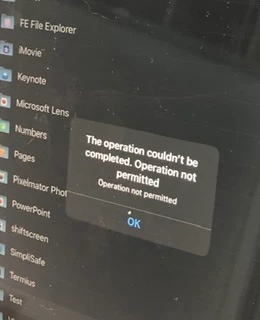
After 15 minutes thinking and validating I've got the prompt to save, so I've created a ipad folder called "test" and tried to "export". After 5 minutes I've got the error "The Operation couldn't be completed. Operation not permitted - Operation not permitted"


On the destination folder "test" only 2051 files (of 9289) was saved. As a former kernel developer (Solaris) I noticed that it is pretty close to 2048 (2x1024) limit, so I don't know if it makes sense but I can smell something as RFE for IPad OS or to Adobe.


Bottom line is:

* iPad with 500GB free

* 2020 12.9 6GB RAM (only running LR)

* Using local resources (iPad storage)


Please help! I don't know if anyone from Adobe could help me, otherwise I'd use my windows machine to get this done.


See attached pictures...
This topic has been closed for replies.

22 replies

Rikk Flohr_Photography
Community Manager
Community Manager
June 8, 2021

Greetings,

Updates to Camera Raw, Lightroom Classic and the Lightroom Ecosystem products for Desktop, Mobile and Web, were released today and contain a fix for this issue.

Please refresh your Creative Cloud application and install your update when it becomes available. Thank you for your patience.

Rikk Flohr: Adobe Photography Org
DimasDeAuthor
Known Participant
April 23, 2021

Just to give you an idea on performance, on my Lenovo 13-Ikb i5-8250u windows 10 with 1TB M2.SSD took 21 minutes for 9371 itens (the same Adobe Cloud environment and what I’ve tried on iPad).

All images are stored locally too.

No errors and perfect.

It took 67Gb on local disk.

DimasDeAuthor
Known Participant
April 22, 2021

Thank you!

I am already using this on my ancient PC, It’ll be nice to have a version of that for Android and iPad/iOS.

Dimas.

Community Manager
April 22, 2021

We are investigating what it could be but until we have a fix, maybe you can check if this helps you on macOS/Windows
https://helpx.adobe.com/lightroom-cc/kb/download-lightroom-photos.html

Thanks,
Ignacio

DimasDeAuthor
Known Participant
April 21, 2021

Thank you for your reply.

I have 90% JPG and the rest is RAW (ARW and NEF) and some jpg, few movies (mostly from mobile)

All files as cached on my iPad. I am exporting “as is” no conversion... pretty much like a backup.

There is no APP to download all your photos from the Adobe cloud like for windows or Mac, so I am trying to use iPad as a “PRO” base.

* I’ve formatted my ipad and installed JUST LR and the error persist.

* I’ve tried the same process on my 2017 Lenovo 8G Ram 128G SSD and works 😞


I don’t know if this is a LR limitation or IPadOS limitation.

I’ve bought this iPad to replace my old Lenovo, I am very disappointed... since my 2017 windows laptop can do things that my 1400usd iPad can’t.

My recommendation is to use an Android tablet to test it, maybe it’s an iPad limitation and it’ll become a Apple issue 😉

I think the database is perfect (cloud one), since I’ve used the LR (basic) not classic on my PC and worked !

I am still looking to upload my 75K images but I need to get it fixed, so far I only have 30K pictures on the Adobe Cloud.

Thank you for hearing me out !

You can reach me directly if you want more details.

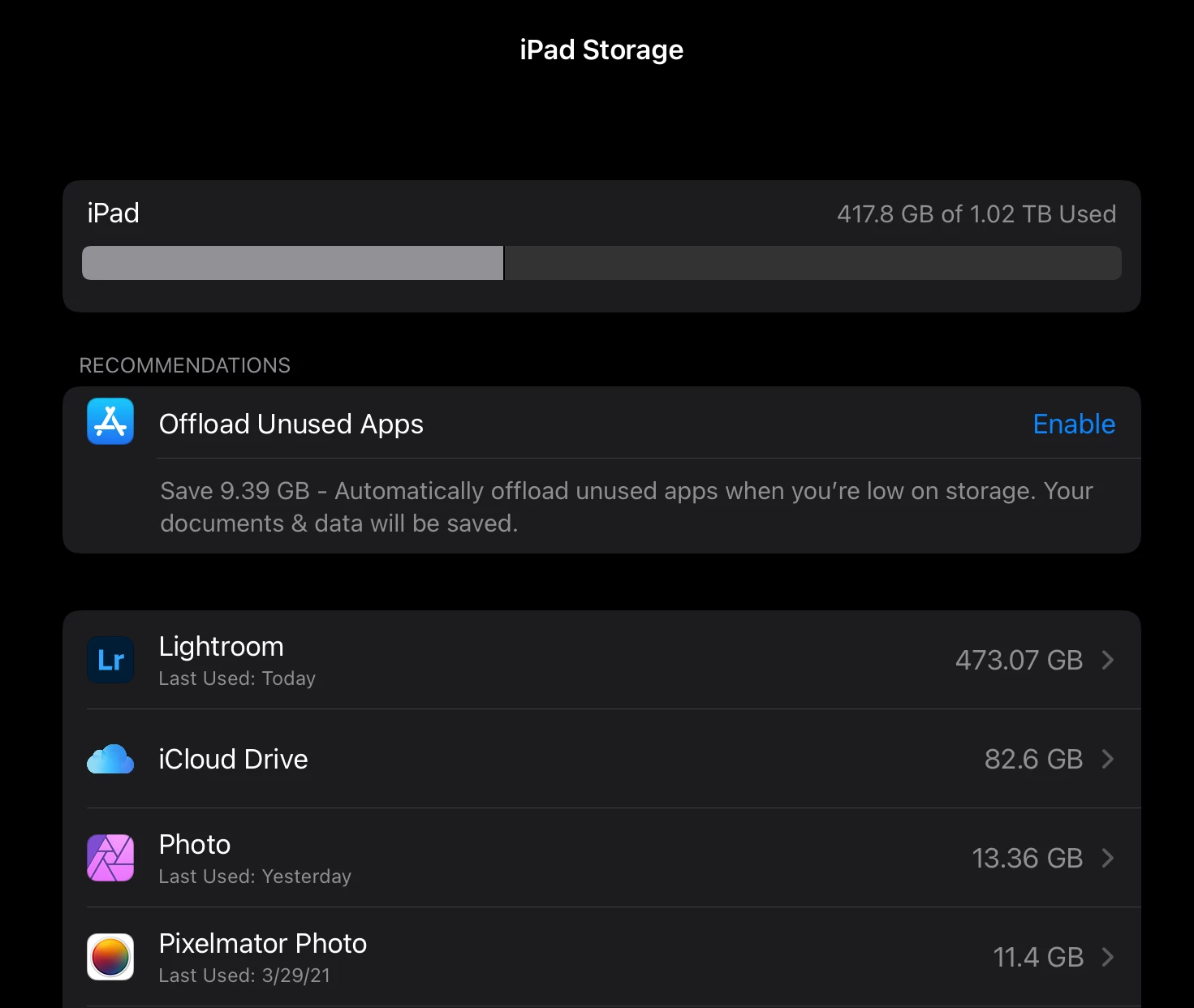
My storage as now:
Community Manager
April 21, 2021

Hi, what kind of images are you trying to export?
Are those DNGs, Raws, JPG or a mix of them all?

Does it work if you split the export into two?
Trying to figure out if you have some images causing problems.

Thanks,
Ignacio

DimasDeAuthor
Known Participant
April 20, 2021

@Rikk 

Hello there,

Any news...? I’ve reinstalled it, but the problem continues. How do I open a BUG or RFE?

Thank you!

DimasDeAuthor
Known Participant
April 8, 2021

Is it possible to recreate this issue with LR on Android tablet?

DimasDeAuthor
Known Participant
April 1, 2021

I am still thinking about flushing out buffers into the file system, 2051 it’s too close to 2048 (maybe the iPadOS limit to files under one folder) or someone at LR team needs to increase the pointers to a bigger cache to export. I don’t know it reminds me my old days fighting with memory and unsigned float things 😉 

DimasDeAuthor
Known Participant
April 1, 2021

@Rikk thank you for your reply. If I do that I’ll need to download everything again otherwise for every picture LR will download from cloud. I think it’s an issue on the “export” part, I’ve already wipeout the iPad and reinstalled everything and download all the 30k pictures again... same issue...

maybe iPad is just a huge phone or LR mobile is not ready for real photographers 😉 

If someone has a Android tablet, would be nice to test it.