


1mpala
Participant
March 23, 2026

P: Recommended Presets Not Working

  • March 23, 2026
  • 211 replies
  • 5650 views

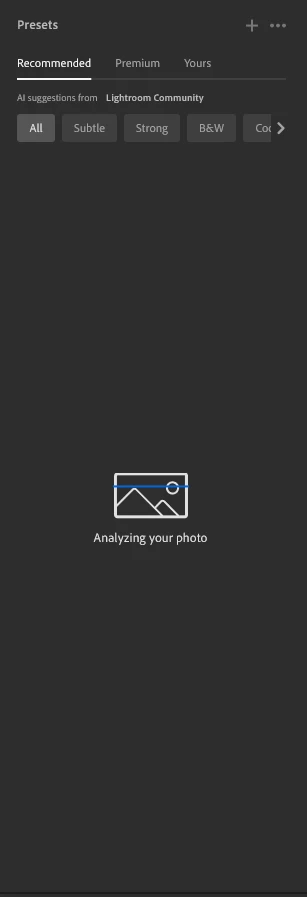
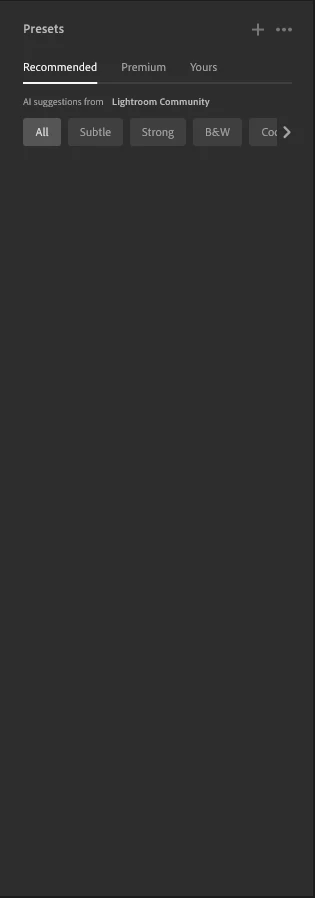
The recommended presets aren't loading anymore; it says they're being analyzed, but nothing happens. It used to work before—how can I fix this?
 

211 replies

Eringzo
Participant
April 1, 2026

This is an issue for a lot of us. While not a critical feature, it does provide inspiration for those of us that use it. Can we get an update or some kind of response to let us know of the progress and set an expectation for a time to resolution? Many thanks. 

stilltone
Participant
April 1, 2026

Any update on this? 

Cade_Lansou0033
Participant
April 1, 2026

The “Recommended” presets are not showing up. It shows that my photo is being analyzed but no presets appear. This is only on the desktop version, whereas on the mobile version the recommended presets pop up. 

Do_paaan
Participant
April 1, 2026

The AI ​​recommendations don't load when I edit photos. I've checked and tested several solutions, but I don't know why the AI ​​recommendations still don't appear, even though they work on my phone.


Arbek
Participant
April 1, 2026

How is this not fixed yet? Adobe has done a good job of making their products integral to the workflows of many people. The lack of communication on what timeline we should expect on a fix is unacceptable. 

MSMacedo
Participant
April 1, 2026

No updates yet, Adobe?

At this point, it feels fair to extend subscriptions to match the time it’s taking to resolve this and other major issues. After all, users are paying to perform software quality control on Adobe’s behalf. What a shame!
Anyone else agree?


Kendal03
Participant
April 1, 2026

Same issue. I’ve done everything, please stop pretending it’s not a software issue and fix it, people have been having these issues for over a week and people depend on this app to make a living 

dylan_9594
Participant
March 31, 2026

With so many people having the same issue, you would think it could have been solved by now. Works just fine on Lightroom Mobile though.

MSMacedo
Participant
April 1, 2026

Hi!

Yes, it also works fine in the Lightroom Web version—and that makes it even more upsetting.

We now have Lightroom Classic, Lightroom (PC/Mac app), Lightroom Web, and Lightroom Mobile: four different applications, each behaving differently and offering inconsistent features and flaws.

For example, in Lightroom you can hover over a preset to preview it applied to the full image without committing to it. In Lightroom Web, however, previews are limited to small thumbnails, forcing users to actually apply the preset and then revert it if it doesn’t work.

Has anyone at Adobe been told how frustrating it is to constantly switch between versions just to make basic adjustments?

Why doesn’t Adobe offer one product that works properly, instead of four patched together with band‑aids?

Tartanclad83
Participant
March 31, 2026

Is this going to be fixed, or what? In the mean time, we’re all paying for this service and it’s been down for how long by now? My sister uses it for her actual work as a wedding and event photographer and it’s not working for her either with deadlines looming.

JAgostinho
Participating Frequently
March 31, 2026

Any news regarding this issue? I'm an amateur photographer that pay a full year for Adobe services [that are getting way expensive] and now this fundamental tool stop working. ​@adobe what is the ETA for the fix?/ What is adobe thinking to refund the clients? Regards
