


1mpala
Participant
March 23, 2026

P: Recommended Presets Not Working

  • March 23, 2026
  • 208 replies
  • 5099 views

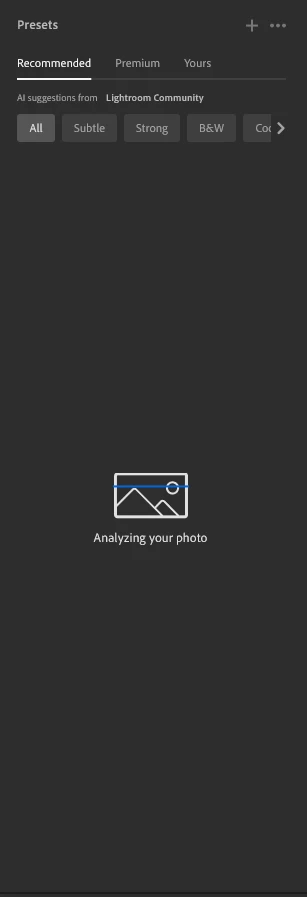
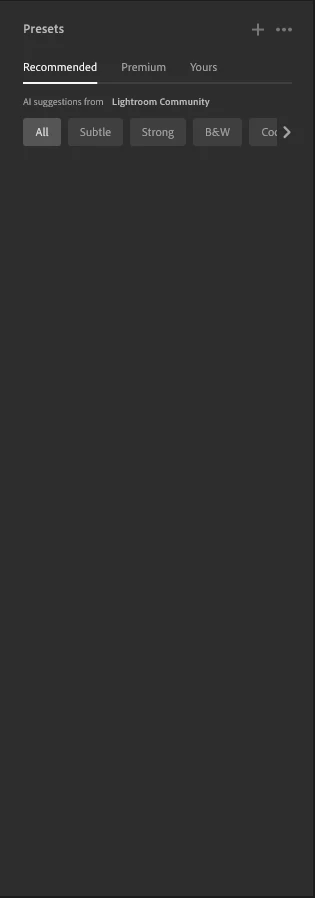
The recommended presets aren't loading anymore; it says they're being analyzed, but nothing happens. It used to work before—how can I fix this?
 

208 replies

Halfmoon26
Participant
March 26, 2026

On my recommendations it is not working On my sons it works but not on mine. What could be the problem?

photosoldier860
Participant
March 26, 2026

when i open my presets tab n got to my presets they do not load and i have to keep force quitting lightroom n it still doesnt load everything is in the cloud and i have memory on my laptop  

Artur5E0C
Participant
March 26, 2026

Same problem here on desktop, AI presets works fine in web LR tho.

MassC
Legend
March 25, 2026

Thanks, everyone, for sharing the details. The team is investigating the issue. In the meantime, please follow this post for updates.

Pete_T4869
Participant
March 26, 2026

Is there an update to this? ETA?

wise_heartB831
Participant
March 25, 2026

Happened to me too this needs fixing for the amount it cost per month not very good service Adobe!

maureenn33151670
Participant
March 25, 2026

Agree! They need to be on this ASAP. Easier said than done to switch to a different editing program.

maureenn33151670
Participant
March 25, 2026

Apparently, they’re aware of it and working on it. Time will tell.


maureenn33151670
Participant
March 25, 2026

So, what can we do? Maybe I switch to a different photo editing program and cancel Lightroom. Not an easy fix for me. The Adobe tech folks need to fix this.

xmoorlass
Participant
March 25, 2026

did 9.2 update the recommended presets no long appear, the others do. it say searching for presets then goes blank. I have rest app preferences but still not working. HELP

djnexusmke
Participant
March 25, 2026

Exact same issue for me :) Has been going on for almost 2 weeks now.

Sonya-BCP
Participant
March 25, 2026

Lightroom version 9.2

Blessed lend by Amanda
Participant
March 25, 2026

Lightroom Presets not working , bet the Creators dont care


Lightroom version: 9.2 x64 [ 20260217-0314-dfbaf86 ] (Feb 16 2026)
NGL Version: 1.42.0.5
WF Version: 8.2 5e8f3ad
VF Version: 1.0.164
HIL Version: 40501
CAI Version: c2pa-c/0.6.0 c2pa-rs/0.46.0
PH Version: 5.2.3
Adobe GSDK Version: 1.4.0.171
CR Version: 29.0.0.202506270808_710830c

Operating system: Windows 11
OS Version: Windows 11 Home Single Language (2009)
Application architecture: x64
System architecture: x64
Computer model: HP Victus by HP Gaming Laptop 15-fb0xxx / AMD Ryzen 5 5600H with Radeon Graphics         
Logical processor count: 12
Processor speed: 3,2 GHz
Real memory available to Lightroom: 15710,0 MB
Real memory used by Lightroom: 1816,9 MB (11,5%)
Virtual memory used by Lightroom: 3100,1 MB
Memory cache size: 3425,5 MB

Internal Camera Raw version: 18.2 [ 2482 ]
Maximum thread count used by Camera Raw: 7
Camera Raw SIMD optimization: SSE2,AVX,AVX2
Camera Raw virtual memory: 552MB / 5807MB (9%)
Camera Raw real memory: 536MB / 15710MB (3%)

Display: 1920x1080
System DPI setting: 96 DPI
Dark Mode: Yes
Desktop composition enabled: Yes
Input types: Multitouch: No, Integrated touch: No, Integrated pen: No, External touch: No, External pen: No, Keyboard: No

Graphics Processor Info: DirectX: NVIDIA GeForce RTX 3050 Laptop GPU (32.0.15.9597) - 4 GB
Graphics Processor Detail: loaded: Yes, supported: Yes, compute: Yes, init: I4_GPU3, hard: success, soft: success, al: Yes, dl: No
OS Media Capability: true

Application Folder: C:\Program Files\Adobe\Adobe Lightroom CC
Settings Folder: C:\Users\amand\AppData\Roaming\Adobe\Lightroom CC
Library Folder: C:\Users\amand\AppData\Local\Adobe\Lightroom CC\Data
