


1mpala
Participant
March 23, 2026

P: Recommended Presets Not Working

  • March 23, 2026
  • 208 replies
  • 5104 views

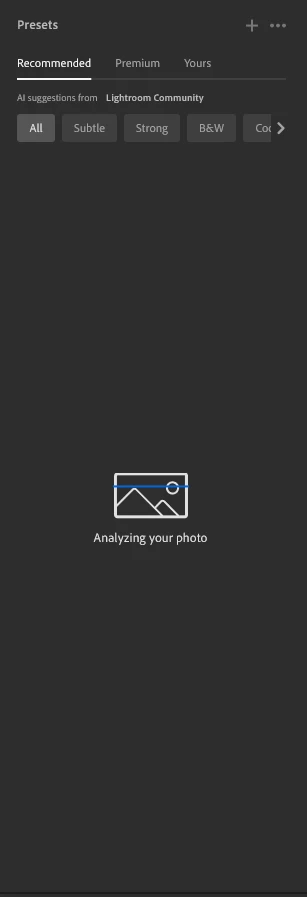
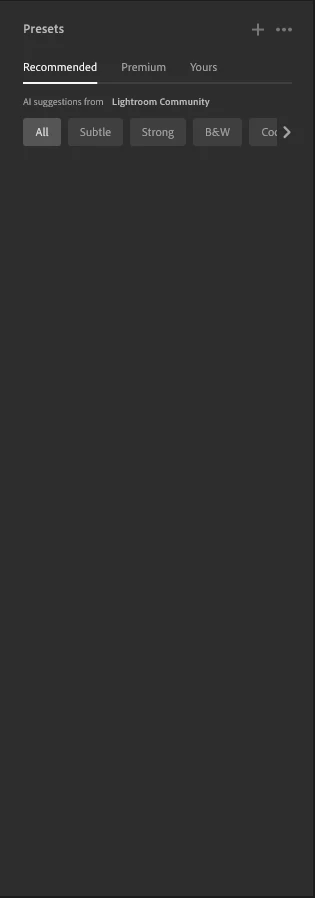
The recommended presets aren't loading anymore; it says they're being analyzed, but nothing happens. It used to work before—how can I fix this?
 

208 replies

Blessed lend by Amanda
Participant
March 25, 2026

Having the same issue and we need to pay for this app!!!!!! When will it be fixed , We have work to do !


Lightroom version: 9.2 x64 [ 20260217-0314-dfbaf86 ] (Feb 16 2026)
NGL Version: 1.42.0.5
WF Version: 8.2 5e8f3ad
VF Version: 1.0.164
HIL Version: 40501
CAI Version: c2pa-c/0.6.0 c2pa-rs/0.46.0
PH Version: 5.2.3
Adobe GSDK Version: 1.4.0.171
CR Version: 29.0.0.202506270808_710830c

Operating system: Windows 11
OS Version: Windows 11 Home Single Language (2009)
Application architecture: x64
System architecture: x64
Computer model: HP Victus by HP Gaming Laptop 15-fb0xxx / AMD Ryzen 5 5600H with Radeon Graphics         
Logical processor count: 12
Processor speed: 3,2 GHz
Real memory available to Lightroom: 15710,0 MB
Real memory used by Lightroom: 1816,9 MB (11,5%)
Virtual memory used by Lightroom: 3100,1 MB
Memory cache size: 3425,5 MB

Internal Camera Raw version: 18.2 [ 2482 ]
Maximum thread count used by Camera Raw: 7
Camera Raw SIMD optimization: SSE2,AVX,AVX2
Camera Raw virtual memory: 552MB / 5807MB (9%)
Camera Raw real memory: 536MB / 15710MB (3%)

Display: 1920x1080
System DPI setting: 96 DPI
Dark Mode: Yes
Desktop composition enabled: Yes
Input types: Multitouch: No, Integrated touch: No, Integrated pen: No, External touch: No, External pen: No, Keyboard: No

Graphics Processor Info: DirectX: NVIDIA GeForce RTX 3050 Laptop GPU (32.0.15.9597) - 4 GB
Graphics Processor Detail: loaded: Yes, supported: Yes, compute: Yes, init: I4_GPU3, hard: success, soft: success, al: Yes, dl: No
OS Media Capability: true

Application Folder: C:\Program Files\Adobe\Adobe Lightroom CC
Settings Folder: C:\Users\amand\AppData\Roaming\Adobe\Lightroom CC
Library Folder: C:\Users\amand\AppData\Local\Adobe\Lightroom CC\Data


maureenn33151670
Participant
March 25, 2026

Also having the same issue. Frustrating!

83stef
Participant
March 25, 2026

This bug has been there for 3 days.

shusatnakmar
Participant
March 25, 2026

Shusatnakmar 

johnrellis
Legend
March 25, 2026

[View this post in your web browser. It contains formatting and images that don't appear in email.]


Your screenshot shows you’re running LIghtroom Desktop, but you’ve posted in the forum for Lightroom Classic. If you post in the Lightroom Ecosystem forum (or wait up to many hours for a moderator to move your post), you’ll get better help faster.

https://community.adobe.com/lightroom-ecosystem-cloud-based-677

PolstonPhotography
Participant
March 25, 2026

N/A

Amanda Fisher
Participating Frequently
March 25, 2026

Presets 'Recommended" AI suggestions does not generate anymore, instead it is only blank under all categories (All, Subtle, Strong, B&W, etc). I am using the updated Lightroom cloud version 9.2. 
 

MikeVazquez12
Participant
March 25, 2026

I thought it was my PC but after reinstalling, cleaning cache, uninstalling and still not working! :( 
 

TATIANA27785994gpso
Participant
March 24, 2026

Presets Premium works, Preset Yours works. Preset Recommended doesn’t works, and this is the function I used the most, I really need it

FITA00
Participant
March 24, 2026

Same error on my pc!

carl_4515
Participant
March 24, 2026

Exactly the same for me. Glad it isn’t just me. Presets work fine on my tablet and mobile. Hopefully there will be a solution soon.
