


1mpala
Participant
March 23, 2026

P: Recommended Presets Not Working

  • March 23, 2026
  • 211 replies
  • 5650 views

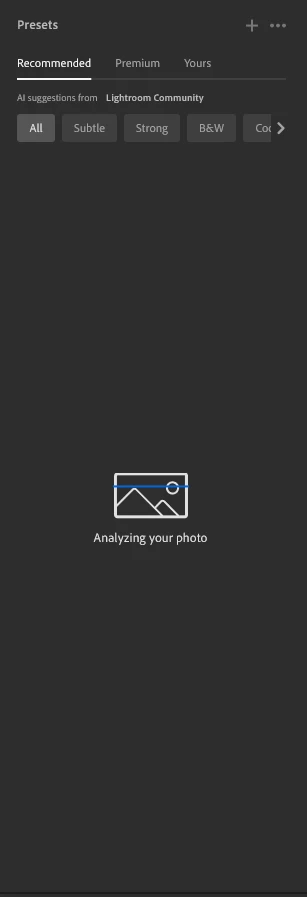
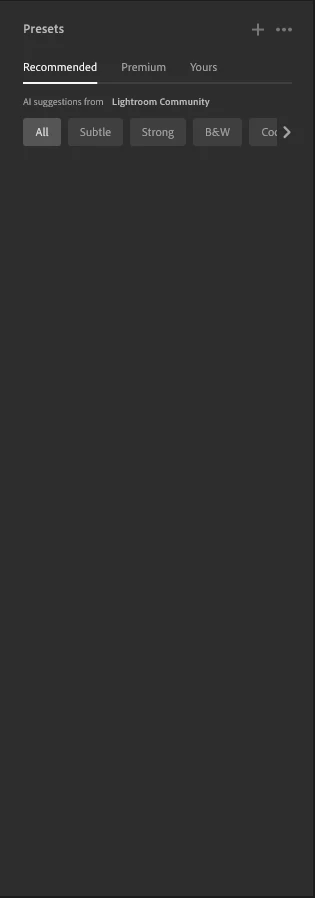
The recommended presets aren't loading anymore; it says they're being analyzed, but nothing happens. It used to work before—how can I fix this?
 

211 replies

Riker_1
Participant
April 4, 2026

I also contacted Adobe support. Their only advice was to reinstall or wait for a new update.
But I found out my current workaround till the App version works again:
Click on the Cloud and use “Lightroom Web”, 
It helps at least temporalily.

Greetings from Germany


Denis Baldassi
Participant
April 5, 2026

grazie

fotogrl
Participant
April 6, 2026

I tried this and it works.  Thank you!

tj29er
Participant
April 4, 2026

this has been going on for almost a month for me...i guess i’ll just let them take another month from me for their buggy prog. thanks ​@adobe 

A fool and his money are SOME PARTY
Riker_1
Participant
April 3, 2026

In der Webversion funktionieren alle Presets, nur nicht in der App!

Ich habe die App bereits deinstalliert und wieder neu aufgesetzt leider erfolglos.

tembar55
Participant
April 3, 2026

Bende 10 gündür bu sorunu yaşıyorum. Lütfen artık sorun çözülsün ya da paralarımız iade edilsin.

Iascaire
Participant
April 3, 2026

I spent ages trying to explain to AI assistant, what a dick, honestly id rather Donald Trump assisting me than the AI.  Eventually I got through to a person, they are aware of the problem and it should be fixed “soon”.  Meanwhile he suggested i use the web version of lightroom as recomended presets show there. He was right the Web version does analise and you can see recomended preset, but the web version is rubbish to use, there is no way i will keep paying if this is not resolved soon


Iascaire
Participant
April 3, 2026

i am having the same problem, can only see them on my phone, but i want to use my pv for editing.  The recomended presets feature is the main reason i have a subscription


Krasimir Velkov
Participant
April 3, 2026

Yes. If they don't fix it i will stop my subscription

Riker_1
Participant
April 3, 2026

Wenn ich unter Presets “Empfohlen” anklicke werden keine Varianten eingeblendet, das Fenster bleibt schwarz. 
“Premium” hingegen zeigt nach wie vor unterschiedliche Varianten an.
 

Meine Version: 9.2

Build 20260217-0314-dfbaf86

Krasimir Velkov
Participant
April 3, 2026

Why my recommended presets stop working in my LR? They work on phone, but not on my PC.


caroheritier
Participant
April 3, 2026

en ajustes predeterminados, al hacer clic en ajustes predeterminados, no carga la opción RECOMENDADOS. Como soluciono el problema?

frankh82363589
Participant
April 3, 2026

I've been having the same problem for several days now. At first, I thought it was due to the RAW files from my new Sony A7V, but it's not working with older files either, files that previously worked without any issues. When I open the presets, it says "Your photo is being analyzed," but then no suggestions are displayed. Screenshot attached.

I'm using Windows 11 Pro  Version 25H2 and  Lightroom Version 9.2

I resetting my preferences and nothing changed.

Matthew386337936brw
Participant
April 5, 2026

I’m also having the same issue.

I’ve tried reinstalling everything but nothing is working.
