Participant
Apr 29, 2025 8:57 AM UTC
In Development

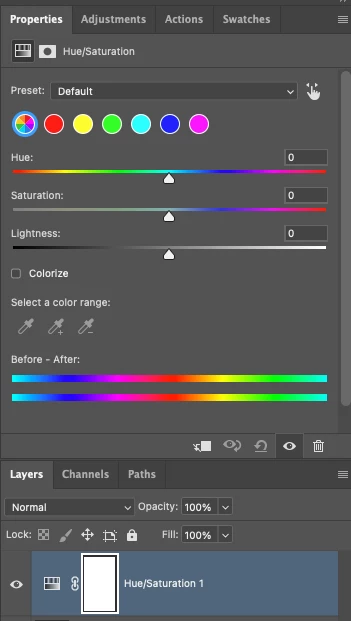
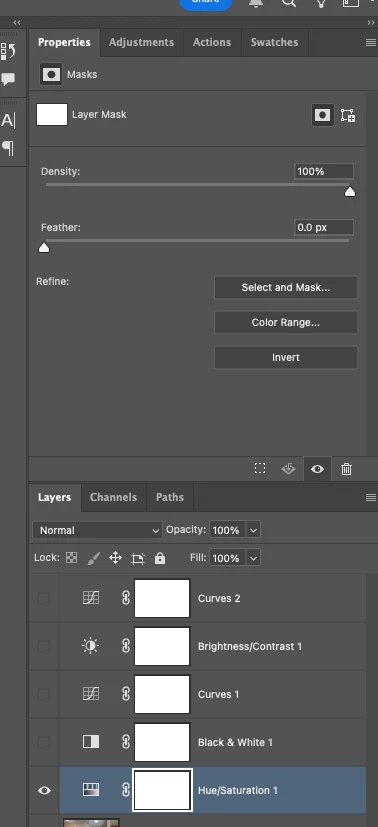
P: Adjusting layer properties doesn't work for Hue/Saturation/lum. HSL layers

The tab to click on and change the properties for an adjustment layer randomly disappears. Quitting and re-opening the app solves the issue, but it will happen again within minutes, usually when switching between different projects or different app on the computer. 

On Photoshop v26.6 - Mac Mini M4 pro, 32gb ram, 1tb ssd.


Any help would be appreciated!
ss
Pinned Reply By Srishti Bali

Hi All,


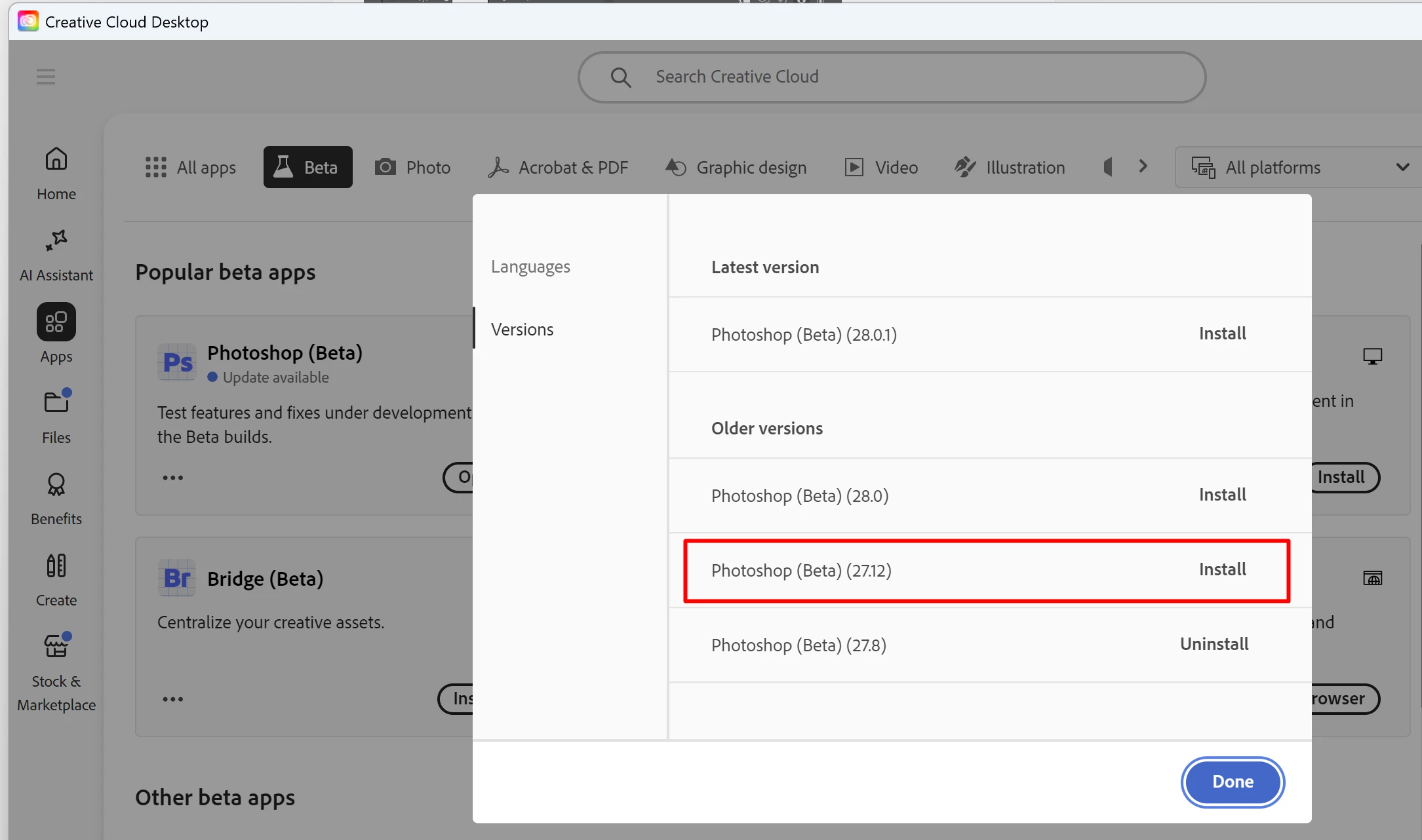
We'vetried to fix this issue in the recent beta release (27.12). Please give it a try and let us know how it goes.


147 replies

Known Participant
Jul 24, 2025 3:07 PM UTC

@Aleke you do realize that the workaround you are suggesting has nothing to do with the issue at hand?

Translate
Participant
Jul 24, 2025 9:59 AM UTC

Exactly same bug, appears only on Hue/Saturation layer. And only on this one specific picture. I can create and use H/S layer on the other picture, but when I drag it to first picture, edit panel is replaced by mask panel.
I don't know, problem with memory? Number of layers?
Mac mini M1 2020, 16GB, Sequoia 15.5

Translate
Community Expert
Jul 24, 2025 6:40 AM UTC

@LYPIN89 What exactly doesn't work? Please be more specific.

Only saying "I doesn't work" doesn't help anybody.


Translate
My System: Intel i7-8700K - 64GB RAM - NVidia Geforce RTX 3060 - Windows 11 Pro 26H2 -- LR-Classic 16 - Photoshop 28 - Nik Collection 9 - PureRAW 6 - Topaz Photo AI
Participant
Jul 23, 2025 1:40 PM UTC

不管用。。。

Translate
Community Manager
Jul 18, 2025 6:27 PM UTC

Hi @antonioi21376345, @Michal G_1, and everyone else affected. Thank you so much for your reports and for sharing the videos.

The team has reviewed your findings and is actively looking into the issue. We’ll work on getting a fix out as soon as possible.


A workaround you can try for now is to convert the layers into a smart object and then rasterize, instead of merging the group.
Really appreciate your patience and help in flagging this!

Best,
Alek

Translate
*(If you mention me with an @, like @Aleke, I’ll get a notification and can respond faster.)*
Participating Frequently
Jul 17, 2025 11:28 PM UTC

@Aleke New video of odd behavior. Notice how the properties disappear when the HS layer is moved above "Group Copy 1" .. and then reappear if the layer is moved back down. 

https://youtu.be/2aN4WduWqsY

Translate
Jul 12, 2025 6:18 PM UTC

Here is a video showing this bug: https://www.swisstransfer.com/d/5f7223ac-d2bf-4a3b-99df-6d92c564f066 

Translate
Jul 12, 2025 6:01 PM UTC

The problem persists in version 26.8.1 on Windows.

When you perform a merge group operation on any layer group, you cannot access the hue/saturation layer properties; only the mask properties for that layer are displayed.

Translate
Participant
Jul 8, 2025 2:45 PM UTC

workaround is to quit and re-open for now 🤷‍♂

Translate
ThijmeBreukers
Participant
Jul 8, 2025 1:22 PM UTC

I have the exact same problem; very frustrating; would love to learn a workaround or fix...! thank you 

Translate