


Participant
February 28, 2018

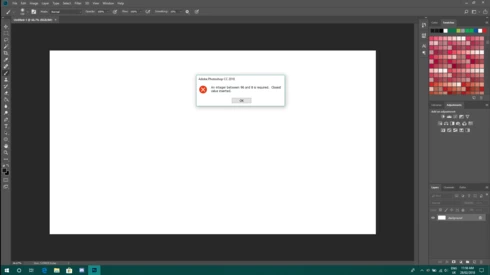
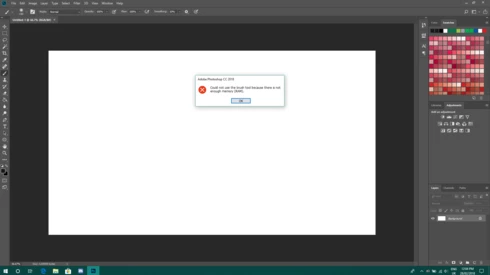
P: An integer between 96 and 8 is required. Closest value inserted. "...not enough memory (RAM)"

  • February 28, 2018
  • 132 replies
  • 3186 views

Photoshop has become suddenly unusable. Almost every tool gives me an "Out of memory (RAM)" error and when I try to open the Performace pane I get the error in the title. I cannot get inside the settings, as this error keeps on popping up. I tried everything (reinstalling PS, deleting everything (including preferences), updating PS, updating Windows 10, switching to the latest Insider Preview). Nothing fixes this error.
This topic has been closed for replies.

132 replies

Hannah Nicollet
Community Manager
Community Manager
May 28, 2018
@11651266 I fixed my email in Michael's comment.
Hannah Nicollet
Community Manager
Community Manager
May 28, 2018
Hi Robert,

I was able to find your Adobe ID because it is associated with this email, so I sent you an invitation to try the build with the fix. Please watch for it.

Thanks,
Hannah
cv95159831
Participating Frequently
May 27, 2018
Robert Kimball, in my case the solution to the anomaly was between Hannah and myself because it was unique. My computer was missing a couple of ".dll" files and the download to fix the problem could not be completed.  In addition, my antivirus software was getting in the way. So yes, Hannah took the time to figure out my specific problem and walk me through the process.  I am 100% sure that she will get in touch with you if you contact her to the email address she provided and will provide you with what you need.  It's a holiday weekend, so maybe you have to be patient.
Known Participant
May 27, 2018
To bad this was between you and her and didn't let everyone else in on it. I still have the problem and I'm losing money by the minute.
Known Participant
May 27, 2018
Me too! Adobe is costing me business!
Known Participant
May 27, 2018
Me too, I"m loosing business by the minute. So aggravating!!!
cv95159831
Participating Frequently
May 26, 2018
That email is wrong. Hannah provided a photo above. Scroll up and you'll see it. You can't copy and paste because it's a photo. You have to type it in to send her an email.
Inspiring
May 25, 2018
That email did not work for me
Inspiring
May 25, 2018
Thanks, Hannah.