Participating Frequently
April 14, 2021

P: Can't detect GPU

  • April 14, 2021
  • 156 replies
  • 8535 views

Recently I just did an update of Photoshop to V22.3.1

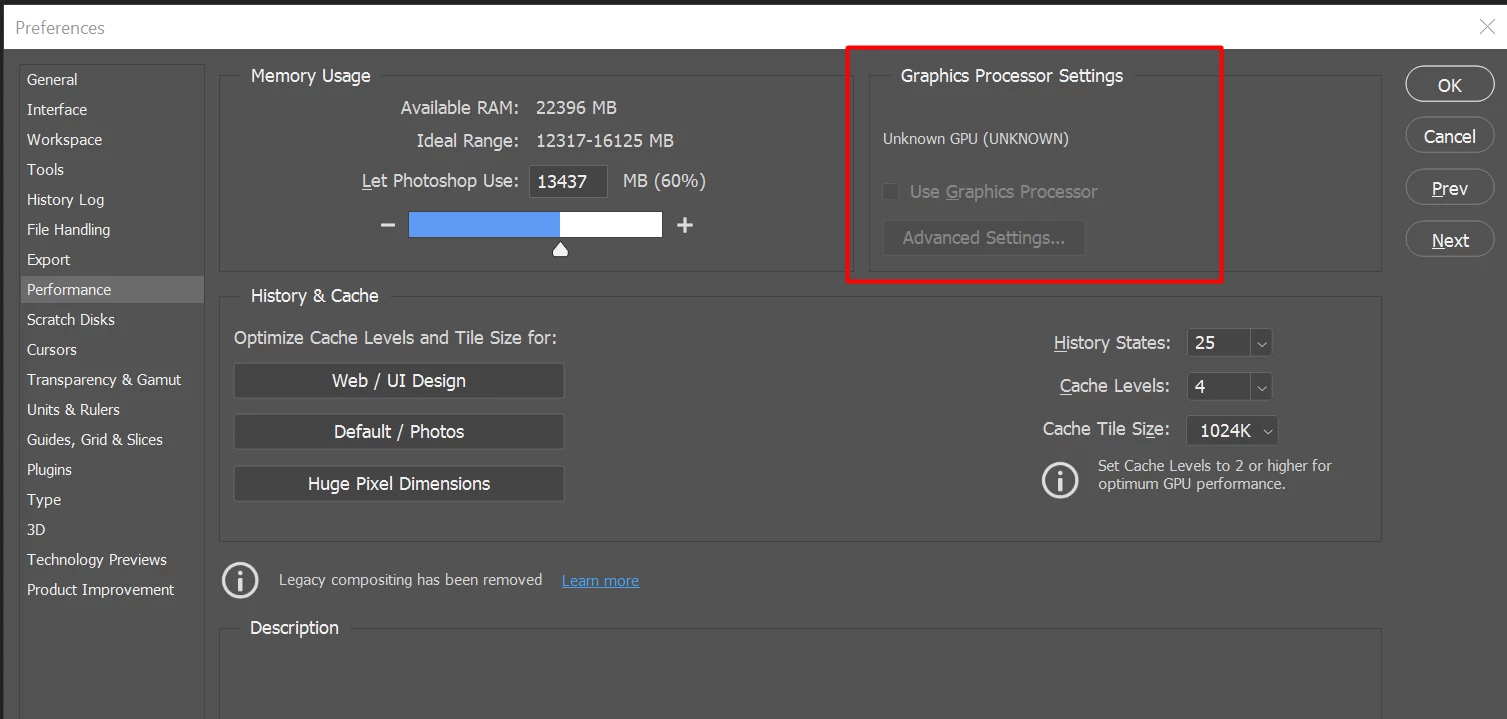
After I launched PS, and then go to the performance dialog box, then noticed that it can't detect my GPU GTX1050i.

This was working fine with the previous version of PS. I suspect that the latest update had something to with this problem.

Thank you

BR,

FS Wong

This topic has been closed for replies.

156 replies

Participating Frequently
April 22, 2021

hi please chek this un install that photoshop re install the same version for lanuage chose english international it will solve it i did the same i now dont have any problem

Participating Frequently
April 22, 2021

hi please chek this un install that photoshop re install the same version for lanuage chose english international it will solve it i did the same i now dont have any problem

Participating Frequently
April 22, 2021

hi please chek this un install that photoshop re install the same version for lanuage chose english international it will solve it i did the same i now dont have any problem

71-L3N
Inspiring
April 22, 2021

In Creative Cloud Desktop program, go to "File>Preferences" and than under "Apps" scroll down to "Settings" and switch on "Show older Apps"

Inspiring
April 22, 2021

I tried this but I am not able to choose an older version !!??

71-L3N
Inspiring
April 22, 2021

Maybe you could try with game driver, however do not forget to completely remove studio drivers via DDU (Display driver uninstaller) https://www.guru3d.com/files-details/display-driver-uninstaller-download.html. For my home computer on RTX2060 Super game driver in Premier and Photoshop works quite better.

jacoblaerdal
Participating Frequently
April 22, 2021

Same here 😉 Windows 10 Photoshop 22.3.1

Participating Frequently
April 22, 2021

Thank you and you are a life saver 😄

i did the same and boom my GPU got ditected i was about to change my lap cuz i thought its having a problem in my GPU hahah

Inspiring
April 20, 2021

I had the same problem on my W10 PC with an NVIDIA GeForce RTX 2070 Super with 8 Gb RAM; previous Ps versions recognized it with no issues.  What it took on my system was to disable the on-board GPU via Windows Control Panel-->Device Manager (under an admin account, of course) and then the current Ps version recognized the card.  No doubt, however, that this is a Ps issue that should be fixed in the next update.

BobWongAuthor
Participating Frequently
April 20, 2021

Thanks for sharing. It was an interesting discovery. But I also wondering why language got an effect on detecting GPU.

I am happy that your problem is solved.