Participating Frequently
April 14, 2021

P: Can't detect GPU

  • April 14, 2021
  • 156 replies
  • 8535 views

Recently I just did an update of Photoshop to V22.3.1

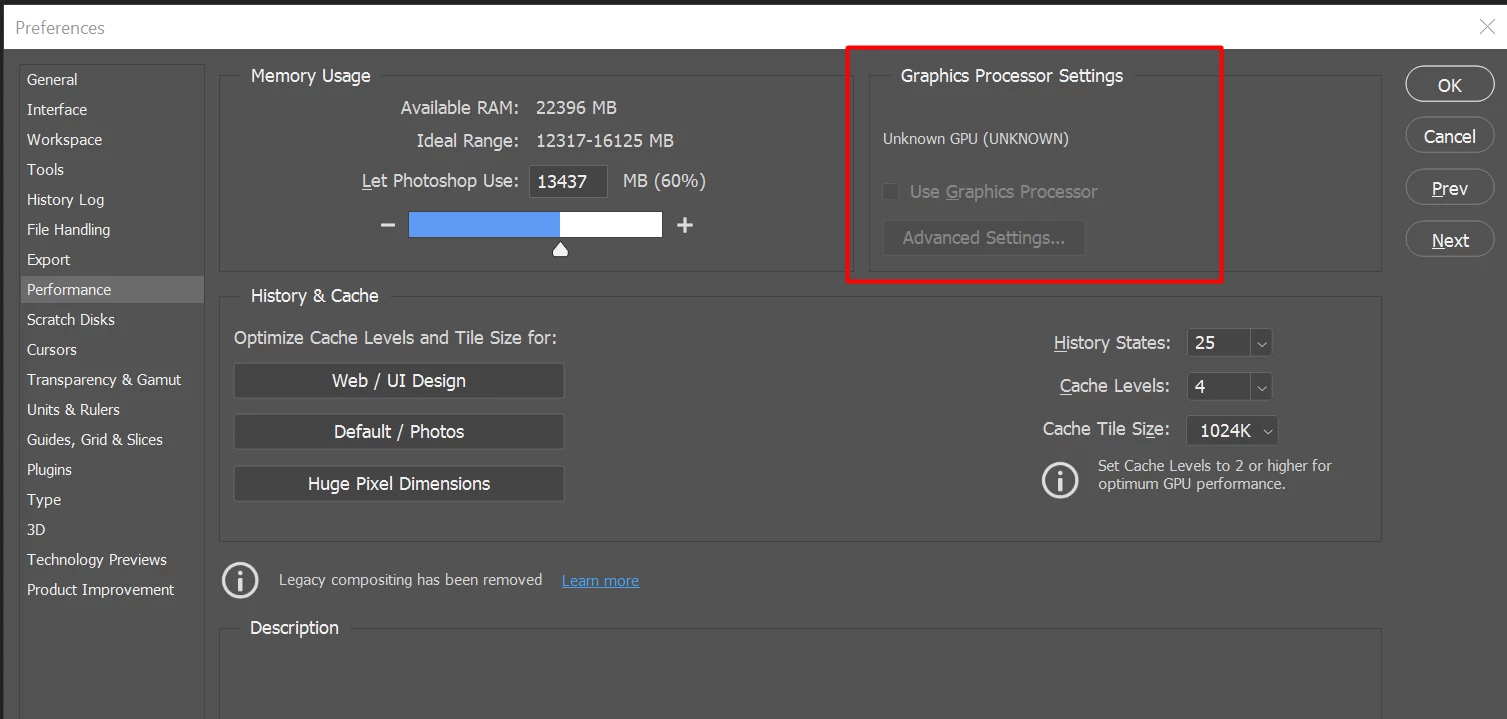
After I launched PS, and then go to the performance dialog box, then noticed that it can't detect my GPU GTX1050i.

This was working fine with the previous version of PS. I suspect that the latest update had something to with this problem.

Thank you

BR,

FS Wong

This topic has been closed for replies.

156 replies

jacoblaerdal
Participating Frequently
April 22, 2021

@Tylkko, @roshanz92 and all the above Found the solution 🙂

If you do this you have to install your apps again!

jacoblaerdal
Participating Frequently
April 22, 2021

@roshanz92

Thank you 😉 it's worked!

jacoblaerdal
Participating Frequently
April 22, 2021

@roshanz92

Thank you 😉 it's worked!

Participating Frequently
April 22, 2021

un install the photoshop and re install when it ask language use english international and it will work

saame thing was happerd now my problem is solved

jacoblaerdal
Participating Frequently
April 22, 2021

@roshanz92 I am using the english_US version 😉 I will try international.

jacoblaerdal
Participating Frequently
April 22, 2021

@roshanz92 I am using the english_US version 😉 I will try international.

jacoblaerdal
Participating Frequently
April 22, 2021

Same here! 22.3.1 come on Adobe 😉

Inspiring
April 22, 2021

Same problem with UNKNOWN GPU on NVIDIA GeForce RTX 2080 Max-Q Design.
Already had this problem since the previous update.. absolutely ridiculous that this is not being addressed, Photoshop is nearly unusable. I downloaded GIMP for goodness sake.

Participating Frequently
April 22, 2021

hi please chek this un install that photoshop re install the same version for lanuage chose english international it will solve it i did the same i now dont have any problem

Participating Frequently
April 22, 2021

hi please chek this un install that photoshop re install the same version for lanuage chose english international it will solve it i did the same i now dont have any problem