Participant
Oct 29, 2014 4:30 PM UTC
Released

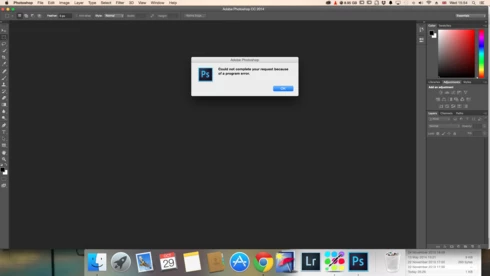
P: Could not complete your request because of a program error.

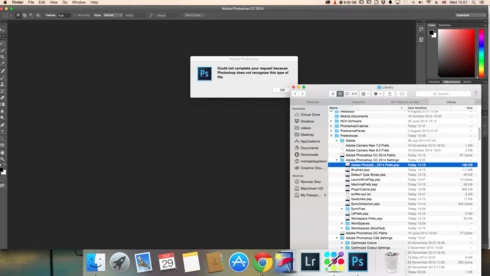
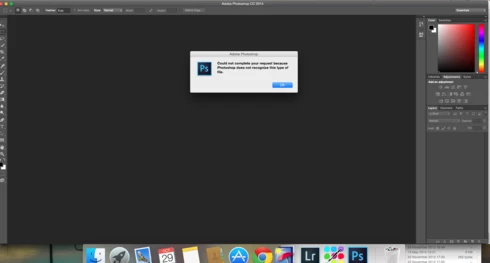
i keep getting this message when i try to do anything in photoshop a second time what i mean is when first opened photoshop works when i close the first image the go to do anything else i get the message: Could not complete your request because of a program error.i have uninstalled and reinstalled photoshop cc but no difference i have taken a couple of screen shots which i hope will give you more information
i hope you can solve this problem as i am at my wits end

This topic is closed to new replies. Start a new post to keep the conversation going.

170 replies

Participant
Dec 17, 2020 4:09 AM UTC

that's crazy. Each next version of PS brings more and more bugs. Can't work at all. Facing this issue while working with overlays, when trying to save document. Hate it :((((((  

Translate
Lance021
Participating Frequently
Nov 6, 2020 2:05 PM UTC

@JeffreyTranberry Great and helpful piece of information. Thanks 

Translate
Legend
Nov 2, 2020 12:06 AM UTC

Photoshop's GPU requirements have increased for 22.0. Try the solutions here: https://helpx.adobe.com/photoshop/kb/known-issues.html#ProgramErroropeningfiles 

If your card is not supported you may need to upgrade your graphics card.

Translate
Participant
Nov 1, 2020 1:13 PM UTC

I'm having the same issue: cannot complete your request because of a program error. Suddenly I can't use Photoshop any more, and I have no idea how to fix this. I need to work on these files, but cannot even open one!

Translate
Participant
Nov 1, 2020 1:09 PM UTC

I am having the same issue. I cannot open ANY files now!

Translate
Inspiring
Sep 11, 2020 10:36 AM UTC
plz clear my error
Translate
Inspiring
Sep 11, 2020 10:36 AM UTC
colud not open c:\users\accounts\desktop\wall.psd becouse of a program error
Translate
Inspiring
Apr 10, 2019 7:50 AM UTC
System is Mac OS El Capitan 10.11.6
Photoshop CS3

Message 'Could not complete your request because of a program error' appears randomly plus sometimes the programme itself has to be forced to close.

There are no steps that will CONSISTENTLY reproduce the issue as it is entirely random.

My issue is that surely this is something for either Apple or more likely Photoshop THEMSELVES to address - not loads of ordinary users like me.

Translate
Legend
Apr 10, 2019 12:30 AM UTC
There are several replies from Adobe on this thread. What is your specific problem? Can you provide details about your setup and steps to consistently reproduce your issue?
Translate
Inspiring
Apr 8, 2019 8:08 AM UTC
Why the hell aren't bloody Adobe or Apple answering these questions? When did we arrive at a situation where ordinary users are supposed to solve bugs in programmes?!
Translate