Participant
October 29, 2014

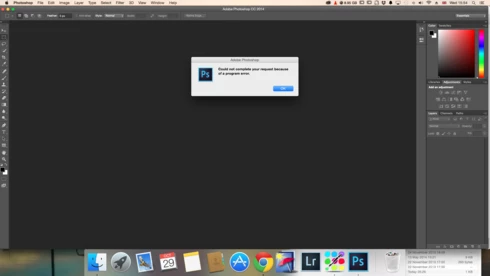
P: Could not complete your request because of a program error.

  • October 29, 2014
  • 170 replies
  • 3329 views

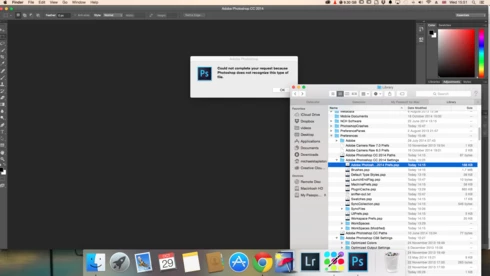
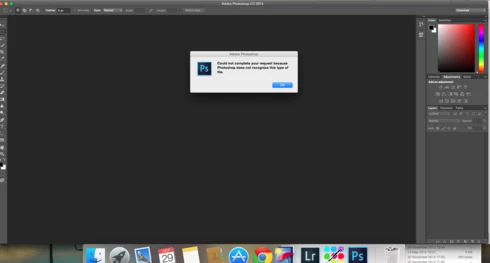
i keep getting this message when i try to do anything in photoshop a second time what i mean is when first opened photoshop works when i close the first image the go to do anything else i get the message: Could not complete your request because of a program error.i have uninstalled and reinstalled photoshop cc but no difference i have taken a couple of screen shots which i hope will give you more information
i hope you can solve this problem as i am at my wits end

This topic has been closed for replies.

170 replies

Leonoziel
Participating Frequently
February 28, 2018
I was able to save my file, but I can't open and I get the same error message. I've tried opening it on CC 2018, 2017, 2014, and get the same error message.
Leonoziel
Participating Frequently
February 28, 2018
I was able to save my file, but I can't open and I get the same error message. I've tried opening it on CC 2018, 2017, 2014, and get the same error message.
Inspiring
February 4, 2018
Михаил Косулин, i just wanted to say thank you, it worked thank God 🙂

"Reseting all preferences solves this issue. Before this I tried to reinstall, but settings syncs from Adobe CC"
Inspiring
October 3, 2017
Every time I add something to a file, I would have to save it due to the fact later on when u try to save it, it says a program error has occurred and I would have to restart ps all over again and start from where I left off and add what I lost from the last save and it happens over and over again and I don’t want to keep having to restart ps because it would take up a lot of time Plz help
Inspiring
May 8, 2017
Please i have the same problem PS CS3
but my OS is Windows 8
Inspiring
May 7, 2017
I'm on the same book with Photoshop CC 2017. It saved without a problem but then tried to reopen it and it wont let me! And i need to work on these psd files!
Inspiring
May 1, 2017
i need help
Inspiring
March 19, 2017
Dear everyone,

Above all, I would like to say thank you to Sandra Pinnel. I solved the same problem!! I sincerely appreciate for your advice!.
When I read your text, it seems like you've worked in kind of computer graphic modification. (Sorry, I could not read your whole sentence because my English skill is not good.) I wish for God bless you.

Purpose of writing this reply is to announce the potential reason of this issue. When I solved the problem by following Sandra's method, I tried to figure out the reason of  this issue. It is suggested that the problem might be due to the different version of the photoshop program between your's and the file, which had finished on ANOTHER (maybe higher than yours) version. I checked my troublemaking file. And it turns out that the version of the file is different with mine. My version is 7.0, but version written in the file showed cc 2017 (Macintosh). You can check it out by yourself.
1. Click mouse's right button on the troublemaking file, and select 'properties'
2. Move to 'detailed' tap.
3. Look at 'Program name' in category of 'original'.
It seems like the program name is the version of the photoshop last used.
I hope this information can save other's valuable time!
Inspiring
January 10, 2017
Sandra Pinnel that worked! Thank you!!!
Inspiring
April 26, 2016
Done. Thanks a million in advance.