Participant
October 29, 2014

P: Could not complete your request because of a program error.

  • October 29, 2014
  • 170 replies
  • 3329 views

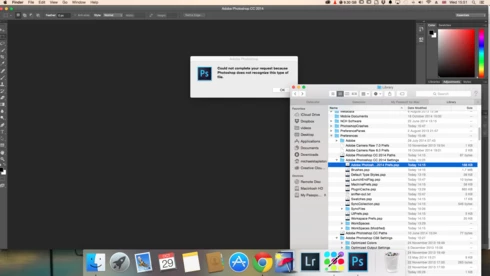
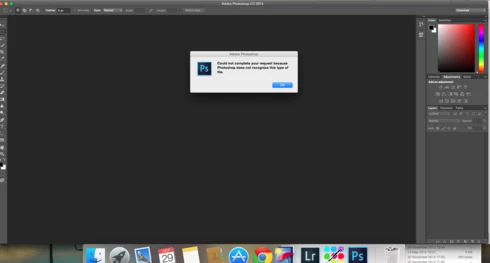
i keep getting this message when i try to do anything in photoshop a second time what i mean is when first opened photoshop works when i close the first image the go to do anything else i get the message: Could not complete your request because of a program error.i have uninstalled and reinstalled photoshop cc but no difference i have taken a couple of screen shots which i hope will give you more information
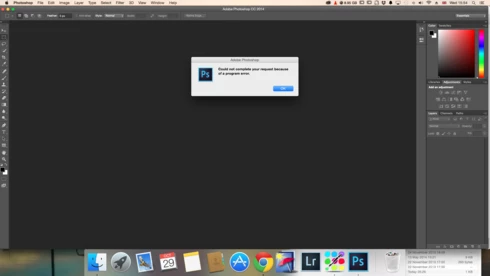
i hope you can solve this problem as i am at my wits end

This topic has been closed for replies.

170 replies

Inspiring
April 26, 2016
Done. Thanks a million in advance.
Inspiring
April 25, 2016
Can you send one of those JPEGs to ccox (at) adobe (dot) com?
Inspiring
April 25, 2016
Hello guys! Sorry to bother you but I couldnt find a solution for mine:

2016:04:25 21:55:19 : ..\..\jpeg\JPEGStream.cpp : 176 : REQUIRE failed
2016:04:25 21:55:19 : ..\..\jpeg\JPEGStream.cpp : 195 : REQUIRE failed
2016:04:25 21:55:19 : ..\..\jpeg\JPEGStream.cpp : 176 : REQUIRE failed
2016:04:25 21:55:19 : ..\..\jpeg\JPEGStream.cpp : 195 : REQUIRE failed

Just open jpgs... and it doesnt with every picture just with few of them
Inspiring
February 20, 2016
Thank you Lloyd; you made my day!  I guess I do have a good outlook on life. I'm kind of goofy and silly for my age, but it keeps youthful exuberance alive, and I strive to be happy.  We can think things into existence, like happiness.  And I have mastered learning how to deal with the loss of those who were dear to me in life. All you have to do, Lloyd; is close your eyes and conjure up a memory of a time and place you were with them while they were alive - you stay there in that place for a minute or two, and it is as if you are really there once again!  Our memory banks are amazing things that serve us so well.  Don't ever underestimate the power of your mind, and all that is in there. 
Inspiring
February 18, 2016
i have this broblem
facebook covers
Inspiring
February 18, 2016
Reseting all preerences solves this issue. Before this I tried to reinstall, but settings syncs from Adobe CC
Inspiring
February 18, 2016
Excellent advice and a great outlook on life.
Thanks!
Inspiring
February 11, 2016
Most of those are from an automation plugin or extension panel.
The last set from USheet are probably the program error you're seeing. Unfortunately, it doesn't really tell us where the error came from, just where it happened.

Please create a copy of your Photoshop preferences folder, then reset your Photoshop preferences. If that solves the issue, then zip the prefs folder you copied and email it to me.
Inspiring
February 11, 2016
WTF
same error on gradient tool and saving:


2016:02:12 01:40:35 : tracked key 0000000000008018 of type struct _ADsc * __ptr64 not found : 1 : REQUIRE failed
2016:02:12 01:40:35 : e:\ps15\ps_16_win_x64_daily_retail\20160113.r.355\photoshop\main\photoshop\interfaces\UTrackResourceImp.h : 137 : REQUIRE failed
2016:02:12 01:40:35 : tracked key 0000000000007F78 of type struct _ADsc * __ptr64 not found : 1 : REQUIRE failed
2016:02:12 01:40:35 : e:\ps15\ps_16_win_x64_daily_retail\20160113.r.355\photoshop\main\photoshop\interfaces\UTrackResourceImp.h : 137 : REQUIRE failed
2016:02:12 01:40:35 : tracked key 0000000000007F70 of type struct _ADsc * __ptr64 not found : 1 : REQUIRE failed
2016:02:12 01:40:35 : e:\ps15\ps_16_win_x64_daily_retail\20160113.r.355\photoshop\main\photoshop\interfaces\UTrackResourceImp.h : 137 : REQUIRE failed
2016:02:12 01:40:35 : tracked key 00000000000065C8 of type struct _ARef * __ptr64 not found : 1 : REQUIRE failed
2016:02:12 01:40:35 : e:\ps15\ps_16_win_x64_daily_retail\20160113.r.355\photoshop\main\photoshop\interfaces\UTrackResourceImp.h : 137 : REQUIRE failed
2016:02:12 01:40:35 : tracked key 00000000000001E0 of type struct _ALst * __ptr64 not found : 1 : REQUIRE failed
2016:02:12 01:40:35 : e:\ps15\ps_16_win_x64_daily_retail\20160113.r.355\photoshop\main\photoshop\interfaces\UTrackResourceImp.h : 137 : REQUIRE failed
2016:02:12 01:40:35 : tracked key 0000000000007F68 of type struct _ADsc * __ptr64 not found : 1 : REQUIRE failed
2016:02:12 01:40:35 : e:\ps15\ps_16_win_x64_daily_retail\20160113.r.355\photoshop\main\photoshop\interfaces\UTrackResourceImp.h : 137 : REQUIRE failed
2016:02:12 01:40:35 : tracked key 00000000000065C0 of type struct _ARef * __ptr64 not found : 1 : REQUIRE failed
2016:02:12 01:40:35 : e:\ps15\ps_16_win_x64_daily_retail\20160113.r.355\photoshop\main\photoshop\interfaces\UTrackResourceImp.h : 137 : REQUIRE failed
2016:02:12 01:40:35 : tracked key 00000000000002E8 of type struct _ADsc * __ptr64 not found : 1 : REQUIRE failed
2016:02:12 01:40:35 : e:\ps15\ps_16_win_x64_daily_retail\20160113.r.355\photoshop\main\photoshop\interfaces\UTrackResourceImp.h : 137 : REQUIRE failed
2016:02:12 01:40:35 : tracked key 0000000000000248 of type struct _ADsc * __ptr64 not found : 1 : REQUIRE failed
2016:02:12 01:40:35 : e:\ps15\ps_16_win_x64_daily_retail\20160113.r.355\photoshop\main\photoshop\interfaces\UTrackResourceImp.h : 137 : REQUIRE failed
2016:02:12 01:40:35 : tracked key 0000000000000240 of type struct _ADsc * __ptr64 not found : 1 : REQUIRE failed
2016:02:12 01:40:35 : e:\ps15\ps_16_win_x64_daily_retail\20160113.r.355\photoshop\main\photoshop\interfaces\UTrackResourceImp.h : 137 : REQUIRE failed
2016:02:12 01:40:35 : tracked key 0000000000000088 of type struct _ARef * __ptr64 not found : 1 : REQUIRE failed
2016:02:12 01:40:35 : e:\ps15\ps_16_win_x64_daily_retail\20160113.r.355\photoshop\main\photoshop\interfaces\UTrackResourceImp.h : 137 : REQUIRE failed
2016:02:12 01:40:35 : tracked key 0000000000000030 of type struct _ALst * __ptr64 not found : 1 : REQUIRE failed
2016:02:12 01:40:36 : e:\ps15\ps_16_win_x64_daily_retail\20160113.r.355\photoshop\main\photoshop\interfaces\UTrackResourceImp.h : 137 : REQUIRE failed
2016:02:12 01:40:36 : tracked key 0000000000000238 of type struct _ADsc * __ptr64 not found : 1 : REQUIRE failed
2016:02:12 01:40:36 : e:\ps15\ps_16_win_x64_daily_retail\20160113.r.355\photoshop\main\photoshop\interfaces\UTrackResourceImp.h : 137 : REQUIRE failed
2016:02:12 01:40:36 : tracked key 0000000000000080 of type struct _ARef * __ptr64 not found : 1 : REQUIRE failed
2016:02:12 01:40:36 : e:\ps15\ps_16_win_x64_daily_retail\20160113.r.355\photoshop\main\photoshop\interfaces\UTrackResourceImp.h : 137 : REQUIRE failed
2016:02:12 01:40:36 : tracked key 000000000000ED18 of type struct _ADsc * __ptr64 not found : 1 : REQUIRE failed
2016:02:12 01:40:36 : e:\ps15\ps_16_win_x64_daily_retail\20160113.r.355\photoshop\main\photoshop\interfaces\UTrackResourceImp.h : 137 : REQUIRE failed
2016:02:12 01:40:36 : tracked key 000000000000B418 of type struct _ARef * __ptr64 not found : 1 : REQUIRE failed
2016:02:12 01:40:36 : e:\ps15\ps_16_win_x64_daily_retail\20160113.r.355\photoshop\main\photoshop\interfaces\UTrackResourceImp.h : 137 : REQUIRE failed
2016:02:12 01:40:36 : tracked key 000000000000ED10 of type struct _ADsc * __ptr64 not found : 1 : REQUIRE failed
2016:02:12 01:40:36 : e:\ps15\ps_16_win_x64_daily_retail\20160113.r.355\photoshop\main\photoshop\interfaces\UTrackResourceImp.h : 137 : REQUIRE failed
2016:02:12 01:41:50 : ..\..\sources\USheet.cpp : 461 : REQUIRE failed
2016:02:12 01:41:54 : ..\..\sources\USheet.cpp : 461 : REQUIRE failed
2016:02:12 01:44:13 : ..\..\sources\USheet.cpp : 461 : REQUIRE failed
2016:02:12 01:44:16 : ..\..\sources\USheet.cpp : 461 : REQUIRE failed
2016:02:12 01:49:08 : ..\..\sources\USheet.cpp : 461 : REQUIRE failed
2016:02:12 01:49:10 : ..\..\sources\USheet.cpp : 461 : REQUIRE failed
Inspiring
December 31, 2015
Jeffrey, although this topic was being discussed a year ago, I wanted to provide the following feedback because I figured out a way to circumvent the error message and still save my file in the edited condition.
I got the error message "Could not complete your request because of a program error" when I attempted to save a file that I had edited (it should be noted that at the same time, I had 2 other similar files open that I had also edited for which the error message didn't pop up.) This is precisely what happened:
I had finished editing my photograph - I clicked on "Save as" and the error message popped up. So I tried clicking on just "Save" - same error message popped up. So, I clicked on the "X" to close the file - a window popped up to ask me if I wanted to save the changes I'd made - I chose "yes" - and then again, the same error message popped up. (isn't it odd, how a situation like this compels you to scold the computer program; as though it actually can hear you?!!). After inquiring of the program, "So why did you ask me if I wanted to save the changes, when you had no intention of letting me do so?" After that, I
ruminated on the situation .... I had spent a lot of time meticulously working on perfecting a colorization of an old black & white photo - and my result was superb, and not only did I not want the hour's work to be unsaved; but who knows if I could get it that perfect again? Compelled to save my work, I decided to try another approach - and it worked! Here is what I did:
I created a new file, the exact size of the one I couldn't save; and gave it a similar name but not the exact same name. I clicked back onto the image and used the lasso tool to encase the entire image. Using the "move" tool, I slid it
over to the new file. Then, I clicked "Save as" to save the new file, and, voila' !
It let me save it! Yay! Resourcefulness, that's the key - and don't ever give up or lose hope - you can always find a way to prevail; sometimes you just gotta
find another way to do it. I have always applied this principle in life, but computers and programs have a world of their own - and yet, the same principle worked!
Just thought I'd share this "fix", as it were; with you and the folks over at Photoshop. I didn't actually fix the program glitch - I just circumvented it. While I've got you on the horn here, I wanted to tell you how much I love working in Photoshop. I shall never lose the sense of wonder at the technology we have availed to us today, and although I'm an old-timer, I embrace it! I have learned that I have a propensity for graphic art - particularly for colorizing old black & white images. I am careful not to overdo the colorization to the point where you can tell it's fake color - I painstakingly work on it - and I have learned how to colorize eyes really well; they look very real and natural. The photograph I was working on that is the subject of this message was a very old black & white photograph of Bela Lugosi as a young man - without his Dracula regalia and make up on. Placing the black & white photo next to the colorized photo, you see Bela come alive with color - it's amazing, and I did an excellent job, if I do say so myself. Let me know if you want to see it - just email me. My appreciation and gratitude go out to all you folks over there at Adobe, for creating the really neat and useful Photoshop and sharing it with all of us out here!