Participant
October 29, 2014

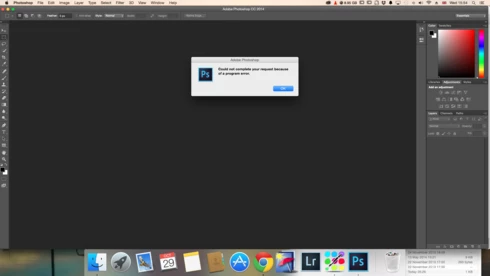
P: Could not complete your request because of a program error.

  • October 29, 2014
  • 170 Antworten
  • 3329 Ansichten

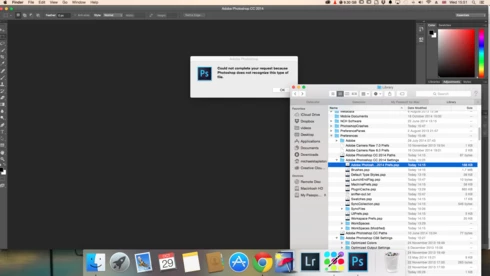
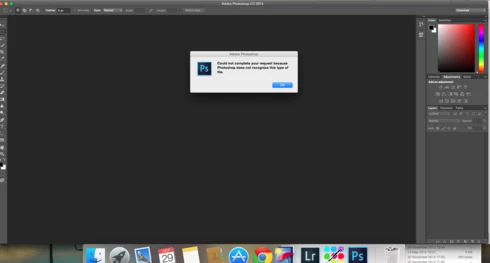
i keep getting this message when i try to do anything in photoshop a second time what i mean is when first opened photoshop works when i close the first image the go to do anything else i get the message: Could not complete your request because of a program error.i have uninstalled and reinstalled photoshop cc but no difference i have taken a couple of screen shots which i hope will give you more information
i hope you can solve this problem as i am at my wits end

Dieses Thema wurde für Antworten geschlossen.

170 Antworten

Legend
November 14, 2015
Sounds like a permissions issue. Try creating a new Admin user account and run Photoshop from the new user account to see if the problem goes away: http://blogs.adobe.com/crawlspace/201...
Inspiring
November 14, 2015
I use photoshop on PC and having the same problem. I believe that it started after an automatic ADOBE update to our computers.
Inspiring
October 8, 2015
I just downloaded OSX 10.11 (El Capitan) last week. I am using Photoshop Elements 11. When I try to open a .pdf file I get the message "Could not complete your request because of program error". It seems that many of the comments above were for different versions of either OSX or Photoshop.

Thanks in advance for your help.
Inspiring
September 23, 2015
Thanks for your suggestions Chris.
I'll update this after I've completed your suggestions.
Inspiring
September 23, 2015
First, install the updates for Photoshop CS4. You should be on 11.0.2.

Start here for troubleshooting fonts and OS font caches: https://helpx.adobe.com/photoshop/kb/...
Inspiring
September 23, 2015
PS error prompt: "Could not complete your request because of a program error." (OK button)
Desktop Mac Pro running OS X Version 10.7.5
PhotoShop vCS4 v11.0
Lightroom v4

VERY likely Culprit ---> Fonts and PhotoShop

Possible root cause in my case:

LightRoom hang began this maybe??
My instance of this issue only began happening maybe 1 month ago. I think I am correct that it only began happening after my install of Adobe LightRoom v4 hung my machine during an Import of jpegs. This curiously ALSO hung the Finder. While able to Force Quit Lightroom v4 at that time I was curiously UNABLE to ReLaunch Finder. Full freeze. Hard Power off. Hard power up. I'm pretty certain that power up was when I first began to notice this error with PhotoShop then starting up for the first time following that LRv4 freeze.

CONDITIONS of occurrence:
Only happens when PS4 is started up.
AND in that instance ONLY happens IF a document is opened.
AND in that instance ONLY happens IF the document has had the Type Tool clicked (or text actually added to the document) and then saved.

IF I open PhotoShop CS4 with no document, error does not present itself.
If I create a new, Untitled document, leave and return to PS4, the error does not present itself.
IF I quit PS4 with that new (now saved as) document left open, relaunch PS4 with that document auto-opening, the error does not present itself.
IF I click the Type tool, the error instantly presents itself.
IF I quit PS4 without saving that document, relaunch PS4 with that document auto-opening, the error does not present itself.
IF I quit PS4 after adding a letter and saving the document, relaunch PS4 with that document auto-opening, the error instantly presents itself.

My instance of this issue happens (only) when I first fire up PhotoShop CS4 and open a document that has some sort of text in it.

The error produces a variable number of repeated prompt(s) each saying the same error. However the variable is 7 (OR) 8 recurrences. I dismiss each with (OK).

Once I have:
- Fired up PhotoShop CS4 (WITH A DOCUMENT)
- Left the application (clicked on an open browser window for example)

At that time, PhotoShop produces the first instance of this error.
I switch to PhotoShop again, dismiss the 7 instances of the error (sometimes 8 instances of the error) and it does not occur again for the rest of the day.

If I quit PhotoShop, and then launch PhotosShop, THEN the above repeats itself.

I ALSO have PhotoShop CS5 installed (have had both versions installed for years now without conflicts or issues....). PhotoShop CS5 DOES NOT exhibit any of these issues.

No resolution on my part yet. I have long since forgot how to chase down Font issues in OS X (I've not added any or modified any in months and months... years?).

Does this spark any ideas to chase down? Anything I can provide to assist resolution?
Inspiring
June 8, 2015
It's still not working... anything else I can try?
Inspiring
June 4, 2015
Deleting the preferences files works, or holding down control-alt-shift (command-option-shift on Mac) at launch.

It is also possible that some extension panel or third party plugin could be causing the bad reference somehow.
Inspiring
June 4, 2015
Thanks for your reply Chris. I thought that in order to reset preferences you had to delete the preference files. Is this not correct? If not, how does one reset?
Inspiring
June 4, 2015
That error should be cleared with resetting preferences -- it means that something is holding onto some layer data with a color mode that is not valid for layers.