Participant
October 29, 2014

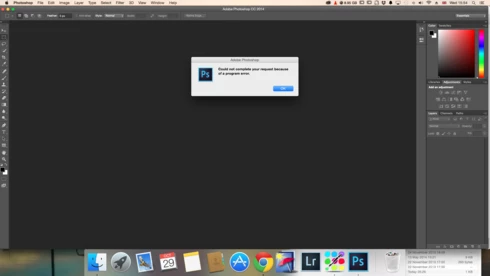
P: Could not complete your request because of a program error.

  • October 29, 2014
  • 170 replies
  • 3340 views

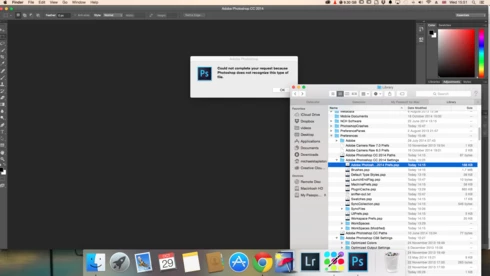
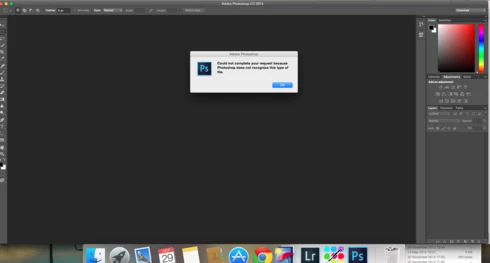
i keep getting this message when i try to do anything in photoshop a second time what i mean is when first opened photoshop works when i close the first image the go to do anything else i get the message: Could not complete your request because of a program error.i have uninstalled and reinstalled photoshop cc but no difference i have taken a couple of screen shots which i hope will give you more information
i hope you can solve this problem as i am at my wits end

This topic has been closed for replies.

170 replies

splashby2
Participating Frequently
December 7, 2014
Hi Jeffrey, As suggested, I updated to 10.10.1 and do not have 'enable generator' checked. I still have the issue both opening and I also noticed 'placing' causes same dialogue box. Thanks.
Legend
December 6, 2014
Is Generator enabled?

If you got to Preferences>Plug-ins... and uncheck Enable Generator and restart, does the problem go away?
Legend
December 6, 2014
Yes. It fixes a number of File I/O issues.
splashby2
Participating Frequently
December 5, 2014
Jeffrey: Yosemite, Yes. Update, No. I was going to install 10.10.1- are you recommending this? Thanks
Biddlebugs
Participating Frequently
December 5, 2014
Have the same issues after updating to 10.10.1 -I can open a PSD file on first launch..then after that receive the error message "Could not complete your request because of a program error." Removed preferences and same result. First file opens fine.... and thereafter no dice.

Adobe Photoshop CC 2014
Yosemite - 10.10.1


PS Error Log:

2014:08:22 20:34:42 : /Volumes/workarea/PS_15_Mac_Daily_Retail/20140730.r.148/photoshop/main/photoshop/xcode/../interfaces/UCopyOnModifyImp.h : 214 : REQUIRE failed
2014:08:25 10:10:08 : /Volumes/workarea/PS_15_Mac_Daily_Retail/20140730.r.148/photoshop/main/photoshop/sources/USheetRenderer.cpp : 268 : REQUIRE failed
2014:08:25 10:10:11 : /Volumes/workarea/PS_15_Mac_Daily_Retail/20140730.r.148/photoshop/main/photoshop/sources/USheetRenderer.cpp : 268 : REQUIRE failed
2014:08:25 10:10:16 : /Volumes/workarea/PS_15_Mac_Daily_Retail/20140730.r.148/photoshop/main/photoshop/sources/USheetRenderer.cpp : 268 : REQUIRE failed
2014:08:25 10:10:29 : /Volumes/workarea/PS_15_Mac_Daily_Retail/20140730.r.148/photoshop/main/photoshop/sources/USheetRenderer.cpp : 268 : REQUIRE failed
2014:09:16 15:31:14 : /Volumes/workarea/PS_15_Mac_Daily_Retail/20140730.r.148/photoshop/main/photoshop/sources/UText.cpp : 5572 : REQUIRE failed
2014:10:15 14:19:32 : /Volumes/workarea/PS_15_Mac_Daily_Retail/20140926.r.236/photoshop/main/photoshop/sources/USheetRenderer.cpp : 268 : REQUIRE failed
2014:10:15 14:19:35 : /Volumes/workarea/PS_15_Mac_Daily_Retail/20140926.r.236/photoshop/main/photoshop/sources/USheetRenderer.cpp : 268 : REQUIRE failed
2014:10:15 14:19:43 : /Volumes/workarea/PS_15_Mac_Daily_Retail/20140926.r.236/photoshop/main/photoshop/sources/USheetRenderer.cpp : 268 : REQUIRE failed
2014:10:15 14:19:47 : /Volumes/workarea/PS_15_Mac_Daily_Retail/20140926.r.236/photoshop/main/photoshop/sources/USheetRenderer.cpp : 268 : REQUIRE failed
2014:10:21 13:10:44 : /Volumes/workarea/PS_15_Mac_Daily_Retail/20140926.r.236/photoshop/main/photoshop/sources/USheetRenderer.cpp : 268 : REQUIRE failed
2014:10:21 13:10:55 : /Volumes/workarea/PS_15_Mac_Daily_Retail/20140926.r.236/photoshop/main/photoshop/sources/USheetRenderer.cpp : 268 : REQUIRE failed
2014:10:21 13:11:05 : /Volumes/workarea/PS_15_Mac_Daily_Retail/20140926.r.236/photoshop/main/photoshop/sources/USheetRenderer.cpp : 268 : REQUIRE failed
2014:10:21 13:11:08 : /Volumes/workarea/PS_15_Mac_Daily_Retail/20140926.r.236/photoshop/main/photoshop/sources/USheetRenderer.cpp : 268 : REQUIRE failed
2014:10:21 13:11:19 : /Volumes/workarea/PS_15_Mac_Daily_Retail/20140926.r.236/photoshop/main/photoshop/sources/USheetRenderer.cpp : 268 : REQUIRE failed
2014:11:04 10:43:33 : /Volumes/workarea/PS_15_Mac_Daily_Retail/20141014.r.257/photoshop/main/photoshop/sources/USheetList.cpp : 246 : REQUIRE failed
2014:11:20 16:34:32 : /Volumes/workarea/PS_15_Mac_Daily_Retail/20141014.r.257/photoshop/main/photoshop/sources/USheetList.cpp : 246 : REQUIRE failed
2014:11:26 13:14:06 : /Volumes/workarea/PS_15_Mac_Daily_Retail/20141014.r.257/photoshop/main/photoshop/sources/USheetRenderer.cpp : 268 : REQUIRE failed
2014:12:03 15:32:09 : /Volumes/workarea/PS_15_Mac_Daily_Retail/20141014.r.257/photoshop/main/photoshop/sources/USheetRenderer.cpp : 268 : REQUIRE failed
2014:12:03 15:32:12 : /Volumes/workarea/PS_15_Mac_Daily_Retail/20141014.r.257/photoshop/main/photoshop/sources/USheetRenderer.cpp : 268 : REQUIRE failed
2014:12:03 15:32:18 : /Volumes/workarea/PS_15_Mac_Daily_Retail/20141014.r.257/photoshop/main/photoshop/sources/USheetRenderer.cpp : 268 : REQUIRE failed
2014:12:03 15:32:22 : /Volumes/workarea/PS_15_Mac_Daily_Retail/20141014.r.257/photoshop/main/photoshop/sources/USheetRenderer.cpp : 268 : REQUIRE failed
2014:12:03 15:32:33 : /Volumes/workarea/PS_15_Mac_Daily_Retail/20141014.r.257/photoshop/main/photoshop/sources/USheetRenderer.cpp : 268 : REQUIRE failed
Legend
December 4, 2014
Is every on Yosemite that's seeing this issue? If so, have you installed the 10.10.1 update?

If you have the 10.10.1 update, Try restoring your preferences: http://blogs.adobe.com/crawlspace/201... If you do restore your prefs, please save a copy of your existing prefs in case they turn out to be the culprit. Having the bad prefs can sometimes help us track down the issue.
Inspiring
December 4, 2014
I am having the same problem when I try to Place and Embedded image. It works the first time after I have started Photoshop, but the second time I try to use this same functionality, it gives me the program error.
splashby2
Participating Frequently
November 5, 2014
I am having the same problem...Ok on opening first file from File>Open - next time I attempt to open a file I get a short time lag and then this warning. Same every time.
Inspiring
October 31, 2014
TY Chris, I have performed a rollback using Time Machine as stated below. All is well and I'm waiting for 10.10 and Adobe to sort this out before I upgrade my OS.
Inspiring
October 31, 2014
This did work since my system and Adobe were just fine before I updated to 10.10.