Participant
October 29, 2014

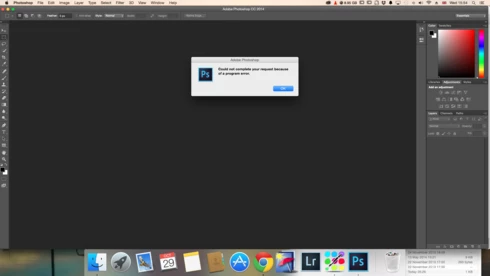
P: Could not complete your request because of a program error.

  • October 29, 2014
  • 170 replies
  • 3340 views

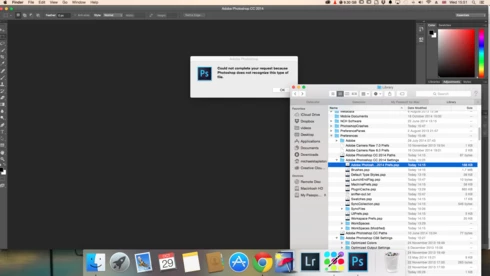
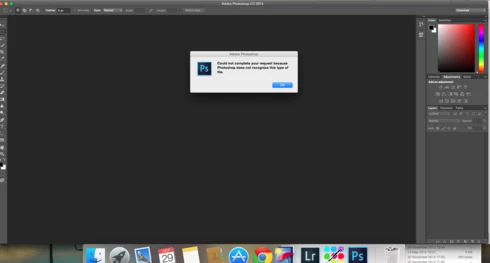
i keep getting this message when i try to do anything in photoshop a second time what i mean is when first opened photoshop works when i close the first image the go to do anything else i get the message: Could not complete your request because of a program error.i have uninstalled and reinstalled photoshop cc but no difference i have taken a couple of screen shots which i hope will give you more information
i hope you can solve this problem as i am at my wits end

This topic has been closed for replies.

170 replies

Inspiring
May 8, 2015
OK what info do you need?

I'm using PS CS6 Extended, and I'm receiving this error for: color dropper tool, the sliders in replace color, draw figure (line, polygon etc). Opening and saving the documents is working fine for me, and its been only a few days since I'm receiving the error.
Inspiring
May 8, 2015
That is a generic "we don't know what went wrong" message. You'll have to provide a lot more information to figure out what is causing it on your system.
Inspiring
May 7, 2015
Hello. I'm getting the same error message "your request could not be completed because of a program error". And unlike most guys here I'm running PS on Windows 7 Ultimate laptop.
Inspiring
April 27, 2015
Program Errors have many different causes, and resetting the prefs may fix a few, but not all of them.
Inspiring
April 27, 2015
The solution is as simple as frustrating in the problem. All you have to do is to reset Photoshop CS6’s Preferences File - I have CS6, if you have other version reset that one. And also, following exactly the same steps, reset Camera Raw settings. To learn how to reset Photpshop preference file watch this great video with Julianne Kost: http://tv.adobe.com/watch/the-complet...

Don't forget to do exactly the same steps with Camera Raw.
Let me know if it worked for you.
Inspiring
April 8, 2015
MacOS 10.10 has well known problems in the OS open and save dialogs that can cause program errors. Some people have avoided the problems by changing the view in the OS dialogs, others have not been so lucky.
Apple is aware of these issues in MacOS 10.10 and working on solutions.
Inspiring
April 8, 2015
same problem here. new imac and new yosemite up to date with CC fresh install. worked fine for a week. now errors trying to open.
Inspiring
April 1, 2015
You are using Photoshop CC (14.2) not the latest version Photoshop CC 2014 (15.2).

And the log says you have a problem with your color profiles or color settings directory - if it happens at launch, then it would be the color settings directory; if it happens when switching apps, then the colorsync profiles or cache are more likely.
Participant
April 1, 2015
Latest version of photoshop CC, updated as soon as update was available hoping it would fix problem.

Mac os X yosemite on two macs, One iMac late 2012 and one macbook pro mid 2012

I have the same problems on BOTH computers.

PS error log here: http://adobe.ly/1MyA0Xl
Inspiring
March 31, 2015
Which version of Photoshop are you using?
Which OS version are you using?
What does the PSErrorLog.txt file say?