Participant
Oct 29, 2014 4:30 PM UTC
Released

P: Could not complete your request because of a program error.

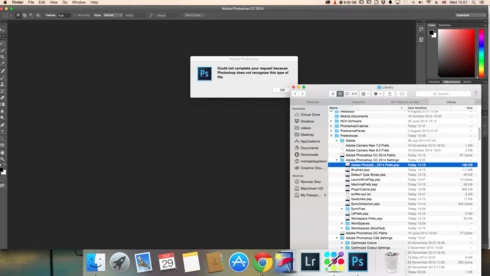
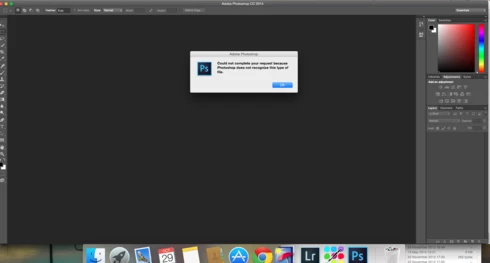
i keep getting this message when i try to do anything in photoshop a second time what i mean is when first opened photoshop works when i close the first image the go to do anything else i get the message: Could not complete your request because of a program error.i have uninstalled and reinstalled photoshop cc but no difference i have taken a couple of screen shots which i hope will give you more information
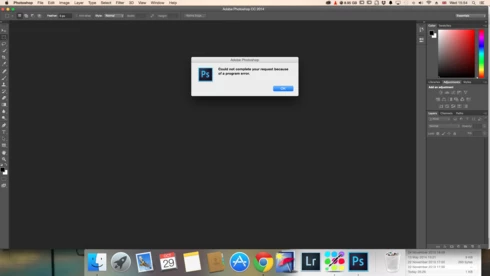
i hope you can solve this problem as i am at my wits end

This topic is closed to new replies. Start a new post to keep the conversation going.

170 replies

Participant
Mar 31, 2015 4:39 PM UTC
Same problem here. It usual follows after i switch application and come back, which i when the brush tool won't work either...
Translate
Inspiring
Mar 10, 2015 7:35 PM UTC
That sounds like you might be hitting one of the known MacOS 10.10 bugs -- which we have documented for Apple, and Apple is working on solutions for.
Translate
Inspiring
Mar 10, 2015 12:56 PM UTC
I get the message when I try to either open another file after editing a jpg or when I trice to Place Embedded. I haven't done any updates or added any apps to my Mac and Photoshop was working fine until the last week or so.
Translate
Inspiring
Mar 9, 2015 10:10 PM UTC
Read the previous replies - it is not a single issue. We need more information to know what sort of issue you are encountering.
Translate
Inspiring
Mar 9, 2015 9:00 PM UTC
Is there a solution to this issue? I'm new to Mac and Photoshop and I've tried most of the sugguestions above that I understand and know how to do.
Translate
splashby2
Participating Frequently
Mar 4, 2015 2:25 PM UTC
got that...what do we do with this sysdiagnose file? Thanks
Translate
Legend
Mar 4, 2015 12:01 AM UTC
Prior to trying to correct the user, can you try this log generation for Mac OS X.

Switch back to the bad/affected user account, and then confirm you can reproduce the problem.

Then, to collect sysdiagnose, hit shift-control-option-command-period. The screen will flash and a few minutes later a finder window should open with an archive
Translate
Legend
Mar 3, 2015 11:52 PM UTC
splashby2
Participating Frequently
Mar 3, 2015 1:29 PM UTC
Ditto...
Translate
Ldp11566442
Participant
Mar 3, 2015 11:59 AM UTC
Well, the problem goes away but now I cannot access any of my files on the other user? So what now? How do I transfer all my files to the new user?
Translate