Participating Frequently
October 25, 2013

P: CS6/CC Menus blank (white) Mavericks Mac OS X 10.9

  • October 25, 2013
  • 208 replies
  • 2474 views

Hello, I hope I am in the right place for this:

I am on a Mac 2.2 GHz Intel Core i7, with 16 GB 1333 MHz DDR3. I just installed OS Mavericks. I am running Photoshop CS6.

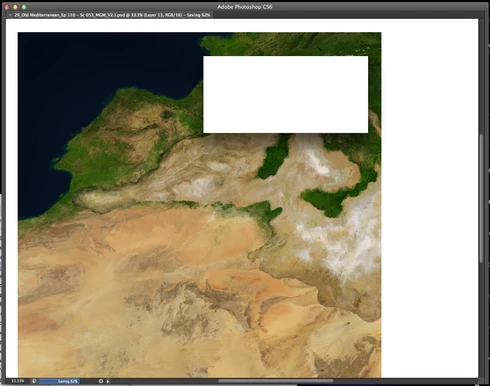
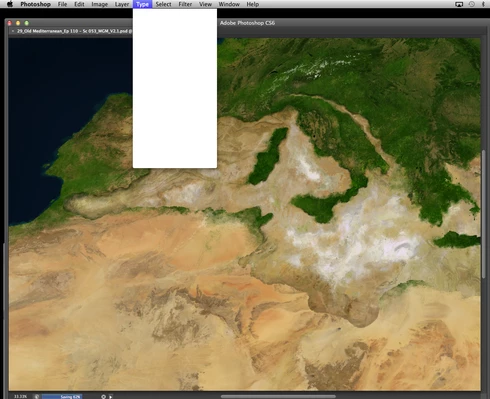
Randomly throughout using the program, my windows/palettes (i.e. the layers palette) will become white. Even the "Save" window menu will become white. It's still functional (if I press enter on the save menu, it will save), but I can't see any of the options. I've uninstalled the program and reinstalled. This has unfortunately not solved the problem. Please help

Thanks for the help in advance!

Michael
This topic has been closed for replies.

208 replies

January 1, 2014
Updating the drive only seemed to keep it at bay for a bit longer. I got the white out issue again today, so this is another person adding to the list that updating is not fixing the problem.
Known Participant
December 30, 2013
I have latest Wacom drivers installed - still getting this (below) on
iMac 27-inch, Late 2013, Processor 3.5 GHz Intel Core i7, Memory 24 GB 1600 MHz DDR3, Graphics NVIDIA GeForce GTX 780M 4096 MB, Software OS X 10.9.1 (13B42)

Mac OS Sonoma, 64 GB RAM 27" 2019 iMac 3.6 GHz 8-Core Intel Core i9
Participant
December 28, 2013
WILL ANYONE ON ADOBE OR WACOM IS GOING TO FIX THIS?
I CANNOT WORK.. MNUS GO BLANK EVERY FIVE MINUTES AND I NEED TO RESTART EVERY TIME! SO SICK AND TIRED!!!
December 26, 2013


Photoshop CS6: Recently when I'm working on a project the toolbar stops loading (File/edit/image, etc.), I get a white box under ALL tabs, including the tools (Brushes/shapes/, etc.). The buttons still seem to work, but since it is white I have no idea what I am clicking. This means I cannot save an image before having to force quit the program. I never used to get this problem.
Known Participant
December 24, 2013


seen this thread on really odd and weird menu behaviours (perpetual licence version)?

this badly needs fixing , especially the issue (after the first mentioned prob) of getting the opacity slider to show a tool name (error)

http://forums.adobe.com/message/59520...
Mac OS Sonoma, 64 GB RAM 27" 2019 iMac 3.6 GHz 8-Core Intel Core i9
Participant
December 23, 2013
I upgraded my Wacom drivers and am still experiencing this problem as well as having black filled squares show up randomly on my images. I'm certain this is a Maverick issue.
Inspiring
December 23, 2013


After creating masks to cut out areas of a photo the menu text disappears (or possibly changes colour to white text on a white background).

Participant
December 17, 2013
ditto. damn it.
Inspiring
December 15, 2013
I guess getting rid of Maverick is the only solution since this started with Maverick. Apple is really letting down its backbone which is the creative community. They stopped paying attention to us a long time ago.
romantic_image0D4D
Participant
December 13, 2013


Bonjour,
je rencontre fréquemment un problème jamais vu jusqu’à présent, au bout d’un certain lapse de temps Photoshop réagit bizarrement, les palettes n’affichent plus aucun texte, elles apparaissent blanches, savez-vous d’où vient ce problème ?
NB. Je suis sur Mac OSX Mavericks, iMac 27", 2,8 Ghz Intel Core i7, 16Go de RAM, Photoshop CC