Participating Frequently
October 25, 2013

P: CS6/CC Menus blank (white) Mavericks Mac OS X 10.9

  • October 25, 2013
  • 208 replies
  • 2474 views

Hello, I hope I am in the right place for this:

I am on a Mac 2.2 GHz Intel Core i7, with 16 GB 1333 MHz DDR3. I just installed OS Mavericks. I am running Photoshop CS6.

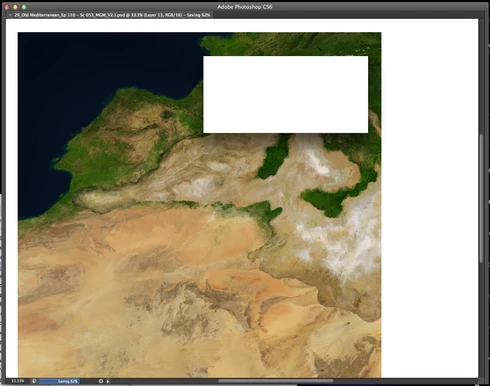
Randomly throughout using the program, my windows/palettes (i.e. the layers palette) will become white. Even the "Save" window menu will become white. It's still functional (if I press enter on the save menu, it will save), but I can't see any of the options. I've uninstalled the program and reinstalled. This has unfortunately not solved the problem. Please help

Thanks for the help in advance!

Michael
This topic has been closed for replies.

208 replies

Participant
December 12, 2013


I am losing all menu options in drop downs and within the PS software (no palettes, no layer options). Although I save often I am still losing time with my work. I must save by typing a new version of my work [blindly] because of a blank, all white Save dialog box, quit the app, restart it, and then find my work and open it.
Participant
December 12, 2013
A note to those that say they are losing work. You can still save work -blindly. Command Shift S and without the dialog box visible, type something original, like "blindsave". Then after you quit you can search for your file which should be in the same folder the original file was placed, or where previous "saves" were put.
Participant
December 12, 2013
Same problem here too. All menu's go blank. Unable to realistically work this way!

A separate problem I have, when the menu items work is that I am being asked if I want to save my work directly after having saved it.
Inspiring
December 11, 2013
Also twice now while working and it does this, it has also prevented me from saving the images. So thanks for all the extra work.
Known Participant
December 11, 2013
Updated my wacom driver, unfortunately, it doesn't fix the problem.
Participant
December 11, 2013
Updated my wacom driver, 2 days without it happening. Hopefully fixed.
Now just for the graduated filter to work in any way.
Inspiring
December 11, 2013
Also having this same issue!I have the most up to date Wacom driver installed as well.
Participant
December 11, 2013
THANKS!

Meanwhile, I ́ll switch to OLD system, I guess.
Inspiring
December 10, 2013


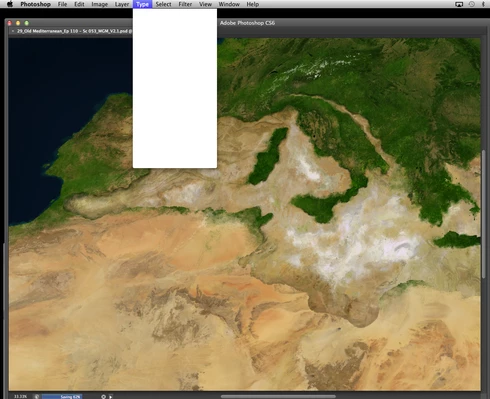
Seemingly randomly, PS CC pull-down-menus will go blank (all white) making it impossible to continue working and nearly impossible to save. Using CMD+S, a "save" window will pop up but it will also be all white (blank). Hitting RETURN still allows you to save the file but you have no idea where it went or what it was saved as. If I then quite PS completely and reopen it fixes the problem. But obviously, when I am working on an important project this is a HUGE issue. What's up???!!
Inspiring
December 10, 2013
The only update we have is that some people are seeing the same problem in some other applications. A few users have solved it with driver updates - but we are still investigating with Apple and Wacom.