Participating Frequently
October 25, 2013

P: CS6/CC Menus blank (white) Mavericks Mac OS X 10.9

  • October 25, 2013
  • 208 replies
  • 2474 views

Hello, I hope I am in the right place for this:

I am on a Mac 2.2 GHz Intel Core i7, with 16 GB 1333 MHz DDR3. I just installed OS Mavericks. I am running Photoshop CS6.

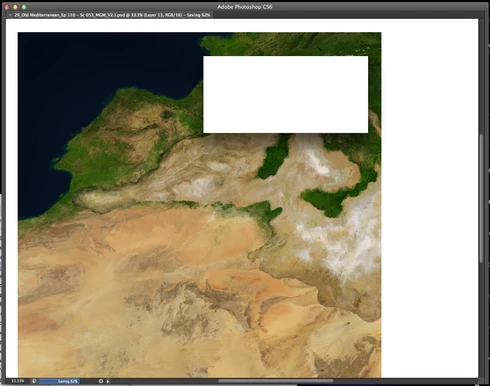
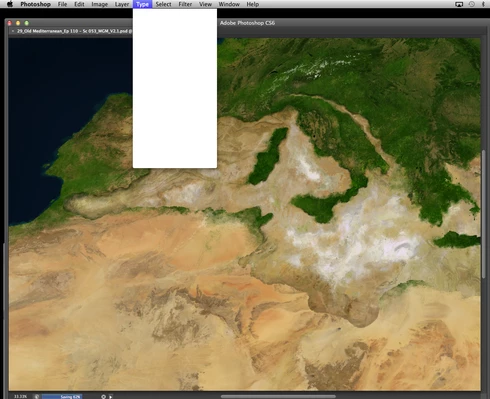
Randomly throughout using the program, my windows/palettes (i.e. the layers palette) will become white. Even the "Save" window menu will become white. It's still functional (if I press enter on the save menu, it will save), but I can't see any of the options. I've uninstalled the program and reinstalled. This has unfortunately not solved the problem. Please help

Thanks for the help in advance!

Michael
This topic has been closed for replies.

208 replies

Legend
November 5, 2013
Hi Maria, try one more thing. Uninstall the current Wacom driver, create a new admin user account. Install the latest Wacom driver from the new admin user account and run Photoshop from the new admin user account and see if the issue persists. Some customers reported having a two fold problem of the driver being out date and some permissions error that affected the latest drivers.
Participant
November 5, 2013
I use Intuos 5 touch.
Participant
November 5, 2013
Re-installed wacom driver this morning, unchecked the "separate spaces", re-started, have been working for 4 hours interrupted, but just now the white spaces are back again.
Inspiring
November 5, 2013
Thanks Jeffrey. Hi David, yes, the version I have is the one from that page. However, I have the Bamboo, not the Intuos, so there may be a difference there.
Legend
November 5, 2013
Thanks Pete. I was dubious about the Separate Screen Setting. Let me know if the current driver remains solid.
Legend
November 5, 2013
No. It's not the final solution, but it's a troubleshooting step that will provide additional details (permissions issue). It may well be an OS configuration problem. It takes ~3 minutes to create a new user account and run the test.
Inspiring
November 4, 2013
I have been having this issue, and it has been causing me a world of issues, every ten mins i was having to quit PS CC.

I downloaded a driver from the UK Wacom Support with no success.

I disabled the Separate Screen rubbish, no joy.

Finally installed the driver mentioned above and it seems to be ok, but this is very early days. The Driver on the Wacom UK site is from the 11th of Oct and the US driver is from the 15th of Oct.

Hopefully will solve it. Will post an update after more testing.

Pete
Legend
November 4, 2013
Have you tried the mission control troubleshooting below? http://feedback.photoshop.com/photosh...
Participant
November 4, 2013
That's correct.
Legend
November 4, 2013
Hi Maria, just to confirm you're using driver 6.3.7-3?