Participating Frequently
October 25, 2013

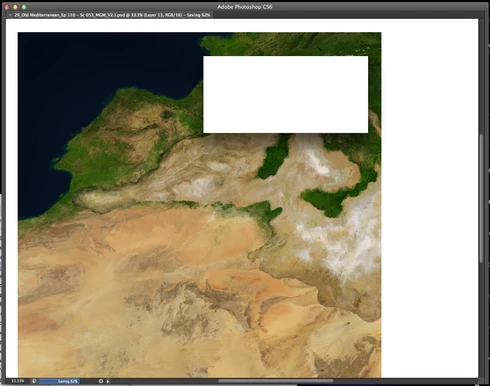
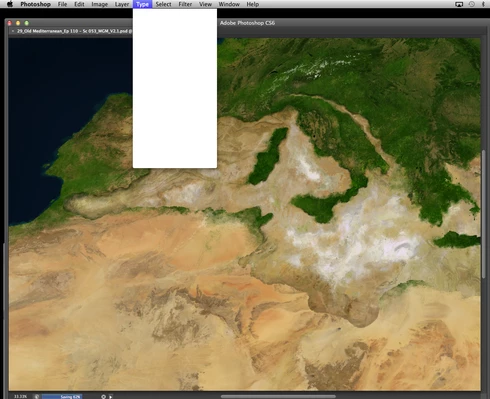
P: CS6/CC Menus blank (white) Mavericks Mac OS X 10.9

  • October 25, 2013
  • 208 replies
  • 2474 views

Hello, I hope I am in the right place for this:

I am on a Mac 2.2 GHz Intel Core i7, with 16 GB 1333 MHz DDR3. I just installed OS Mavericks. I am running Photoshop CS6.

Randomly throughout using the program, my windows/palettes (i.e. the layers palette) will become white. Even the "Save" window menu will become white. It's still functional (if I press enter on the save menu, it will save), but I can't see any of the options. I've uninstalled the program and reinstalled. This has unfortunately not solved the problem. Please help

Thanks for the help in advance!

Michael
This topic has been closed for replies.

208 replies

Legend
November 4, 2013
Hi David, you should be able to use MacOSX - Driver 6.3.7-3 (10.6x - 10.9x) under "Latest Driver for Intuos" on this page: http://us.wacom.com/en/support/drivers
Legend
November 4, 2013
Another customer on twitter said that disabling "Displays Have Separate Spaces" solved his white menus issue. Could folks still having issues with white/blank menus try the following:

Go to System Preferences>Mission Control, and uncheck "Displays Have Separate Spaces" Log out and log back in (or restart the system) for the change to take effect.
Inspiring
November 4, 2013
Paul, which Wacom tablet are you using and which driver number? I have the Intuos 4 and I never saw a post-Mavericks driver update for this model.
Inspiring
November 4, 2013
Solved / Fixed blank menus bug.

I have had this error, blank menus in photoshop cc on mavericks. I am using a wacom tablet.

I updated the drivers to the latest via the wacom website. I did not uninstall old ones first, I just ran the installation that I downloaded.

Since updating the drivers, I have not experienced this problem at all. I was getting it every couple of hours at least. I have not seen it in the last 30 hours.

There are a few other bugs in cc that this did not fix, but it did fix the blank menus.

Thanks for setting me on the right tracks, hope this helps anyone else.
Inspiring
November 4, 2013
can somebody address the janky polygon lasso tool behavior?
Participant
November 4, 2013
Having had the same problem, I installed the latest wacom driver and upgraded to latest version of Ps. Worked fine for about 7 hours, unfortunately the menus are turning blank again now for some reason.
Legend
November 3, 2013
Hi Brenda, are you using a Wacom tablet? Do you have the latest driver? (See posts above, you may need to install and use the driver from a new admin user account)
Participant
November 3, 2013


Since I updated to Maverick on my mac when I use Photoshop it locks up almost every time I have used it. I am unable to even quit out of the program and get a white area wherever I click.
Inspiring
November 3, 2013
Hey Jeffrey, thanks for your help, but is this Adobe's final solution for this bug? I would prefer not to create a new user just to run Photoshop. As of now, I only have one user, which is the admin. Is this something Adobe can't fix through a programmer's update?
Legend
November 3, 2013
Are you using a Wacom tablet? Do you have the latest driver? (See posts above, you may need to install and use the driver from a new admin user account)