Participating Frequently
October 25, 2013

P: CS6/CC Menus blank (white) Mavericks Mac OS X 10.9

  • October 25, 2013
  • 208 replies
  • 2474 views

Hello, I hope I am in the right place for this:

I am on a Mac 2.2 GHz Intel Core i7, with 16 GB 1333 MHz DDR3. I just installed OS Mavericks. I am running Photoshop CS6.

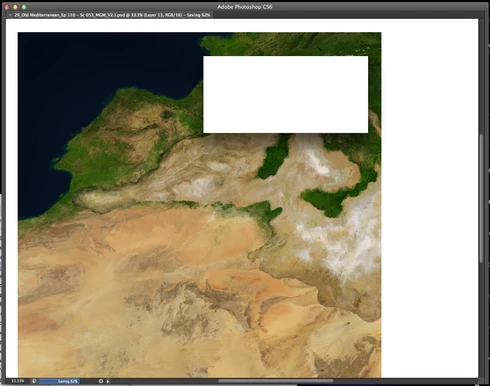
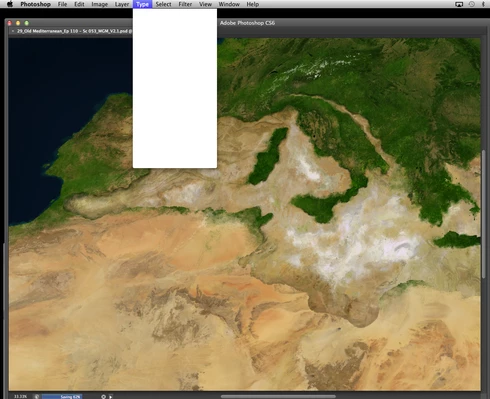
Randomly throughout using the program, my windows/palettes (i.e. the layers palette) will become white. Even the "Save" window menu will become white. It's still functional (if I press enter on the save menu, it will save), but I can't see any of the options. I've uninstalled the program and reinstalled. This has unfortunately not solved the problem. Please help

Thanks for the help in advance!

Michael
This topic has been closed for replies.

208 replies

Inspiring
November 3, 2013


When using Photoshop CS5.1 on the new Maverick OS, after installing the Java update, menus occasionally go completely white, forcing me to quit the program and restart. Is there a fix to out there for the bug?
Legend
November 1, 2013
If anyone has updated their driver and run from a new user is still experiencing white menus and windows, please let me know so I can do screen share/troubleshooting session. (It may have to occur on Monday)
Legend
November 1, 2013
Sounds like installing and running from new Admin account fixed this for you based on your comment on the U2U forums. http://forums.adobe.com/message/58019...
Legend
November 1, 2013
On Mavericks, there is general Open/Save problem if Coverflow is enabled: http://helpx.adobe.com/photoshop/kb/f... Seems to be general problem since iTunes and Safari have the same issue.
Participating Frequently
November 1, 2013
Alright friends. I have had no further problems with the blank menus popping up.

I am however, still having problems with the driver being recognized by Mavericks and have had to install the latest wacom driver upon every boot up session.

This is really taking it's toll on me. Problem after problem. I am very frustrated.
Inspiring
November 1, 2013


Since my update to Mavericks, photoshop has had problems with the selection tools not recognizing mouse clicks. Also, menus will be blank after a while of working in Photoshop and the only way I've found to fix it is to restart PS. The problem with that is that the only way to save things is to use shortcut keys because the pop ups are unreadable, being that they are blank...
Inspiring
October 31, 2013
UPDATE: I installed the latest Wacom Driver for my Intuos 4 tablet, and I am still having this problem. Because this specific tablet is a slightly older model, I believe the latest driver update was released before OS X Mavericks.

On a different note, I've found Photoshop CC to be much less stable than CS6. I noticed this before upgrading my Apple OS from Mountain Lion to Mavericks. The biggest problem, which I hope they sort out is the file saving issue: Sometimes you save a file and close it, only to realize that photoshop never actually saved it, even though it says otherwise in the "date modified" info tab. I've lost hours of work multiple times. For this specific reason, I switched back to CS6, but I've found that to be buggy also now that I'm using Mavericks.

I freelance for a few retouching studios in NYC and everyone is currently annoyed / paranoid about these issues. It's costing us lots of money.
Inspiring
October 31, 2013


Photoshop CC on intel Xeon Mac OS 10.9. Inside of Photoshop, expandable drop-down menus appear blank. For instance, clicking "File" expands a solid white drop down tab with no visible menu items. This happens randomly, and I'm forced to quit photoshop by using the apple finder.
Legend
October 31, 2013
I've noticed with a couple of customers that even if they have the most current driver, removing and reinstalling the driver, or installing the driver via a new Admin user account and running from the Admin user account has been necessary.
image33photo
Participant
October 31, 2013
Sorry, didn't find this thread before posting... Great advice - updating tablet as we speak. Hopefully that's it.