
Participant
June 17, 2015

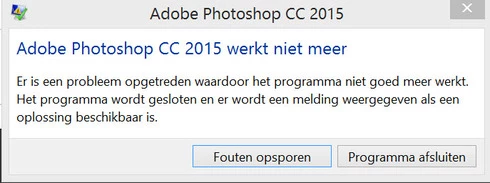
P: Has stopped working on launch (librarylookupfile)

  • June 17, 2015
  • 68 replies
  • 1291 views

Yesterday I updated to the new Adobe Cloud CC 2015 version. After that Photoshop and Illustrator 'have stopped working' when i load them up.

Windows Version 8.1 Latest patches and updates. Graphics card AMD Radeon 295x2. Updated last version. No crash log, only windows event log.

I have already contacted the indian support guys, but they were not that helpfull and just plain rude but I will make a written complaint for that also. They made me create a new 'admin' user on my system and all should work, well thats just a bogus solution. This update was issued by Adobe and this has nothing to do with userdata. I cant create new users every time software updates, this should be tested by Adobe. I suggest adding a better 'cleaning' tool that also cleans user/roamdata.

I uninstalled, used the cleaner tool, cleaned registry , reinstalled still the same bug.
Muse , Lightroom CC 2015 all work apart from Photoshop and Illustrator.

So please fix this!!
This topic has been closed for replies.

68 replies

Inspiring
July 2, 2015
Worked for me. Many thanks.
Participating Frequently
July 1, 2015
Absolute pleasure guys!
Inspiring
July 1, 2015
That also resolved the issue for me. On my machine with the fault, the contents of %USERPROFILE%\AppData\Roaming\Adobe\Creative Cloud Libraries\LIBS\librarylookupfile was initially blank. Renaming it caused CC to populate it and more importantly, run PS. Thanks for the tip, but I still wonder what's the root cause and permanent correction.
Inspiring
July 1, 2015
Corné van Driel hats off to you.

Thank for posting your resolution to this problem. Worked like a charm!! I just renamed file as _old and BAM! Ran program with no issues.

Thanks
Inspiring
June 30, 2015
I just tried rolling back the NVidia graphics card driver from latest (353.30) to one several months old and known to be good (347.52). That did not solve the problem. PS CC2015 still won't start. So I have to say the problem lies on Adobe's side.
Inspiring
June 30, 2015
Same problem but here's a clue. I have two licensed copies of CC 2015, thus two copies of PS 2015. On one Windows PC (OS8.1) it runs normally, but it is set up for not using the graphic card (Use Graphics Hardware checkbox is clear), and sniffer.exe is supposed to disable that anyway if it's a problem. On the other PC (OS 7 SP1) with an NVidia GTX570 with the latest driver, it crashes on start up every time. The ctrl-alt-shift trick to delete the preference file doesn't work. AfterEffects and Premiere Pro work fine. Also, the shift-Click to start PS without plugins also doesn't work. So it's either the NVidia driver or PS causing the problem. I don't want to downgrade to cc2014, but might have to, or keep using the other PC.
Participant
June 30, 2015
Yeah... life saver thx
Inspiring
June 28, 2015
same issue, photoshop non functioning
Inspiring
June 26, 2015
Oh my god! Thank you! I thought I'd be lost without it! Thank you!
Participating Frequently
June 24, 2015
Absolute pleasure!