


Known Participant
October 18, 2017

P: Healing and Spot Healing Brush Lag

  • October 18, 2017
  • 282 replies
  • 7290 views

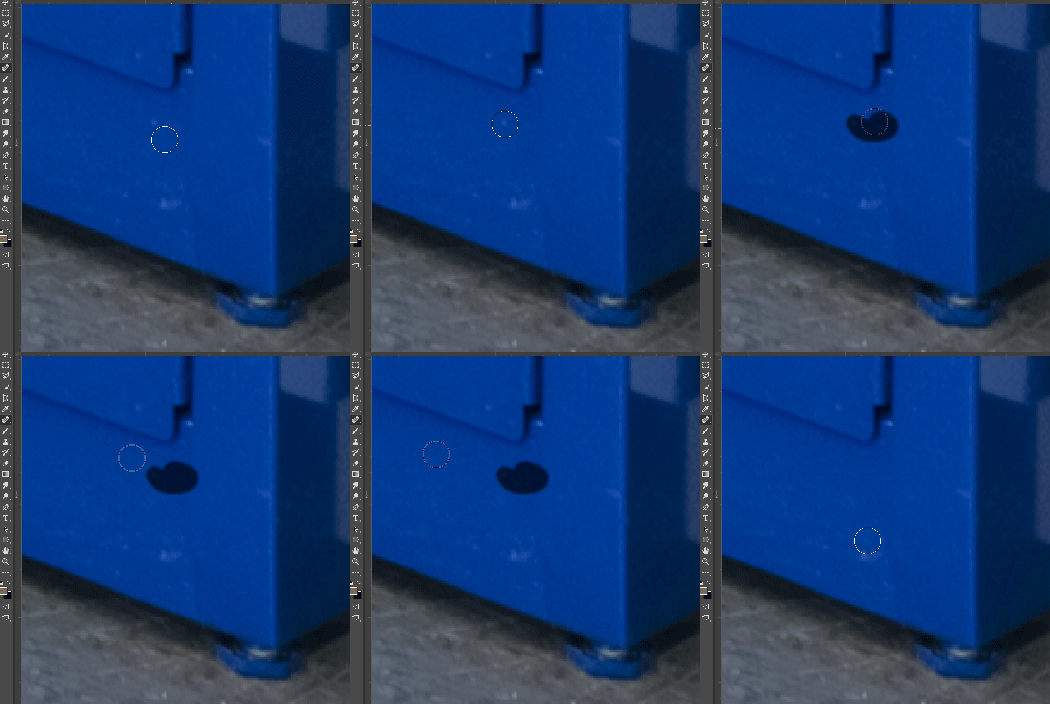
In most recent 2018 update, healing and spot healing brush have become much less responsive, sometimes taking multiple seconds after completion of stroke to affect the image.

Late 2016 Macbook, up to date OS and Software

I've done the regular things like turning off OpenCL and changing other performance options... no change.
GIF framerate is sped up 2x 
 

This topic has been closed for replies.

282 replies

Participating Frequently
November 7, 2017
Hi all, I'm still not entirely sure what change I made to get the Healing brush back to some form of usability, but from memory one of the things I tried was reverting to legacy brush presets... (along with the other things mentioned by others here). Just thought I'd mention it incase it has anything to do with the problem.
Although PS is a tad more usable now, it still has a bunch of other issues, and I'm finding the clone tool can sometimes hang, and it takes about 5-10 secs before I can continue.
Inspiring
November 7, 2017
Thanks so much, although I had done that before, it seems that a restart was in order. Seems smooth as butter now and no more Program error messages yet...
Inspiring
November 7, 2017
Hi Stephen,
I'll copy / paste what Stephen Newport says below...

The bug seems to be caused by smoothing on the *brush tool.* So click on the brush tool, turn smoothing down to 0% in the tool bar and "off" in the brush panel, and healing should resume normal operation, or it will not screw up if you do that first when you first open photoshop.

So forget about "healing" for the moment and go to the Brush tool - and set smoothing to 0% and in the brush presets, uncheck the smoothing box.

Hope this helps... really frustrated with this update - it is not fit for purpose, and I can't use Bridge because Web Galleries are gone!

I really can't but repeat that Adobe don't seem to relate to real professional photographers and retouchers - those who live off their work!
Peter
Known Participant
November 7, 2017
turn smoothing to 0% (top toolbar)
turn smoothing off in brush panel (I didn't have to do this part but some do apparently)
Inspiring
November 7, 2017
Can you outline exactly how you sorted out the healing brush issue? The instructions given by the Adobe rep on these and other forums made no sense. Thanks in advance.
Inspiring
November 7, 2017
I too seemed to sort out the smoothing and the healing brush now working (so far)
Also had really slow responses using ACR so after an online chat to adobe was able to revert to ACR 9.12.1 much happier now!
<https://feedback.photoshop.com/photoshop_family/topics/revert-to-earlier-version-of-acr>
Peter
Inspiring
November 7, 2017
"Disable the smoothing feature in your Brush Settings (Image 1)."

Great... easily done.

"When spot healing tool is active, drag smoothing to 0% (Image 2)."

How on earth do you do this? If the brush properties are open, you are using the BRUSH, and NOT the SPOT HEALING TOOL. If you then tap on the Spot Healing tool, the brush settings are disabled and there is NO SMOOTHING SLIDER in the spot healing brush to "drag to zero" as shown in "Image 2".

Can you please give alternative instructions which do work? Thanks in advance. 
Known Participant
November 7, 2017
I think she might have misspoke, turn smoothing off on the brush before you use the brush in a session, that should do it
Inspiring
November 6, 2017
As a professional photographer who needs to have Photoshop as a business critial tool, I am totally sad about the latest healing brush lags. I have 5 MACs from 2011 to 2016 and all are having this bug. Also the update to MAC OS High Sierra did not bring any improvement. 
Please stop implementing unnecassary gimmicks as video help and concentrate to stability and reliability -please!
I went back to CC 2017 which works better on all machines.

Regards Marco 
https://www.glamourpixel.de/
dave131
Participant
November 6, 2017
I understand that (although how smoothing on the brush tool affects performance on the spot healing tool I don't quite get).

What I don't understand is in Hannah's order of operations, it tells the user to drag smoothing to 0% when spot healing tool is active. This is a seemingly impossible task.

I've tried this fix by just turning smoothing off on the brush tool and unfortunately I seem to be one of the ones who will need to wait for them to update PS.