


Known Participant
October 18, 2017

P: Healing and Spot Healing Brush Lag

  • October 18, 2017
  • 282 replies
  • 7290 views

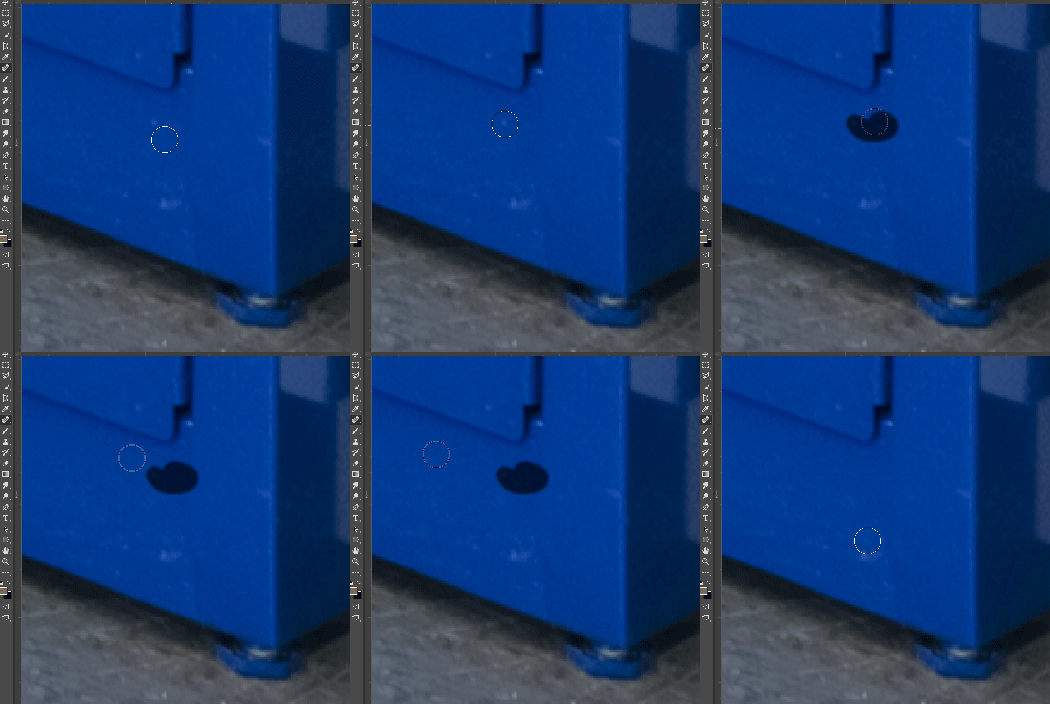
In most recent 2018 update, healing and spot healing brush have become much less responsive, sometimes taking multiple seconds after completion of stroke to affect the image.

Late 2016 Macbook, up to date OS and Software

I've done the regular things like turning off OpenCL and changing other performance options... no change.
GIF framerate is sped up 2x 
 

This topic has been closed for replies.

282 replies

bellevue scott
Inspiring
October 25, 2017
It's really easy. I did it. Go to the adobe cloud icon at the top of your screen, then under photoshop select "other versions". You can reinstall the old version along side the new one. I'm running both now (well, i'm running the old version, the new one is just sitting there until Adobe fixes this).
Inspiring
October 25, 2017
Well, I thought it was fixed because it worked for a short time after resetting all my beloved preferences but now they are gone too and I can't get the healing brush tool OR the stamp tool to work at all; not even slowly. They just don't work. This is pretty nuts. I use these tools for a living. Does anyone know how to revert back to the previous version of Photoshop CC? I do not believe it is on my computer anymore. (Never mind. I am installing 2017 now from Creative Cloud.)
Edward Caruso Photography
Participating Frequently
October 25, 2017
Hey me too!

Mostly 16bit Sony a7r2 files.
2017 iMac, etc

healing brush is unusable, reverted back to CC 2017
Kind of a big bug to miss, get some real retouchers on the pre-release program!
bellevue scott
Inspiring
October 24, 2017
Have you checked that your power is on? Just kidding. Same issue. couldn't even contineu working. I just reinstalled 2017 along side 2018 for now. 
bellevue scott
Inspiring
October 24, 2017
Can confirm. Healing brush in 2018 is so super slow I am reinstalling 2017 now. I use healing brush all day long, and in 2018 it's so slow that PS is completely unusable for me. It's not just a little slow, it's super super duper slow. I couldn't get through an 8 hour work day with this. 
Inspiring
October 24, 2017
Try using the slider on the paint brush panel header and setting smoothing to 0. This seems to be working for me, even though it resets to checked when you relaunch.
Hannah Nicollet
Community Manager
Community Manager
October 24, 2017
Once the fix is ready to test we would like to invite those who are interested in helping us verify the fix to join our pre-release program.  If you would like to participate, please contact me directly at:


Thanks!
Hannah Nicollet
Inspiring
October 24, 2017


The spot healing brush is VERY slow in PS CC2018.
The patch tool is also sluggish.

These are both instant on CC2017

Using an iMac 2017 with 64GB ram. issues on large and small files.
Inspiring
October 24, 2017
Nope. In fact, I've turned OFF Shape Dynamics, locking it, for the default round brushes before and had them stay off, so if they don't revert, no reason Smoothing should. But it does—this after a restart:

Participating Frequently
October 24, 2017
This did not work for me