


Known Participant
October 18, 2017

P: Healing and Spot Healing Brush Lag

  • October 18, 2017
  • 282 replies
  • 7290 views

In most recent 2018 update, healing and spot healing brush have become much less responsive, sometimes taking multiple seconds after completion of stroke to affect the image.

Late 2016 Macbook, up to date OS and Software

I've done the regular things like turning off OpenCL and changing other performance options... no change.
GIF framerate is sped up 2x 
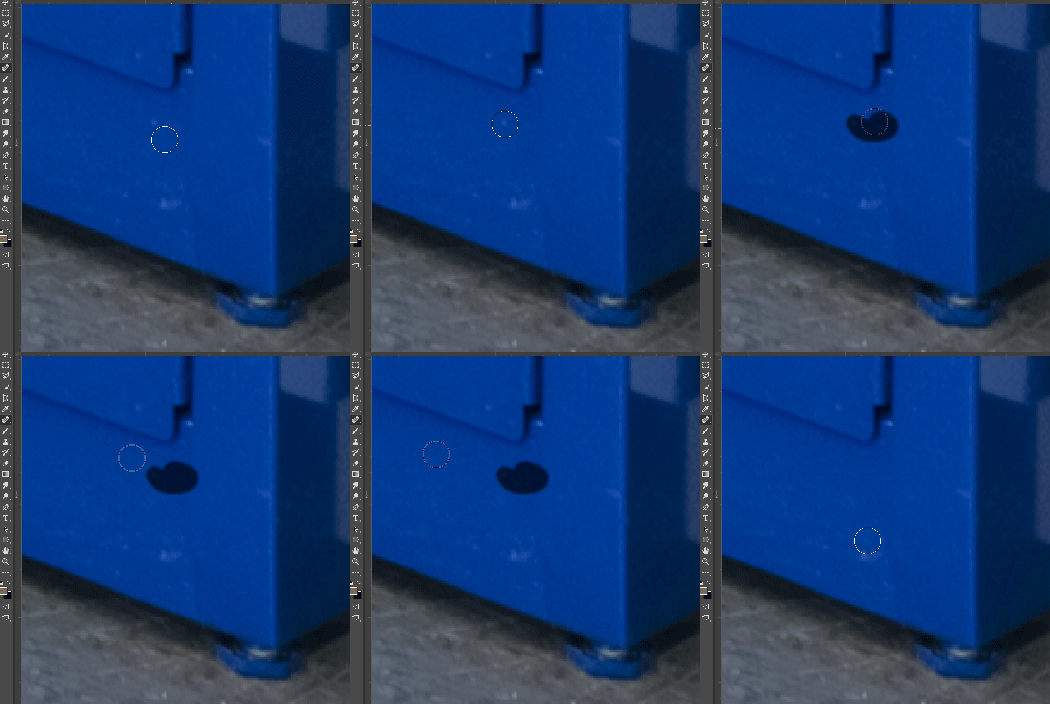
 

This topic has been closed for replies.

282 replies

erichsaide
Participant
October 23, 2017
Having same issue with my iMac and  2017 Mac Book Pro. Healing brush is useless.. 
Inspiring
October 23, 2017
Thanks. So far so good here too.
Known Participant
October 22, 2017
Have you tried bringing the slider to 0 and turning it off in the brush panel?
Inspiring
October 22, 2017
Just to add to this.  Also having this lag problem BUT only with the legacy healing brush enabled.  Without legacy its working just fine, however I dont like working with that brush.

i7-7700k, 64gb, PC
Bkort
Known Participant
October 22, 2017
I have, does not matter
Known Participant
October 22, 2017
Have you tried turning smoothing off?
Inspiring
October 22, 2017
Same Issue here with the healing brushes (Windows10, 16GB RAM, i7). Using spot healing brush it lags over 5 spots behind. It looks like it is working better for a short period of time after restarting Photoshop. The memory usage is going fast past the 6.5GB with only one 36MP file on 16 bits and only one empty layer for healing ( file size on the lower left is about 250MB.
Bkort
Known Participant
October 22, 2017
Yes, still slow
Inspiring
October 22, 2017
Turn off smoothing and you should be good. Seemed to work for a lot of people now.
JodyLand
Participant
October 22, 2017
Update, still working well after 3+ hours 🙂