


Known Participant
October 18, 2017

P: Healing and Spot Healing Brush Lag

  • October 18, 2017
  • 282 replies
  • 7449 views

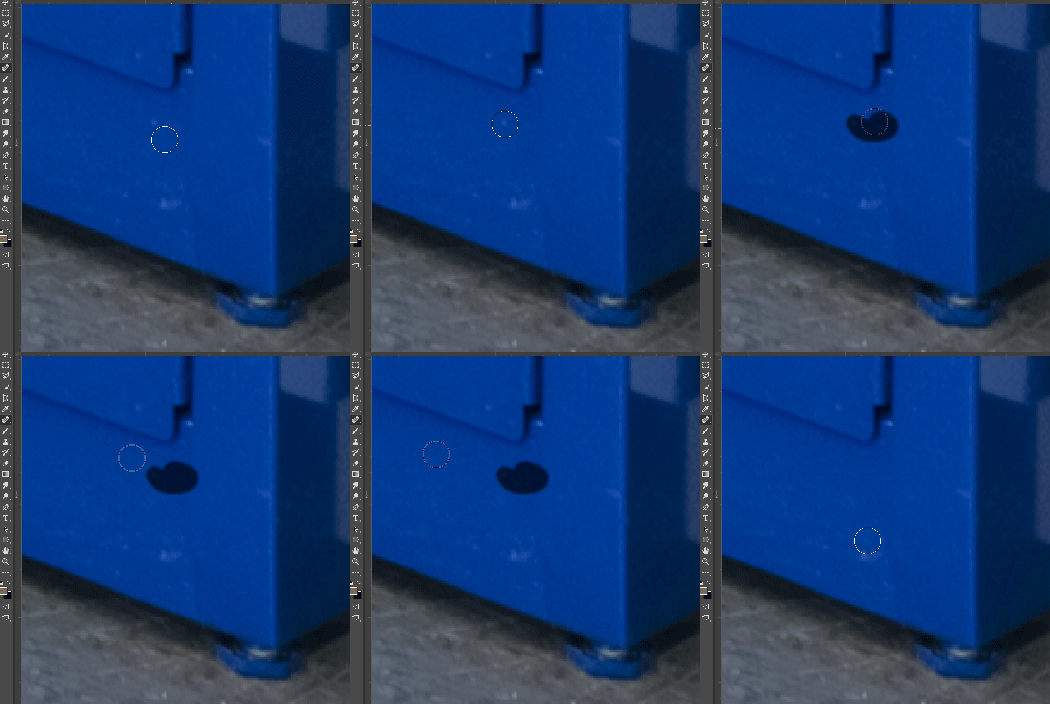
In most recent 2018 update, healing and spot healing brush have become much less responsive, sometimes taking multiple seconds after completion of stroke to affect the image.

Late 2016 Macbook, up to date OS and Software

I've done the regular things like turning off OpenCL and changing other performance options... no change.
GIF framerate is sped up 2x 
 

This topic has been closed for replies.

282 replies

Inspiring
October 20, 2017
I'm just on a cheap-and-cheerful Bamboo!
Known Participant
October 20, 2017
As per previous comments, Rob discovered it happens after using the brush.
I played around with it to see if there are specific brush settings that are causing this and discovered, on my end, if I turn smoothing off on the brush the problem goes away... have no idea how smoothing on the brush tool could affect the heal tool, but.....
So you have to turn off a new [very nice] feature of 2018 so you can use 2018.
Can any adobe peeps respond to this?
Thanks
mathews47130492
Participating Frequently
October 20, 2017
This isn't a 22 second delay, but it is a 10 second delay. The sample appeared about a second before the process finished
Known Participant
October 20, 2017
YES... Everything works fine until the first stroke of the brush tool, immediately after that switching back to heal it starts lagging.
mathews47130492
Participating Frequently
October 20, 2017
Using a brush absolutely triggered this for me.
rob.c
Participating Frequently
October 20, 2017
I'm getting this issue too, similar circumstances as others. Small to medium sized images 200-1200mb, 5-20 layers, 20mp, 16 bit, ProPhoto RGB. I have been using a mouse mostly today but I do have a Wacom Intuos Pen Small plugged in. Mac OS Sierra 10.12.6.

I noticed on one instance it was working fine (after a restart of Photoshop) then I switched to the brush and started doing some masking then switched back to the spot healing brush and it was back to lagging.
Aurica Crudu
Participating Frequently
October 20, 2017
8 bit, rgb, 5267x5267, 5 raster layers, 4 smart objects (2 with gaussian blur, 1 with liquify and puppet warp), 1 solid color with vector mask . Small lags 1-2 sec. (but with pretty good computer configuration). Tablet used, wacom.
Inspiring
October 20, 2017
yes! it's so annoy
Inspiring
October 20, 2017
i have the same problem. spot healing brush is always hanging when i use it for a picture. brush tool has a lag too. i think, i should not update 
Known Participant
October 20, 2017
Hey Emerson,
Can you let us know which tablet and driver you have? So far people have said the Intros Pro and 5, but someone on a 4 didn't appear to be having the issue, not sure if that's the variable though.