


Known Participant
October 18, 2017

P: Healing and Spot Healing Brush Lag

  • October 18, 2017
  • 282 replies
  • 7449 views

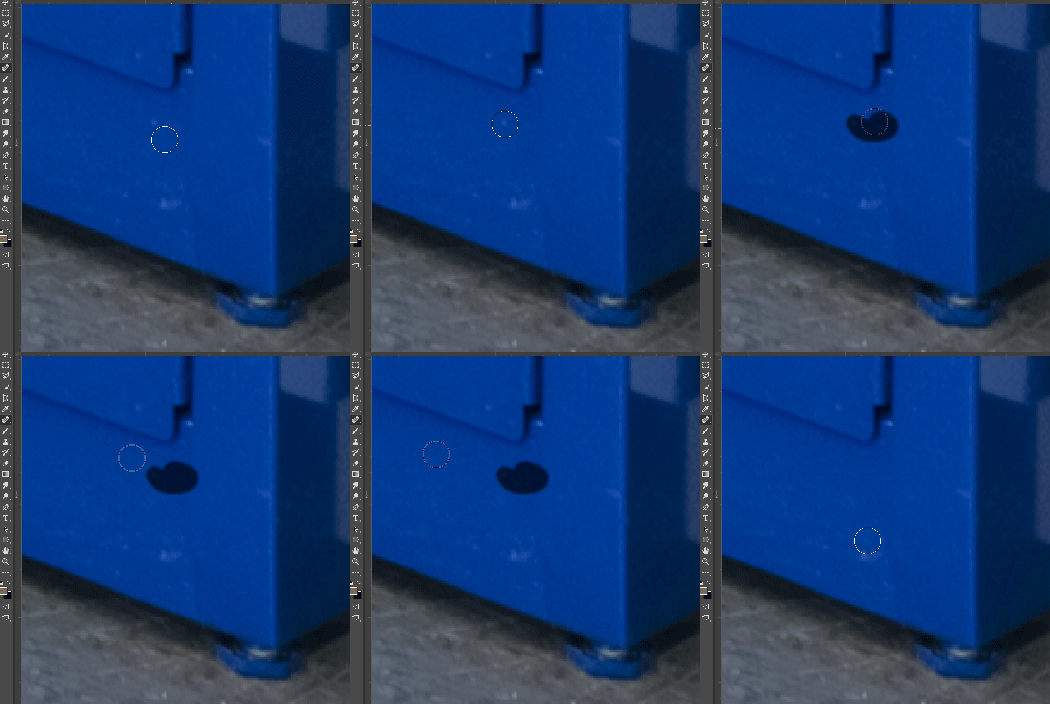
In most recent 2018 update, healing and spot healing brush have become much less responsive, sometimes taking multiple seconds after completion of stroke to affect the image.

Late 2016 Macbook, up to date OS and Software

I've done the regular things like turning off OpenCL and changing other performance options... no change.
GIF framerate is sped up 2x 
 

This topic has been closed for replies.

282 replies

Known Participant
October 20, 2017
For me it has nothing to do with dust and scratch. I haven't noticed a pattern, but it will happen shortly into the first image I start work on after opening the program
Inspiring
October 20, 2017
I had this issue before the update, but only on files of 2GB+, many layers, 16-bit, RGB.
Now having it on files of ~117mb, 1 layer, 16-bit, RGB.
Does it with wacom tablet, slightly quicker with (Logitech) mouse. Haven't tried a larger file yet.
Win 7, 16GB RAM, letting PS use 12GB. Loads of scratch disk space.
Participant
October 20, 2017
oh and changing colour temperature also take longer than the last version. 
Participant
October 20, 2017
oh and changing colour temperature also take longer than the last version. 
Participant
October 20, 2017
Same issue here and it's getting reallllyyy irritating. You click heal and then...nothing happens for like 1-2 seconds. 
Inspiring
October 20, 2017
> Seems to happen to me after I run the dust/scratches filter.>

So how long has a retouching session been before this happens, and is it always after the dust&scratches filter? I tried it out on an old scan using D&S to remove just the smallest bits of dust, then spent another 15 minutes rapidly going over the entire image with the Spot Healing brush, and I had one incident where it "connected the dots," which it sometimes does, but other than that, it never lagged at all and I never slowed down. So does it take going through a few images like that to make it become a problem?
Inspiring
October 19, 2017
Seems to happen to me after I run the dust/scratches filter.
Inspiring
October 19, 2017
I am having the same exact issue. Reseting PS fixes it. But, it ALWAYS crops up again AFTER I run the dust/scratches filter. That seems to set it off for me.
Known Participant
October 19, 2017
I tested this and it gave the same results as restarting the program... works for a bit then goes downhill
Inspiring
October 19, 2017
Medium sized images—as far as pixel dimensions, Mac El Capitan on an old Mac Pro with Wacom Intuos 4. No lag. Brush sizes over 300 px might take just over a second. Brushes 1000 px + can take up to 5 seconds with use all layers depending on detail, or lack thereof, to pull from, but more typically are taking about 3 seconds. Spot Healing or Healing the same. I did check on the driver—I'd updated my Wacom driver not long ago when I'd had a problem, but saw that now I'm not on the latest driver. I'm on 6.3.24.1 and current is 6.3.25.2. 

So with my setup, I'm just not seeing this.  Oh, should add, I'm using both 8bit and 16 bit images all the time.