


Known Participant
October 18, 2017

P: Healing and Spot Healing Brush Lag

  • October 18, 2017
  • 282 replies
  • 7449 views

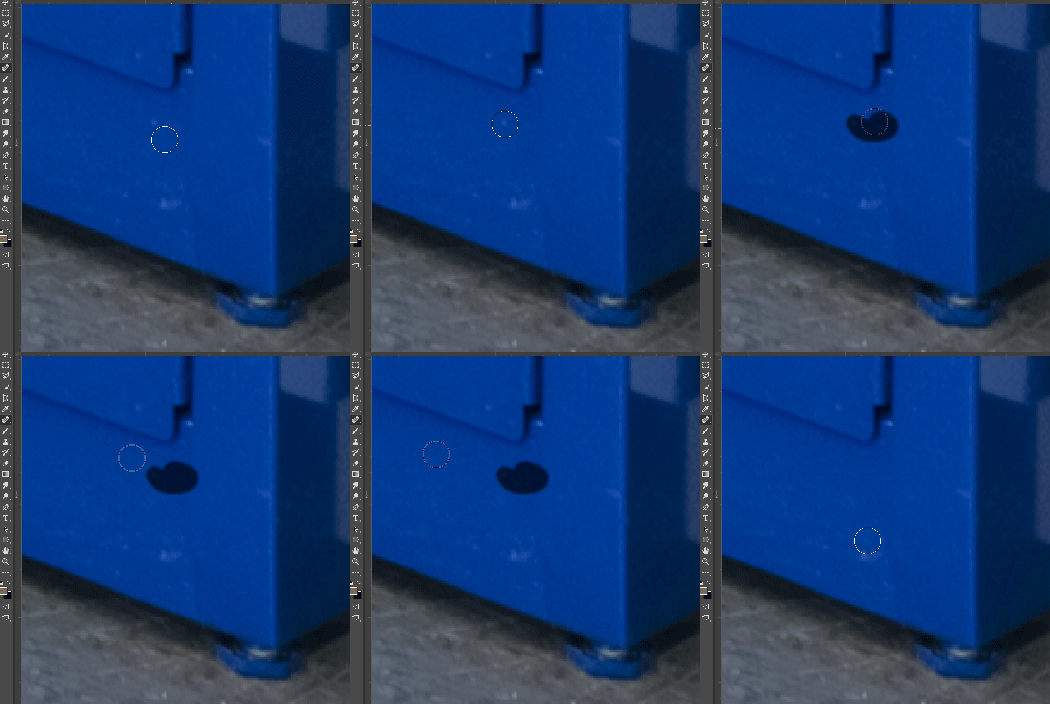
In most recent 2018 update, healing and spot healing brush have become much less responsive, sometimes taking multiple seconds after completion of stroke to affect the image.

Late 2016 Macbook, up to date OS and Software

I've done the regular things like turning off OpenCL and changing other performance options... no change.
GIF framerate is sped up 2x 
 

This topic has been closed for replies.

282 replies

Adam Jerugim
Community Manager
Community Manager
October 19, 2017
Matthew,

Could you do us a favor and use Activity Monitor to sample Photoshop while it takes 20 secs for healing to complete?  (on your larger image)

To do that, launch Activity Monitor, select the Photoshop process, start your heal in PS, then go back to Activity Monitor and click option-cmd-S.  Then please post the sample here.  It may give us a clue as to why it is taking so long to complete.

Thanks.
Participating Frequently
October 19, 2017
I take it all back - the solution, whatever it was, did not last -

I feel like I've been sold a great looking car but when I looked under the bonnet it had a wound up elastic band where the engine should be! -

Why are large companies allowed to sell things that do not work as described?
Participant
October 19, 2017
Experiencing same behavior as others . Small  to large images . Using either Intuos Pro tablet, or mouse. 
Participant
October 19, 2017
Experiencing same behavior as others . Small  to large images . Using either Intuos Pro tablet, or mouse. 
Inspiring
October 19, 2017
Same issue here with me. As a professional retoucher who does this full time, it's really taken its toll on my speed. I'm using an Intuos 5 tablet.
Known Participant
October 19, 2017
Happening on all tested files sizes from normal pro cameras, always 16bit Profoto
Known Participant
October 19, 2017
Intuos Pro 2015 (tested with multiple Wacom drivers, both current and two years old)
mathews47130492
Participating Frequently
October 19, 2017
Mouse here. I have tried with a tablet and am experiencing the same results (no faster or slower)
Adam Jerugim
Community Manager
Community Manager
October 19, 2017
Also it would be helpful to know if you are driving PS with a mouse or tablet.  Thanks.
Participating Frequently
October 19, 2017
This really should not matter they are the same type of files as the last few thousand files I was using all year long and before.

My use of PS is very repetitive this app should work no matter what the files and it especially should work at least as well as it did before on the same files - unless it is a downgrade!

But as you asked they are just simple RAW files straight out of a Fujifilm GFX 50s on a round trip from some basic batch processing in Lightroom (so it becomes a PS file when I hit the edit in PS comment in Lightroom of course) - if you think it's down to file size what the hell is going to happen when I want to look at large something out the Hasselblad or even larger such as our large format film scans.

Just make it work as it did before we never had to use specific type or size of file before.

BTW - I just reset preferences on quit and of course now my PS looks bad and I need to spend a whole load more time finding my way around it and putting everything back where I expect it to be!!