



Gavin at MRP
Inspiring
February 13, 2026

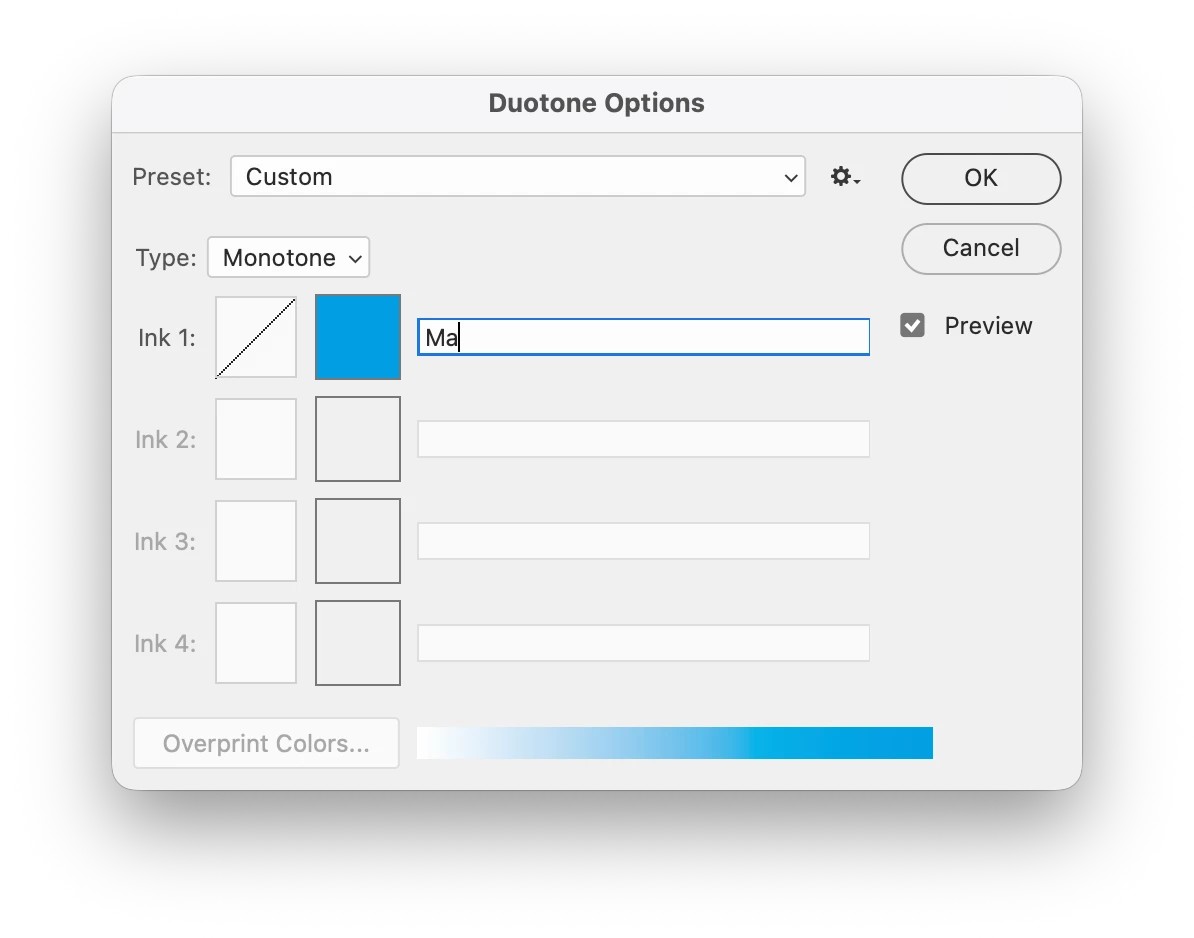
P:(Mac) Photoshop v27.3.1 Image > Mode > Duotone Typing P in the text fields toggle Preview

  • February 13, 2026
  • 2 replies
  • 0 views

Issue

  • Photoshop version27.3.1 Release
  • OS: Tahoe 26.3 (25D125)


Steps to reproduce:

  1. Image > Mode > Duotone…
  2. Change Type to Monotone
  3. Attempt to name Ink 1 anything with the letter “P” in it
  4. You will not be able to type the letter “P” because it will instead toggle the “Preview” box in the Duotone Options panel on and off


Expected result: Being able to name an Ink color with words that have the letter “P” in them
Actual result: Typing the letter “P” toggles Preview on / off


    2 replies

    Sameer K
    Community Manager
    Community Manager
    February 16, 2026

    Hey, ​@Gavin at MRP! Thanks for bringing this up. This relates to a previously known macOS-only issue that the team is aware of and working on. I’ve added your report to the ticket. 


    Thanks!
    Sameer K

    Gavin at MRP
    Inspiring
    February 16, 2026

    Thanks. Meanwhile, my workaround is to type the text in a different app and then copy / paste it into that name field. 

    Ged_Traynor
    Community Expert
    Community Expert
    February 14, 2026

    @Gavin at MRP I’m not experiencing the issue on Windows 11, with Photoshop version 27.3.1


    Gavin at MRP
    Inspiring
    February 16, 2026

    It turns out this issue is on Macs only. Adobe is aware of it, and are working on a fix.