


October 25, 2023

P: macOS 14.1 / Photoshop 2024 v25.0/25.1 Toolbar click through issue

  • October 25, 2023
  • 47 replies
  • 22998 views

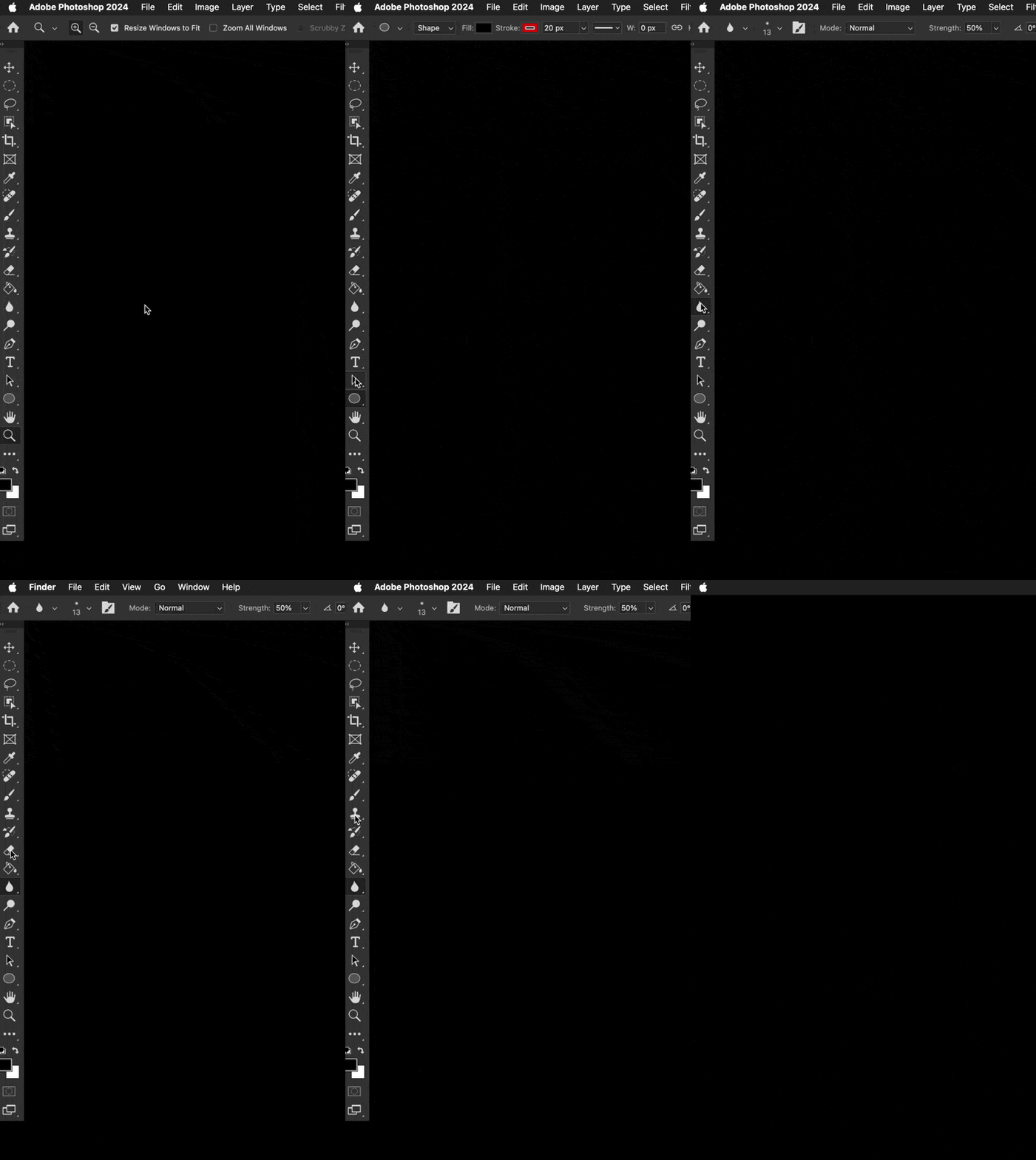
Well ... that wasn't something I ever expected or have ever seen. Was using Photoshop 2024 v 25.0.0 just this morning no problem with macOS 14.0.1. Updated to macOS 14.1 this afternoon, and now the top half of the toolbar clicks THROUGH the toolbar into the Finder. What? The bottom half of the toolbar works as usual. I've turned off most of the toolbar and tool prefs & that does nothing. Did a bunch of Interweb searches ... nothing relevent yet.


This is pretty new Photoshop behaviour ... wondering if anyone else has run into this yet.


Any ideas?


I could temporarily move all the most used tools to the bottom half of the toolbar. Though all the tools can be chosen by keyboard commands ... just can't click on those tools in the bar.


Color me perplexed. ¯\_(ツ)_/¯ 
 

47 replies

Sameer K
Community Manager
Community Manager
November 2, 2023

Updating Status.
This has been a known issue since macOS Sonoma v14.1.

Legend
November 2, 2023

I'm on Sonoma with two displays, M1 Mac mini, just updated to 14.1, and I haven't seen any palette or toolbar issues except the intermittent "moving palettes" bug that has been around for a while in multiple Adobe apps.

Disenoideas
Community Expert
Community Expert
November 2, 2023

Hello yes this problem in photoshop can be solved by turning on the application frame.  keeping the windown inside the application frame will solve this issue.


If you do have a Macbook Pro and upgraded to Sonoma, and you are using an external screen you might see this same issue appearing just when clicking the Mackbook pro desktop screen. 

So to fix this.

1. go to system settings.

2. Desktop and dock.

3. Desktop and Stage Manager.

4. Click wallpaper to reveal desktop.

use the drop down to swap from = always to only in stage manager. This was set by default and uses the hot coners show desktop option.


Just incase you have this issue.

cvreeland
Participating Frequently
November 2, 2023

Thank you!

Participant
November 1, 2023

I'm on Sonoma since yesterday and me too having the same problem. Any of the tools in the left toolbar is clickable because you directly get the Finder desktop so Photoshop is unusable.

I'm so frustrated of serious bugs recent years Adobe products are having (Illustrator and Indesign included). I'm so frustrated with the multibillion companies who don't have the ability to launch software that just... works. Don't they test or debug ?? What a (cursing removed) team of developers they have. Ok, I will be the grumpy old guy not knowing what I'm talking about but it is true that it is a worldwide phenomenon of bad quality control and people don't knowing their jobs anymore. The attitude and lack of ability and responsability. In the past this just DID NOT happen this frequently neither were bugs this serious. Now, every month there are bugs and not small ones. The more they update the more bugs are released. And then Adobe pulls the umbrella, yes but it's Apple's fault. And Apple does the same. And we paying clients are the victims. 

I also noticed that when I'm in Photoshop and I click on a visible part of the Finder that the Finder desktop does not show! It doesn't trigger the windows to go out of sight. It DOES trigger when I'm in other software than Adobe's. So is it Sonoma problem or Adobe problem? I think the latter. @Adobe: When fix ? (cursing removed)

Participant
October 31, 2023

I see the same issue with Illustrator too

Participant
October 31, 2023
I got advice from silk-m yesterday to disconnect the toolbar from the other windows, and it worked again.
Tody same problem. On top my wacom disconnected. I closed PS and restarted. Gone! Poooh! Spooky.
Keep the toolbar detached till further notice.

The question is for how long ist it going to work. I will never ever update again to soon.

Von meinem iPhone gesendet
Participant
October 31, 2023

I am having this issue as well. I am using PS 2024 v25.1 on a 2019 iMac.


When using the brush tool I cannot use the option key to color pick. This is essential for my work and it only broke when I updated to Sonoma this week. Everything worked fine last week.


None of the application frame on/off tricks worked.


Are we just at the mercy of these two companies? We pay a lot to use PS.


Participant
October 31, 2023

Ditto

Camagna
Known Participant
October 31, 2023

I can't find a trick working inside the select mask window.