
Participant
September 16, 2023

P: (macOS Sonoma) Photoshop 2023/2024 Save for Web shows incomplete preview

  • September 16, 2023
  • 184 replies
  • 38252 views

Have just updated to Photoshop 2024 and my save to web panel is now not displaying correctly - see screengrab.  How can I adjust it to have the full image fill the four windows?  cheers, Bob
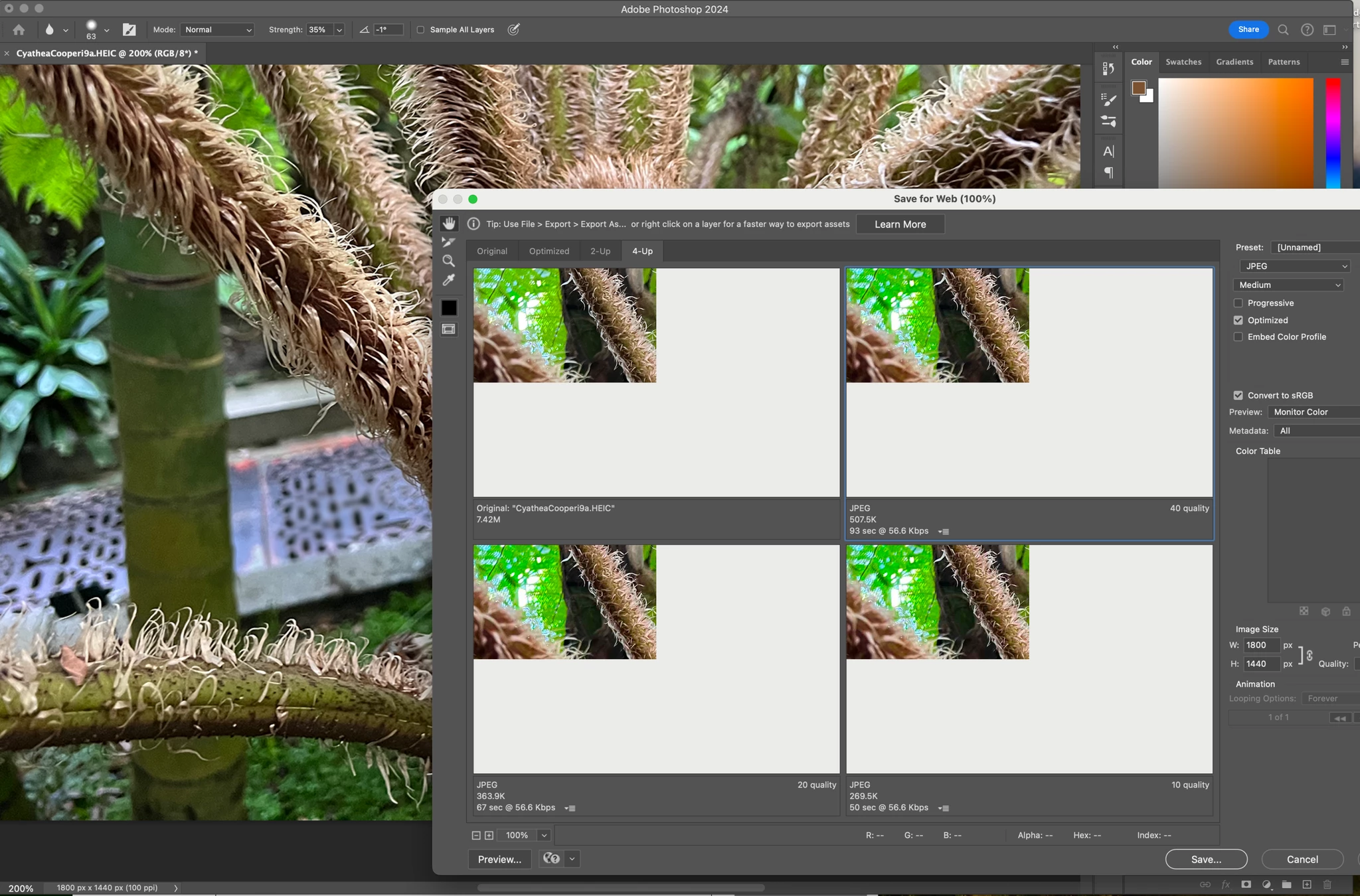


184 replies

Sameer K
Community Manager
Community Manager
September 29, 2023

Adding bug info and setting status.
Please upvote the thread from the top if you also encounter this issue. Thanks!

Participant
September 29, 2023

photoshop 25.0 - Any other version does the same 

Mac Sononma 14


After updating my mac I have been experiencing this isse of blank space in the export window.
I have tried all the usual ways of fixing this issue. This is the most controlled way to edit GIFs I use this daily for work purposes, please look into fixing this.

Dave Z #225
Participating Frequently
September 29, 2023

To help anyone thinking of resetting their preferences, it doesn't work. The issue seems pretty clearly now to be an Adobe bug.

Dave Z #225
Participating Frequently
September 29, 2023

Where did you file this bug report? Some of us are having trouble finding that place.

Participant
September 29, 2023

Having a similar problem after updating to PS25, the preview just comes up dark grey... How do I go about filling in a bug report? I googled it, but the page I'm taken to doesn't actually have a form or link to a form on it?


Participant
September 29, 2023

I filled a bug report and used live chat with an adobe agent, I encourage you to do the same in hopes they fix this soon

paulod87496491
Participant
September 29, 2023

thank god i'm not the only one with this problem. i hope this gets resolved soon because it's kinda inconvenient... 

Participant
September 29, 2023

Probably a bug. I have the same problem after installing Sonoma

Participant
September 29, 2023

I contacted adobe about the above and they have said there is no bug. Ive tried all the other methods they gave me to fix the issue - This only happened since the Sonoma update

Participant
September 29, 2023

Immer wenn ich ein Bild für Web speichern möchte bekomme ich die Bildvorschau nicht richtig angezeigt. Das Bild ist immer oben links und es wird nur ein Ausschnitt des Bildes gezeigt. Das ganze ist erst seit dem Update auf Photoshop 25.0

MindFad
Participant
September 28, 2023

Just chiming in that Save for Web is also busted since PS25 for me in a similar fashion.

My previous workflow has me bringing in short .MOV clips in ProRes with alpha channels for an export into a GIF that reatined the transparency. While the export itself still works, the preview panel in Save for Web is now just white and I have to fly blind on color and setting adjustments.