

Jeff Arola
Community Expert
Community Expert
March 15, 2022

P: Photoshop 23.2.2 Share Button is distracting

  • March 15, 2022
  • 170 replies
  • 20899 views

In photoshop 2022 (version 23.2), photoshop implemented a Blue Share button in the

top right corner of the app workspace that is supposed to turn into a button of the sme color as

the other tool options bar icons.


With the latest 23.2.2 update the Blue Share button does not go away after first use as described

on this page under Easily find the Share button


https://helpx.adobe.com/photoshop/using/whats-new/2022-1.html


I reset the photoshop preferences as i do after every photoshop update by trashing the preferences folder.


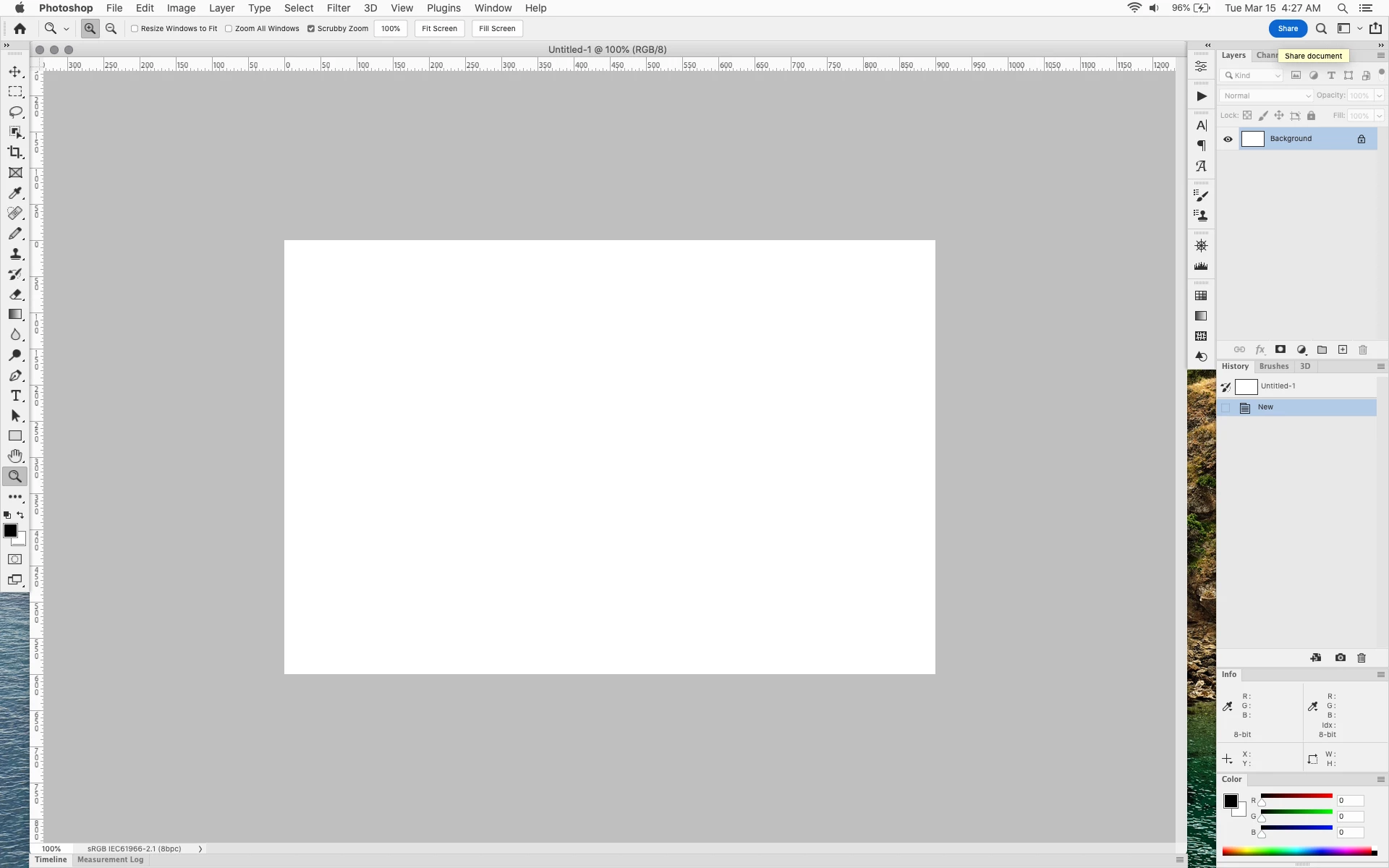
Share button that the Blue Share button is supposed to appear as after first use
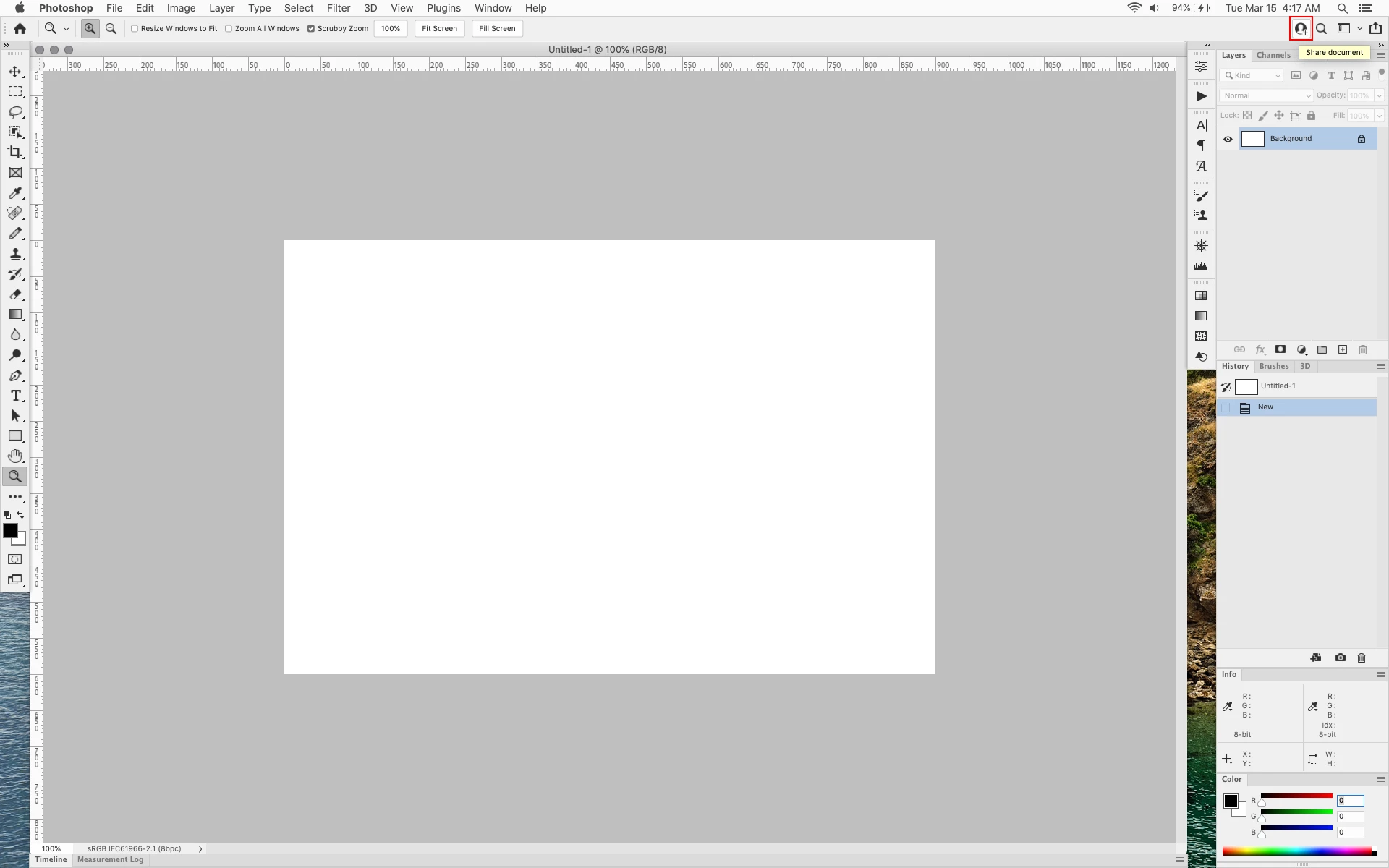


In the 23.2.2 update the button still stays as a Blue Share button after first use


170 replies

robertw44482386
Inspiring
April 12, 2022

Ooops never mind, I transposed a bracket and a comma and that made it revert I guess. Fixed now.

Ged_Traynor
Community Expert
Community Expert
April 12, 2022

@robertw44482386 

That's not my experience, I had a copy of the amended UIColor file and I just copied and pasted back to overwrite the original file and I don't have the blue share button

robertw44482386
Inspiring
April 12, 2022

OK so I updated to 23.3.0 this morning and as expected the button reverted to blue after I had applied the UIColors.txt fix to the previous version.

So I figured applying it to this version would fix it but alas it does not. The altered UIColors.txt file is still altered (I checked) but the share button is still blue. 

Are they playing cat and mousr with us?

Kukurykus
Legend
April 12, 2022

If it's profitable (albeit disliked by many at same time) it may not be changed too soon. Perhaps company tests how it increases their income within period of next months. Not directly, but through the service they promote. When enough many customers know of this feature we'll have chance it becomes optionable. Hopefully one day after users get used of this button they won't protest to bring it back 😛


For now from this thread we know this was part of pre-release and the inner debate started outisde our circle on probably how to keep it without making less visible 😄 Sadly usually marketing is more valuable than users needs. By the way can anyone hack this button to take us to this thread? Just compare Reply and Share buttons, they appear to be same. Maybe noone notice the change and how easliy we get followers for our discussion 😉

Participating Frequently
April 12, 2022

I can't believe this, after finally updating in a long time. Presented with as massive blue button on a neutral color environment. This is borderline bananas for real! Just updated 10 minutes go and still a blue button there! I'm pretty sure if you want save your share your work you will look for it! Pleaase fix it! 

davescm
Community Expert
Community Expert
April 12, 2022

I suspect both the purple skin requestor and the blue button originator came from marketing and not from image retouching 🙂

Dave

D Fosse
Community Expert
Community Expert
April 12, 2022

😄


But actually, not long ago there was someone who asked how to get a "purple skin" in the Photoshop forum. We all looked at him like he was a tentacled alien from outer space...

davescm
Community Expert
Community Expert
April 12, 2022

@jazz-y Brilliant !

Dave

Ged_Traynor
Community Expert
Community Expert
April 12, 2022

@jazz-y 🤣

Kukurykus
Legend
April 12, 2022

Yeah! With your palette of vivid colours the Share button doesn't distract anymore - it fits perfectly now! 😄