

Jeff Arola
Community Expert
Community Expert
March 15, 2022

P: Photoshop 23.2.2 Share Button is distracting

  • March 15, 2022
  • 170 replies
  • 20899 views

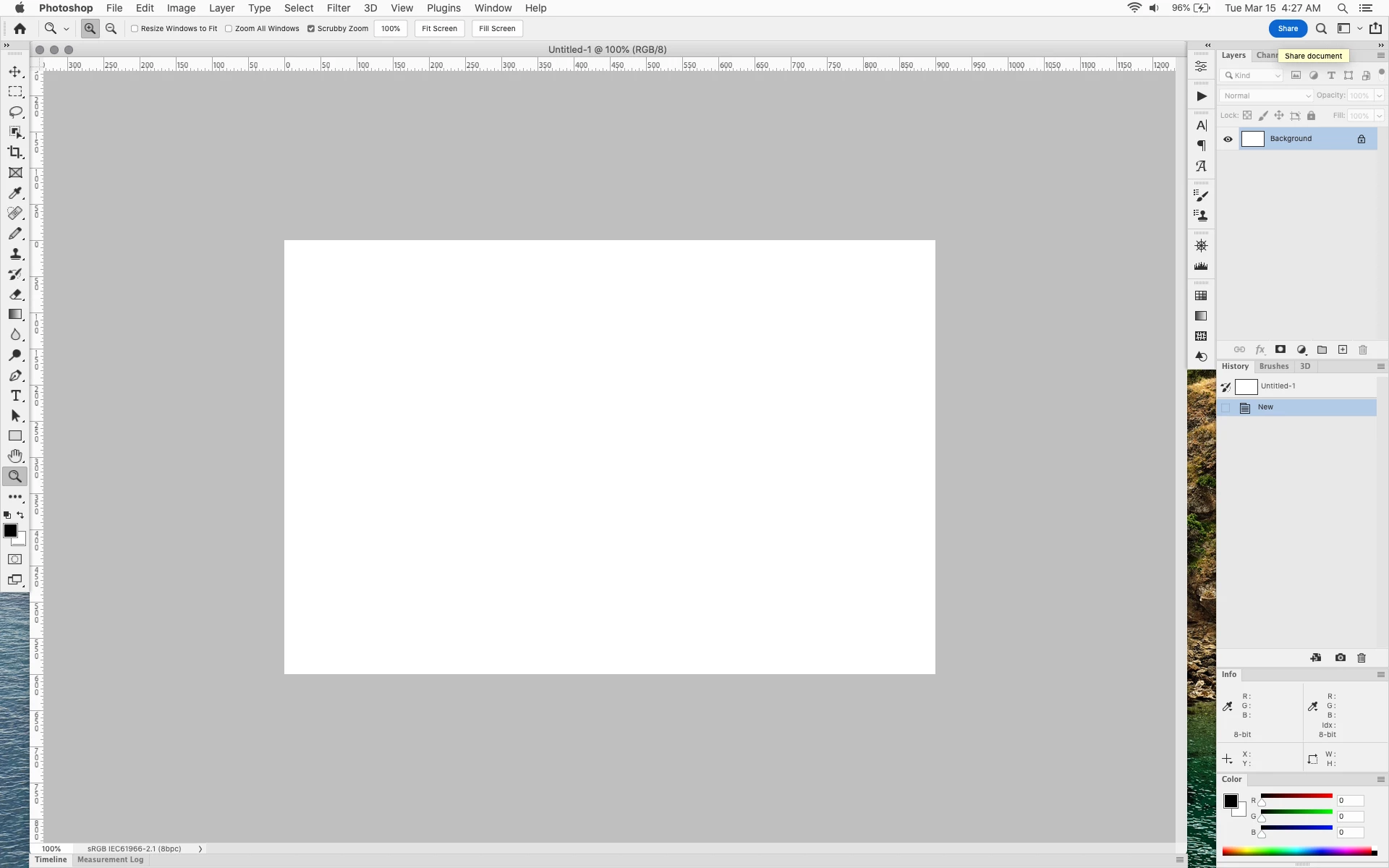
In photoshop 2022 (version 23.2), photoshop implemented a Blue Share button in the

top right corner of the app workspace that is supposed to turn into a button of the sme color as

the other tool options bar icons.


With the latest 23.2.2 update the Blue Share button does not go away after first use as described

on this page under Easily find the Share button


https://helpx.adobe.com/photoshop/using/whats-new/2022-1.html


I reset the photoshop preferences as i do after every photoshop update by trashing the preferences folder.


Share button that the Blue Share button is supposed to appear as after first use
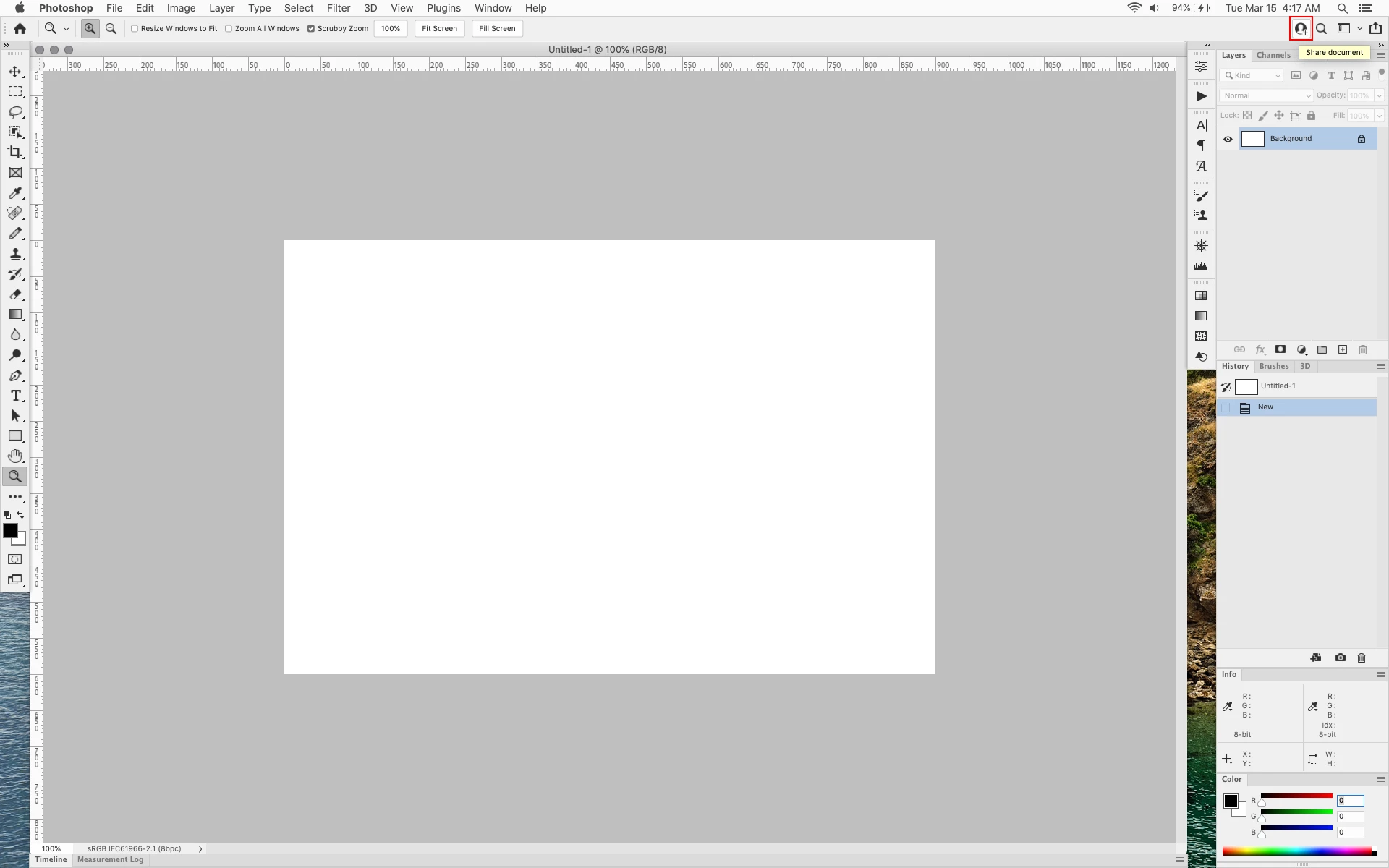


In the 23.2.2 update the button still stays as a Blue Share button after first use


170 replies

Kukurykus
Legend
April 27, 2022
Participating Frequently
April 27, 2022

Lol. I put the notes tab collapsed over it and the others I don't use. (don't use notes)


Known Participant
April 26, 2022

That is exactly what you get without any alternative. Lazy development and lost connection to the base of pro users.

Kukurykus
Legend
April 20, 2022

They not only did not change appearance of Share Button in 23.3 update, but also made many users unhappy by removing Quick Share feature: Share functionality removed from Photoshop 23.3.0 !!!!! Bad move Adobe!!!!

azzxplsit
Participant
April 19, 2022

Absolute legend!!! I hated that blue button!

jamesk81258856
Participating Frequently
April 18, 2022

.Please make it possible to remove/hide the intrusive blue share button from Photoshop

Stephen Marsh
Community Expert
Community Expert
April 20, 2022

Having the option to make it a neutral contrasting gray colour or just to outline the shape rather than fill would also be nice.


Funny how the removal of Quick Share was unwanted, but the removal of Share is wanted!

Inspiring
April 15, 2022

For the previous version of PS, I worked out the repair for the BLUE BUTTON - and I was happy! Now, after an update the "cheerful" blue stamp is there again. Very nice. I just wonder the motifs of Adobe why it is tormenting us with that stupid blue badge?? Is there some pressure to promote business? Perhaps yes, but I cannot figure out how irritating people can be helpful in this. Please remove the color!

tuomasvirtanenNET
jamesk81258856
Participating Frequently
April 13, 2022

l find the recent appearance of the blue share button in the Photoshop options bar very distracting, irritating, and unnecessary (for me). There should be an option to remove it. Please fix this. 

Jeff Arola
Community Expert
Community Expert
April 14, 2022
Kurt Lang
Known Participant
April 13, 2022

No problem for me. I did the same as Ged_Traynor.


There is a minor trick to that, though. Copying the modified text file back will have no effect if Photoshop is already running. You have to shut it down, first.

Participating Frequently
April 12, 2022

it unacceptable that adobe chose to SPIT IN THEIR USERS FACES by not addressing this is the new update...


FIX THIS IMMEDIATELY ADOBE. stop playing games with the tools people use to do their jobs.


DISGUSTING.