



Jeff Arola
Community Expert
Community Expert
March 15, 2022

P: Photoshop 23.2.2 Share Button is distracting

  • March 15, 2022
  • 170 replies
  • 20899 views

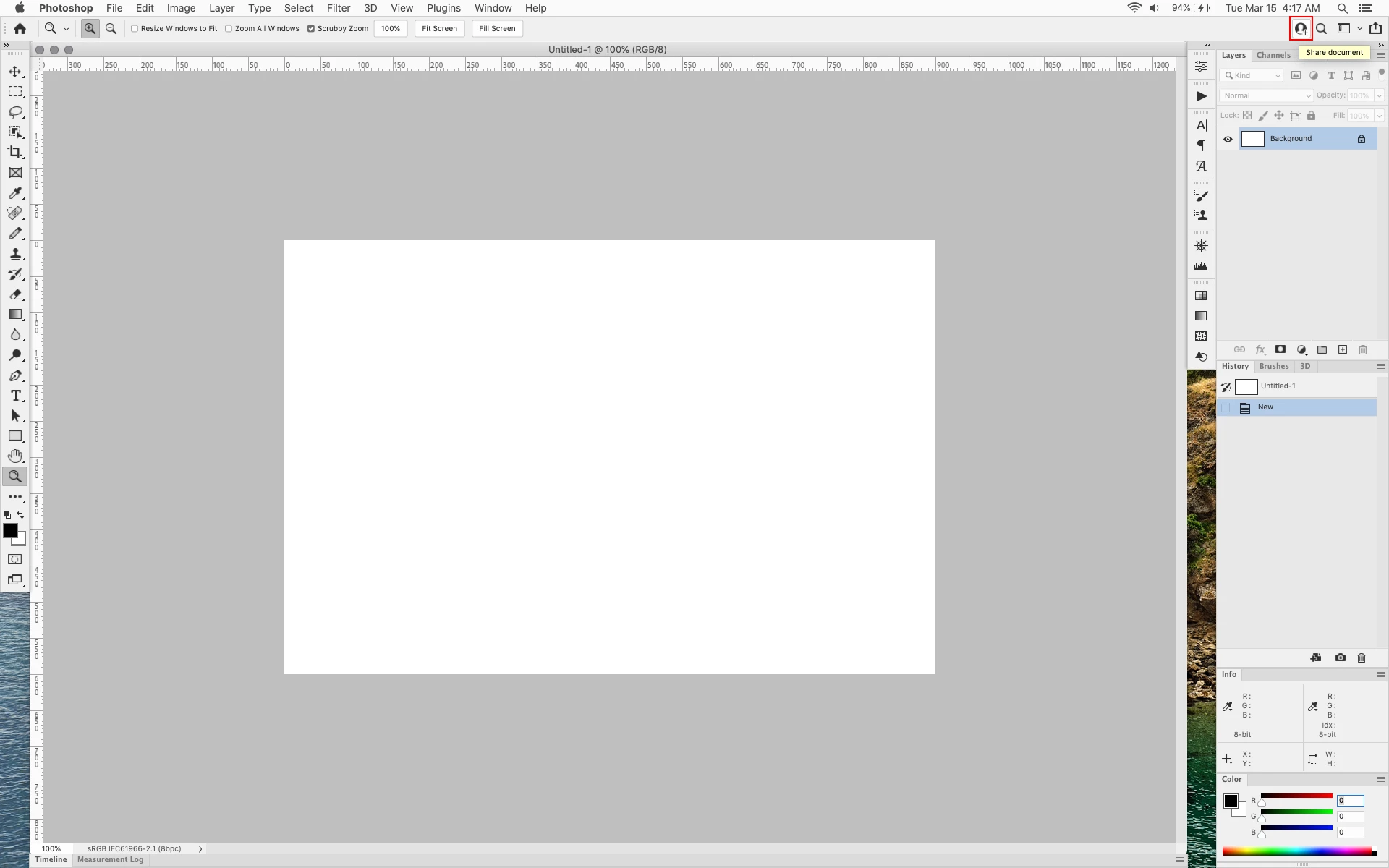
In photoshop 2022 (version 23.2), photoshop implemented a Blue Share button in the

top right corner of the app workspace that is supposed to turn into a button of the sme color as

the other tool options bar icons.


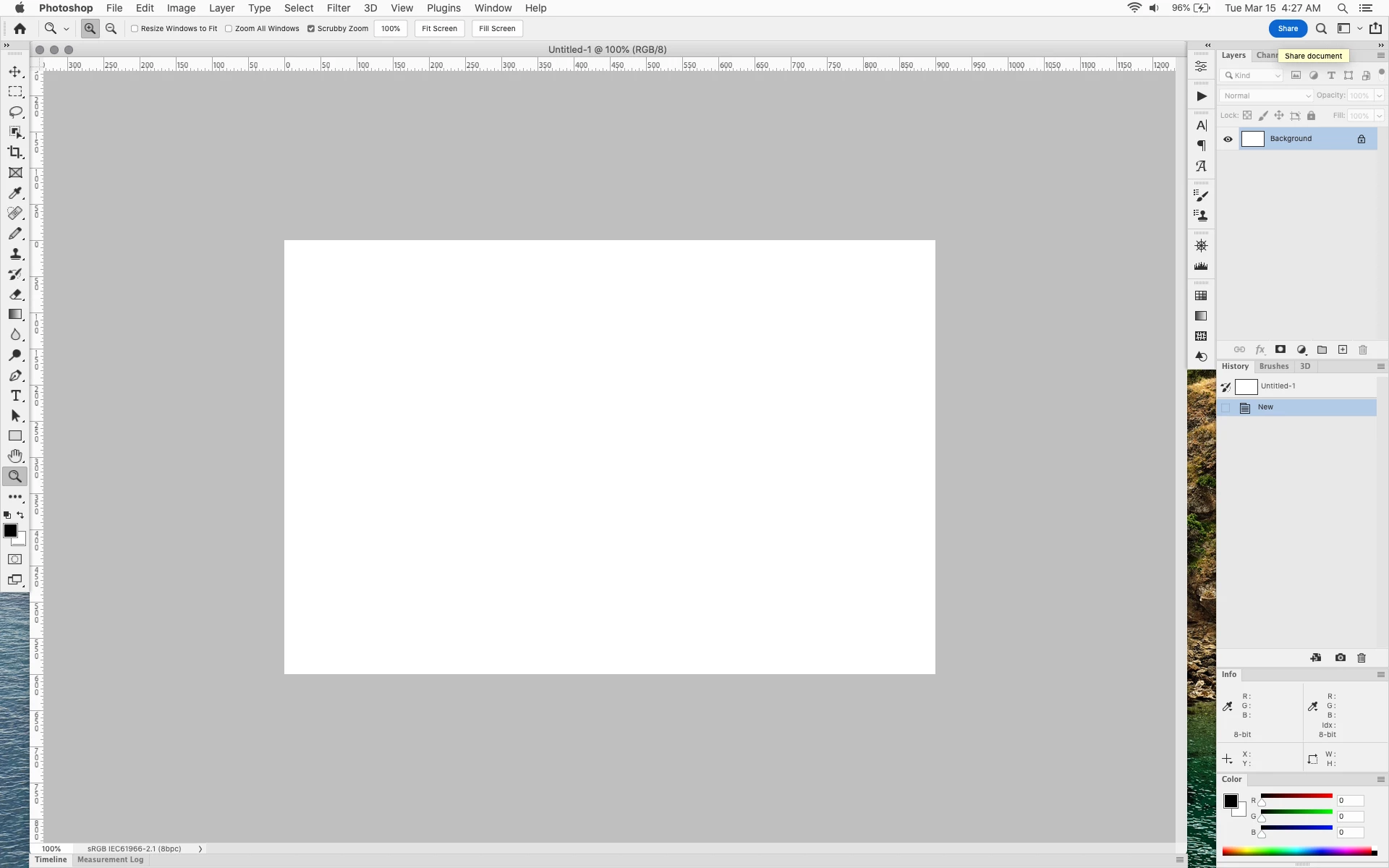
With the latest 23.2.2 update the Blue Share button does not go away after first use as described

on this page under Easily find the Share button


https://helpx.adobe.com/photoshop/using/whats-new/2022-1.html


I reset the photoshop preferences as i do after every photoshop update by trashing the preferences folder.


Share button that the Blue Share button is supposed to appear as after first use


In the 23.2.2 update the button still stays as a Blue Share button after first use


170 replies

Ged_Traynor
Community Expert
Community Expert
May 8, 2022

@susanneb71083453 

You can change it yourself by amending the UIColors text file as already mentioned in this thread

susanneb71083453
Participant
May 8, 2022

It's May now, still not fixed. If this truly is a bug at all. Please remove it, Adobe, or at least turn it grey!

davescm
Community Expert
Community Expert
May 5, 2022

I also saw that update notification and accepted the update yesterday (despite being puzzled over the update and the existing having the same version numbers). The update just took a few seconds so I suspect it either wasn't a real update at all and it was just the update process in a knot, or only a certain few components were changed. The components in the Adobe Photoshop 2022 folder are dated 21/04/22 and nothing I could see with a May date.


Dave

D Fosse
Community Expert
Community Expert
May 5, 2022

OK, thanks. Not really bothered, just curious. If you all see this update notification, but nothing really updating, it's probably nothing. The main overriding concern is to not get the dreaded blue button back 😉

Kukurykus
Legend
May 5, 2022

Most likely cosmetic update to some significant files only.

robertw44482386
Inspiring
May 5, 2022

I saw the same "update" and decided "what the hell" so I "updated" and when I opened the app the blue share button remained gray. So despite going through the process, I guess nothing was overwritten. 

Ged_Traynor
Community Expert
Community Expert
May 5, 2022

@D Fosse 

I've had that notification about an update for 23.3.1 as well on both my PC's, there was something in the description can't remember exactly what it was about the update, something to do with quality improvement.

I've seen these update notifications in previous versions as well where it tells you there's an update but doesn't actually increase the .xx count, so I don't think it's related to amanding the ColorUI text file.

D Fosse
Community Expert
Community Expert
May 5, 2022

I've used the modified UIColors.txt-hack - posted several times above - for a while, and it's easy to do and kills the offensive color. We shouldn't have to resort to hacks of course.


Except - lately I've been bothered by a persistent "update available" for 23.3.1, which is the one installed. Another user posted this recently, and I just dismissed it. But since then it started on both my working systems.


Could it be connected? Is there a modified date-flag here that makes the CC app think it's the wrong version? I'm tempted to uninstall/reinstall just to check, and then paste back the modified UIColor.txt, and check again. We'll see.

Known Participant
May 5, 2022

Third update in a row ( 23.3.1) Still no fix. You mf

Known Participant
April 28, 2022

That worked – so easy to do. Thank you so much!