
Yustas240
Inspiring
December 28, 2017

P: Photoshop 23.3 opens images with everything in white color.

  • December 28, 2017
  • 150 replies
  • 77262 views

Hey!

Just updated my Photoshop to 23.3 version. And when I'm trying to open any RGB file - it opens with all layers colored in white color. Seems like RGB is not active at all.

IF I transfer it into CMYK - all good.


Windows 10 Home.

Below is the print screen of RGB file turned into CMYK. Cuz I was unable even to make a printscreen in RGB.
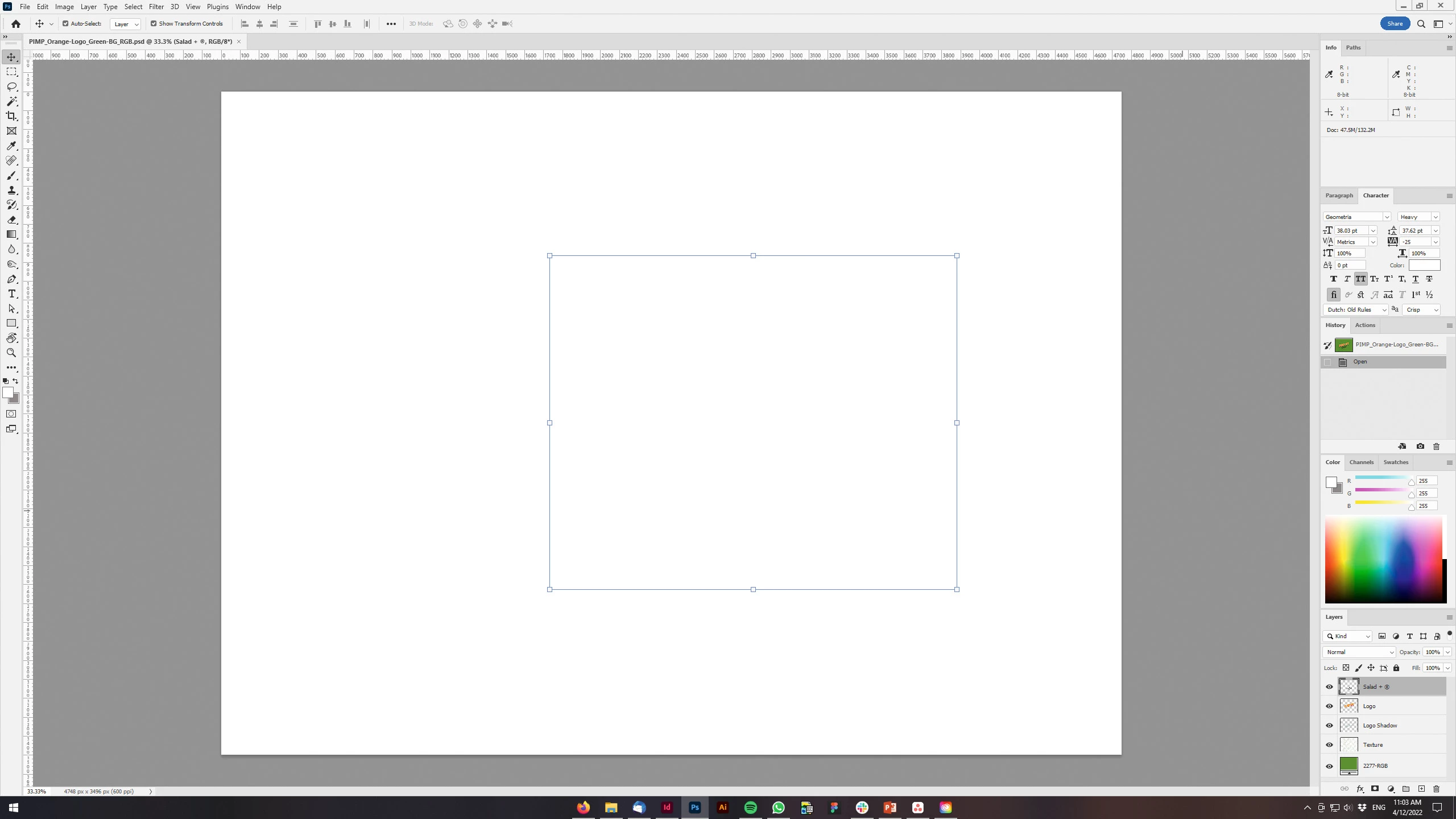
 

150 replies

Kukurykus
Legend
April 20, 2022

Jeffrey Tranberry, a thread from Dec 28, 2017 called Photoshop (Multiple Versions) showing a blank workspace after opening image files or creating new project was just merged to this one, that refers a bug occured in version 23.3. That must be some mistake.

Kukurykus
Legend
April 20, 2022

If you don't have those options then you must be in earlier version, so shouldn't have 'white' layer problem.

garethg75143493
Participant
April 20, 2022
Thank you so much, this works but is it not going to hinder my performance?

Kind regards
Gareth
Participant
April 20, 2022

Bonjour,

Depuis quelques jours, quand je transforme un arrière plan en calque ou quand j'ajoute un calque c'est une page blanche qui s'affiche. J'ai fini par désinstaller puis réinstaller Photoshop sans plus de succès...

Quelqu'un aurait-il une solution ?

version 23.3.0 windows 10

Merci par avance

Bernard

phil180
Inspiring
April 20, 2022
Go to: EDIT/Preferences/Performance/Advanced….then UNTICK the GPU BOX…turn
of Photoshop and reopen….--
Sent from Gmail Mobile
Participant
April 20, 2022

Since updating to 23.3.0, I have found that adding any additional layers to the Background layer means the image appears all white. It does not matter what the additional layers are. This only happens in 8-bit color depth, RGB mode.

If the color depth is changed to 16-bit, everything works as expected.

If in channels, one of the RGB channels is deselected, the image appears as expected in 8-bit depth

I have tried updated drivers, graphics card in and out, etc. Always the same.

System is a dual-Xeon workstation, Quadro K6000, Win10 64bit.


Anyone else seen this and/or have a solution? Really annoying!

Participant
April 20, 2022

Bonjour, depuis quelques jours mes images ne s'affichent plus sur mon plan de travail. tous mes drivers sont à jours... une idée ?  je vois mes images dans le "menu" claques ... 

Ged_Traynor
Community Expert
Community Expert
April 20, 2022

Hi

Can you post a screenshot of the Photoshop interface to highlight the issue and tell us what exact version of Photoshop you have

Participant
April 20, 2022

Děkuji. Pomohlo to. 

garethg75143493
Participant
April 20, 2022

Hi

If I open an image and create a new layer it appears white and not transparent, and I can't hide the layer. I tried duplicating the layer and it did the same thing. 

I restarted and reinstalled photoshop but the issue is still there. 

Any idea how I can resolve this. Thank you  

Stephen Marsh
Community Expert
Community Expert
April 20, 2022

@garethg75143493 


Preferences > Performance > GPU Settings > Advanced > GPU Compositing (uncheck this new feature).


https://community.adobe.com/t5/photoshop-ecosystem-bugs/p-photoshop-23-3-opens-images-with-everything-in-white-color/idc-p/12885766/


phil180
Inspiring
April 20, 2022
If there are other problems arising, I would suggest installing the
previous version and waiting for the next update…--
Sent from Gmail Mobile