

Participant
February 24, 2023

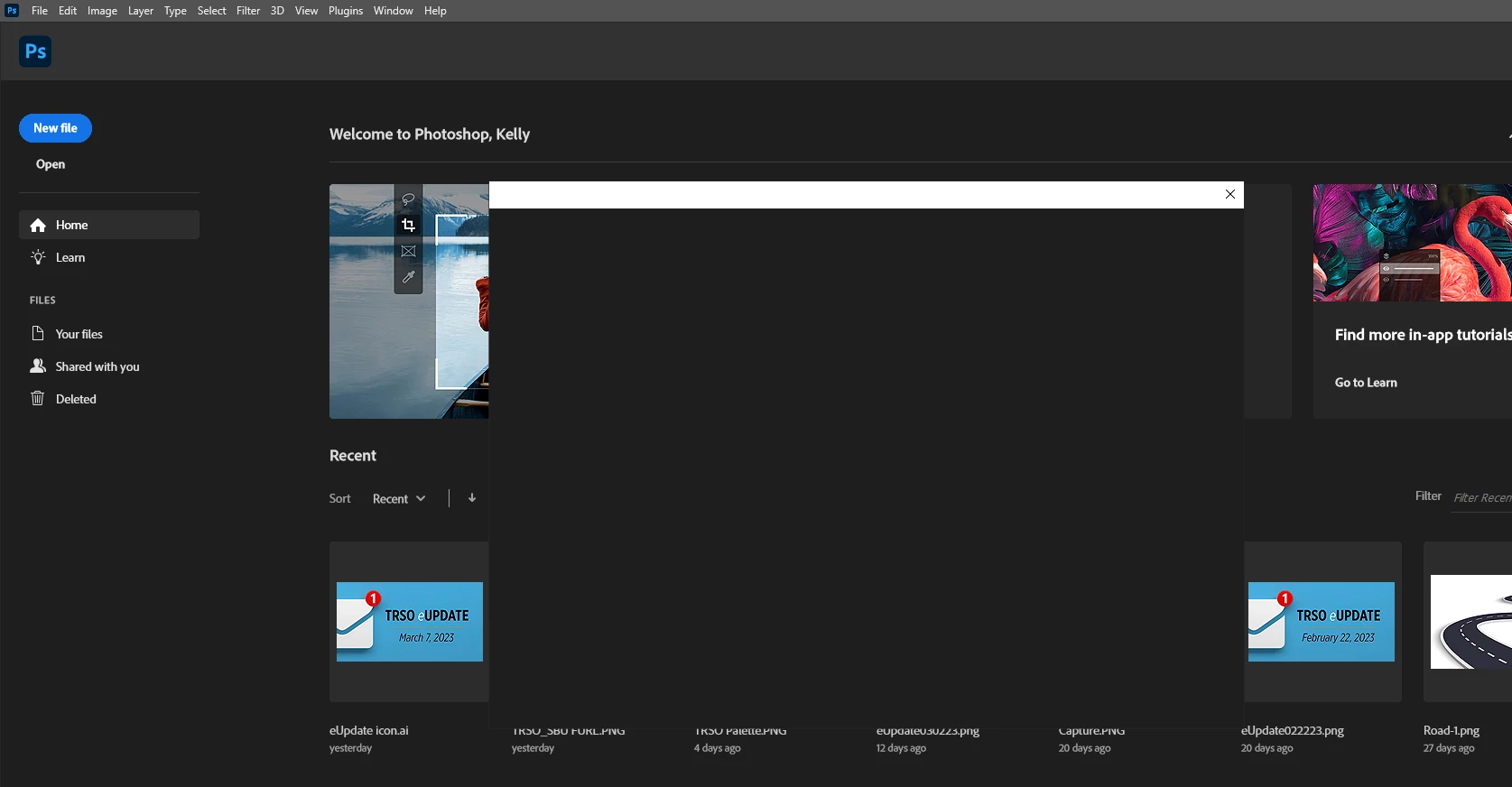
P: Photoshop 24.2 When trying to open or save box is blank

  • February 24, 2023
  • 80 replies
  • 32812 views

When tryin to open a file by choosing the file menu then open the browse box is blank. Version 24.2

 

80 replies

Park Street Printers
Known Participant
March 22, 2023

I would recommend others try the legacy dialogs, as was mentioned above. As long as I use the legacy save and open dialogs, everything is fine. I tried to use the more modern interface, and it infuriated me to no end.

Participant
March 22, 2023

Same issue for us. When we try to open or save. It is not every user though. I have about 68 students and so far it is only 3 users having this issue. Moving computers do not help. Resetting preferences do not help. System settings are 16GB RAM and a dedicated video graphics card. More than enough to run the software. Any updates?

Participant
March 22, 2023
You have to rename a common file if you have Windows 11. Resent Adobe for
making everyone else do their debugging!

--
Sharon Hudson, NBCT
Oologah-Talala High School
CareerTech Business, Marketing and Information Technology Instructor
Participant
March 22, 2023

In Windows 11, you have to *rename *this folder: C:\Program Files\Common
FIles\Adobe\UXP

Don't know why it works, but it does!

C:\Program Files\Common FIles\Adobe\UXP_1


--<removed personal information>

Oleqsa
Known Participant
March 22, 2023

Try to Enable legacy "save as" in preferences.
I didn't update yet, so IDK if it will work, just a thought


Participant
March 22, 2023

I cannot save new file. After select 'Save..', 'Save As..', 'Save as a Copy..' then this popup has show.

How can I solve this problem, the program is latest version.

thanks.

Ranjisha Sengupta
Legend
March 22, 2023

Hi @panas21796610s51p 


Thanks for your patience. We have investigated the error, and it has also been found reproducible on our end. This is acknowledged and will be worked on by developers in future updates. Currently, workarounds to this are available on the Adobe Community Forums. Please check this discussion and please upvote https://community.adobe.com/t5/photoshop-ecosystem-bugs/p-photoshop-24-2-when-trying-to-open-or-save-box-is-blank/idi-p/13650402.


Best,

Ranjisha

jameshowse
Participant
March 22, 2023

Hey guys, I was also having this issue and found a workaround if you're in a pickle. If you take all the layers in your PSD file and convert them into a smart object. Then double click into the smart object and hit "save as" the dialogue box seems to work and let you save the file. Then it's probably best to restart everything.

Participant
March 21, 2023

So I found a "fix" to the whole black box when trying to open. I opened Photoshop, dragged a file (I scribbled in paint and saved it) into Photoshop to open it, and was then able to save and save as with no issues. After doing this and restarting photoshop and/or the pc, I am now able to use photoshop with zero issues. No more black box when trying to open or save.

Community Expert
March 21, 2023

I guess it sounds like its not time to update just yet, huh?


headTrix, Inc. | Adobe Certified Training &amp; Consulting
Participant
March 21, 2023

Photoshop flashes white when I open a file after update.

Judy

TheDigitalDog
Inspiring
March 21, 2023
Author “Color Management for Photographers" &amp; "Photoshop CC Color Management/pluralsight"