



Ged_Traynor
Community Expert
Community Expert
September 24, 2025

P: Photoshop 26.11 freeze at launch on Reading Brushes & Building Color Conversion Tables

  • September 24, 2025
  • 100 replies
  • 12226 views

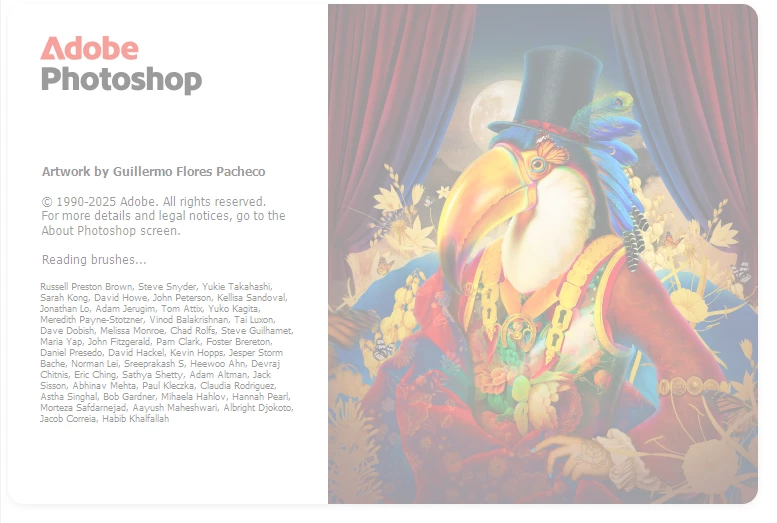
Just installed version 26.11 on Windows 10 and Photoshop is freezing on reading brushes, have already tried manually resetting the preferences, uninstalling version 26.11 and deleting the Adobe Photoshop 2025 folder from the appdata folder, reinstall version 26.11 same issue.

Reverted back to version 26.10, and it's working fine.
 

100 replies

Participating Frequently
October 14, 2025

Can anyone adise me on the issue when trying to open photoshop 26.11 (just update to this) 9 times out of 10 it wont get past splash screen , hangs at reading brushes. 

Windows 11 32gb ram . Older beta verion works as does lightroom on my PC

Ged_Traynor
Community Expert
Community Expert
October 14, 2025

@mrsbilko it's a known issue and Adobe are working on the fix, as a workaround disable GPU compositing in the preferences and restart Photoshop

https://community.adobe.com/t5/photoshop-ecosystem-bugs/p-photoshop-26-11-freeze-at-launch-on-reading-brushes-amp-building-color-conversion-tables/idi-p/15518484

Inspiring
October 9, 2025

I had to rewrite this because of an interruption - sorry if I'm posting twice.

Since early today, I have been unable to launch Photoshop. At first, it would launch through Creative Cloud, but no longer. Restarting the computer or  restarting the program with Alt-Ctrl-Sft gives me the same result - the program hangs at the splash screen. There is a screen grab of the splash screen attached. Photoshop Beta works. Lightroom works. Other editors like Zara and Windows Photos are OK. Windows has been updated. I have uninstalled PS through Windows Add/Remove and reinstalled --version 26.11-- but the situation is unchanged.

System info:

OS Version: Microsoft Windows 11 Home, 64 bit, Build 26200, Installed 20241225110553.000000-300
Processor: AMD Ryzen 7 7735HS with Radeon Graphics, AMD64 Family 25 Model 68 Stepping 1, CPU Count: 16
Total Physical RAM: 32 GB
Graphics Card: NVIDIA GeForce RTX 4060 Laptop GPU
Hard Drives: C: 930 GB (628 GB Free);

Adam Jerugim
Inspiring
October 7, 2025

The team was finally able to reproduce and diagnose this issue in-house. The fix will be available in the next GA release. For the time being, reverting to 26.10 or using the current Beta (20251006.m.3249 27.0.1) are viable workarounds.

Thanks for everyone's input and help with this.

Inspiring
October 7, 2025

I got the answer and fixed the problem.  Thanks to everyone for helping.  No more attention needed.

Thanks again for the help!

jy_BAS
Participating Frequently
October 6, 2025

Updated to Photoshop 26.11 this morning... immediately upon loading app, nothing. After several attempts to start the app, I noticed that out of nowhere, PS started up while I was searching for clues, assuming the app would not startup at all. Shut it down, tried again. Again, it finally popped the splash screen approximately 04:45 after selecting the app to run. Pinned it to the taskbar, shut the PC down and restarted. Once again, right about five minutes later, Photoshop finally showed up for work. "Oh hey, man, sorry, did you call me?"


Yes, Photoshop sounds exactly like Tommy Chong.


So once more, I shut everything down and restarted. Same thing. This time I uninstalled PS, shut down/restarted, and reinstalled PS from Creative Cloud Desktop. Hoping for a miracle, but nope. Photoshop reports to the office late again, smelling of weed and stale beer.

Anyone else? What say y'all?

Intel Core i5-14500 2.60 GHz w/32.0 GB RAM
Windows 11 Pro 24H2 Build 26100.4202

CMass
Legend
October 7, 2025

Hey @jy39_2_BAS, 

Not gonna lie, I went back and reread the "Oh hey, man" part in his voice. Thank you for the giggle. Can you share your system info? I know you share the basic overview, but we'll need a bit more. You can find it by going to Help > System Info, then copying and pasting it into a text file. Attach that file to your next response. 

Also, It doesn't sound like Photoshop crashed, but can you confirm that? 


^CM

Participating Frequently
October 6, 2025

@jmscott You can press SHIFT before launching PS untill a pop-up ask you if you whant to load 3rd party plugins, answer no and it should launch and let you inactivate the GPU Compositing

Participating Frequently
October 6, 2025

@creative explorer Resetting your preferrences doesn't fix the problem. I've reset mine three times and it still freezes on startup.

Participant
October 6, 2025

Same issue here. How am I supposed to edit my preferences if I can't open the program?

Participant
October 6, 2025

I had to go back to version  26.9 to open PS. I got a 5070 ti card so I guess I am part of that group 

Inspiring
October 4, 2025

I can't get PS 2025 to get beyond "reading brushes".  What can I do to get PS to load?

creative explorer
Community Expert
Community Expert
October 5, 2025

@GaryKuep Curious was this after a recent update? Or was it one day, it suddenly stop working? I have a feeling it's a corrupted preferences! Reset Photoshop Preferences. Quit Photoshop. And relaunch Photoshop whiling holding down Control Alt Shift immediately after launching Photoshop. You’ll be prompted to delete the current settings—this often clears up startup issues. Also, maybe there is a corrupted brush as well. Navigate to your Photoshop settings folder and temporarily move the brush preset files out. Sometimes a corrupted brush file can hang the loading process.

m
Inspiring
October 5, 2025
Thanks!  You gave me a way to open PS so I could reset my preferences. 
Now it's working and I can progress to reset everything.

Thanks again!

Gary.