


Inspiring
February 23, 2026

P: Photoshop 27.4 (GA) Export As says "An unknown error occurred."

  • February 23, 2026
  • 35 replies
  • 1021 views

New realease 27.4 - Can't Exports Artboards as JPG and others formats (ctrl+alt+shift+W) 

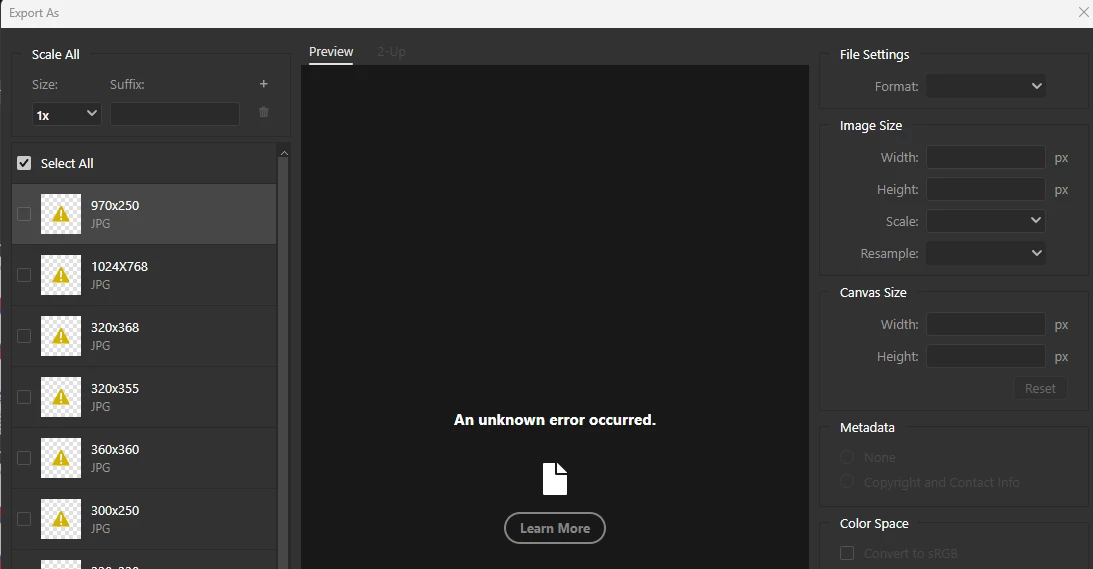
Whenever you try to export artboards with 'Exports As' and choose JPG, it shows unknown error in all of them. Doesn't matter which way you try to do this or format - the window export is freezed (grey) - not JPG or PNG or others.
*it's also happen in the beta version.
 
Photoshop Ver: 27.4.0
Beta Ver: 27.5.0
 
We'll be glad for a quick reply asap.


    35 replies

    Mystic_painter5319
    Participant
    February 26, 2026

    @Srishti Bali  I’m having the exact same issue and can’t Export As JPG files. 


    Ged_Traynor
    Community Expert
    Community Expert
    February 26, 2026

    @Mystic_painter5319 there’s a similar thread below, I tested on my system and can reproduce your issue

    Something else I noticed, if you try to open another image from the file open menu, you get this error, tried with various images.


    Mystic_painter5319
    Participant
    February 26, 2026

    Step 1. Open a new canvas. Step 2. Drag an image into the canvas. Step 3. Click Export As. Step 4. Change file format to JPG. Receive “An Unknown Error Occurred” message and I’m then unable to export the file.

    Participant
    February 25, 2026

    For me it was the same, I just rolled 2 updates back to 27.3 and it works fine, the 27.3.1 update and 27.4 this feature does not work no matter what I did, and if you turn off legacy export you wont get the same options as here, even the quality preview is terrible. If you insist using the export in 27.4 then from preferences export turn off legacy export and you will get and export screen similar to this one.
    Hope this helps:)

    Participant
    February 25, 2026

    suddenly I have the same problem with "export as". What should I do?

    Participant
    February 25, 2026

    I am experiencing the same problem after Photoshop upgraded to 27.4.0. If I change the format to PNG, SVG or BMP immediately after the “Export As” popup opens, the export works successfully. If the export format defaults to JPG and left unchanged, or is changed to JPG, the screen turns dark gray and the message “An unknown error occurred.” is displayed. The problem occurs every time I try to export an image as JPG. I tried to export several images and the problem always occurs. Saving the image as a JPG via “Save A Copy” works as expected though. Exported files are normally saved to the system drive, however, the process does not even get close to the point of saving anything. The system was restarted and the problem persisted across system restarts. The problem did not occur earlier during the day before the update was applied.

    scotsios
    Participant
    February 24, 2026

    i have the same problem after update to 27.4.0

    Srishti_Bali
    Legend
    February 23, 2026

    Hi ​@markusk96044643 


    Sorry to hear about your experience. I tried replicating the issue on the English version of Photoshop on a Windows machine, and it worked as expected.

    To investigate this further, could you please share the following details:

    • System Info from Photoshop (Help > System Info > Copy-paste details here)

    • A full-screen screen recording of the issue, including the options you are selecting.

    • Whether the issue occurs with a specific file or with multiple files, including newly created ones.

    • The location where the exported files are being saved (e.g., external HDD, network location, or company server).

    Once we have this information, we’ll be able to assist you further.


    Regards,

    Srishti

    Inspiring
    February 23, 2026

    @Srishti Bali 
    Thanks for having a look.
    Here’s my system paste:
    https://pastebin.com/jURnq8q0
    Screen-Recording is hard to upload somewhere, however I’m using:
    File > Export > Export as - then the following modal:
     

    Now when trying to change to jpeg (or any other value) in the dropdown it errors out:
     

    I can’t even save the exported file - so I assume you mean where the file is located and well it actually does not make a difference if the file is stored on my harddrive or I’m accessing it from the network server.

    Inspiring
    February 23, 2026

    Since updating to the last version (including Camera Raw) Photoshop’s legacy export as function stopped working.
    The default fast export option (e.g. png) seems to work, however when swichting to jpeg it errors out with an unknown error.
    The button leads to a 404 page with the following URL:
    https://www.adobe.com/404.html?gourl=extract_assets_tips_en


    Sameer K
    Community Manager
    Community Manager
    February 23, 2026

    Hey, ​@Shay_HCL. Welcome to the Photoshop Community. I’ll help you figure this out. Please share a video of the issue and the system info from Photoshop Help > System info. Copy and paste it into a text document, then upload and attach it here.


    Does this happen with any document with fewer artboards? By looking at the screenshots, you’re working on a few active Artboards. Where is the original document stored? Have you saved the document at least once while working? 


    Let me know how it goes. Thanks!

    Thanks!
    Sameer K 

    (Type '@' and type my name to mention me when you reply)

    Martina38561531blsk
    Participant
    February 28, 2026

    Hi ​@Sameer K ! I'm replying to your message because I'm experiencing the same issue as other users (I have the latest version of Photoshop installed/I work on a Windows laptop/I'm from Argentina).

    I can't download images from any document, regardless of the number of artboards I have.

    All the images are embedded and/or linked to a secure subfolder on my hard drive; they are not deleted, lost, or unlinked files. I have automatic saving enabled, and sometimes I manually save all my documents; however, I can't "export as JPG" from the tab, nor can I change to PNG format from the same tab. Therefore, my only solution is to export from the individual artboards (in the Layers panel, in each artboard's folder, right-click and select "Export as PNG," and that's it).

    I hope this issue is resolved to speed up production and download times. Thanks again, and greetings to all!

    _____________________________________________

    Hola ​@Sameer K!. Respondo a tu mensaje ya que me pasa lo mismo que relatan los demás usuarios (tengo instalada la última versión de ps/ trabajo en notebook windows/ soy de Argetina).

    • En ningún documento puedo descargar por más o menos mesas de trabajo que tenga.
    • Todas las imágenes están incrustadas y/o enlazadas a una subcarpeta asegurada en el disco, no son archivos eliminados ni perdido ni devinculados.
    • Tengo el gurdado automático y en ocasiones, me aseguro con el guardado manual todos mis documentos; de igual manera, no me permite “exportar como JPG” desde la solapa y tampoco me deja cambiar a formato PNG desde la misma solapa es decir, mi única forma y solución es exportar desde las mesas de trabajo individual (en el panel para visualizar las capas, en la carpeta de cada -Mesa de trabajo-, click derecho y seleccionar la opción -exportación rápido como PNG- y listo). 

    Espero se solucione este inconveniente para agilizar tiempos de producción y descarga, sin más, gracias y un saludo a todos!