
Inspiring
May 22, 2026

P: Photoshop 27.7 & 27.8 on-device Remove Tool model remains unavailable, or Your device isn't supported for on-device processing

  • May 22, 2026
  • 35 replies
  • 1964 views

Hello Adobe team,

I am reporting an issue with Photoshop 27.7 on Windows 11 where the new Remove Tool on-device generative AI model cannot be enabled on an NVIDIA GeForce RTX 5080.

The “Device” option remains greyed out, even though all documented requirements appear to be met.

SYSTEM SUMMARY

Photoshop version: Adobe Photoshop 2026 / 27.7

Operating system: Windows 11

GPU: NVIDIA GeForce RTX 5080

VRAM: approximately 16 GB

DirectX: DirectX 12 / DirectX 12.2 available

NVIDIA driver: current and newer than Adobe’s stated minimum requirement

Photoshop GPU acceleration: enabled

Photoshop GPU status: GPU is detected and allowed

Available disk space: sufficient

The GPU is usable for normal Photoshop GPU acceleration.

The important detail is that Photoshop appears to detect and use the RTX 5080 for general GPU acceleration, but in the system information / GPU identification path the card is shown as:

NVIDIA GeForce RTX 5080 UNKNOWN

This strongly suggests that the issue is not general GPU acceleration, but the separate GPU qualification or capability check used for the on-device AI model.

WHAT I ALREADY CHECKED

I confirmed that “Use Graphics Processor” is enabled in Photoshop.

I checked the Remove Tool / Image Processing preferences.

I confirmed that the Remove Tool setting is set to “Faster”.

I also checked the “more stable / safer” setting path and switched back as needed.

I restarted Photoshop after changing the setting.

I reset Photoshop preferences.

I deleted / reset the relevant Photoshop user configuration data under AppData / Roaming.

I reinstalled Photoshop 27.7.

Adobe removal / cleanup components were triggered during reinstall.

The additional / advanced Adobe cleanup tool had to be started manually again.

I checked that the GPU is detected by Photoshop.

I checked that GPU acceleration is not disabled.

I checked that the VRAM requirement is fulfilled.

I checked that the NVIDIA driver is current.

I checked that the issue is not caused by insufficient disk space.

The standard Remove Tool components were installed automatically during the Photoshop reinstall.

After the the complete reinstallatiom I saw the missing “Remove Tool advanced components” anr installed manually the Photoshop plug-in through the Creative Cloud app.

So the issue should not be caused by missing Remove Tool Advanced  components.

I considered whether the Windows system language / locale could be involved, but there is no evidence for that so far.

Despite all of this, the on-device option remains unavailable.

SNIFFER / GPU DETECTION SUMMARY

The Photoshop GPU sniffer runs successfully and detects the RTX 5080.

The GPU is not rejected for normal Photoshop GPU acceleration.

The relevant situation is:

GPU detected: NVIDIA GeForce RTX 5080

GPU acceleration: enabled / allowed

DirectX: available

VRAM: sufficient

Photoshop system info reports GPU as: NVIDIA GeForce RTX 5080 UNKNOWN

So the card is not missing, disabled, or unusable in Photoshop. The problem seems to happen later, in the qualification path for the local AI model.

COMPARISON WITH OTHER USERS

Other users appear to report the same or very similar issue with RTX 50-series / Blackwell GPUs.

Reported affected GPUs include RTX 5070 Ti, RTX 5080, and RTX 5090.

The pattern appears to be the same:

Windows 11

Photoshop 27.7 or recent Photoshop version

Current NVIDIA driver

RTX 50-series GPU

More than enough VRAM

GPU acceleration works in Photoshop

Remove Tool on-device model remains greyed out

Photoshop system info may show the GPU as UNKNOWN

This suggests that the problem may be related to RTX 50-series / Blackwell GPU qualification rather than an individual local installation issue.

CURRENT CONCLUSION

At this point, this does not look like a local configuration problem anymore.

The RTX 5080 fulfills the published requirements:

RTX 30-series or newer

At least 14 GB VRAM

Current NVIDIA driver

GPU acceleration enabled

Remove Tool set to Faster

Sufficient disk space

However, the on-device model is still blocked.

My suspicion is that Photoshop 27.7 currently does not correctly qualify some RTX 50-series / Blackwell GPUs for the local Remove Tool AI model.

The GPU works for normal Photoshop acceleration, but the separate on-device AI model check seems to fail because the GPU is internally treated as UNKNOWN or is not yet properly whitelisted / recognized.

REQUEST TO ADOBE

Please confirm whether RTX 50-series / Blackwell GPUs, especially the RTX 5080 and RTX 5090, are currently officially qualified for the Photoshop 27.7 on-device Remove Tool AI model on Windows.

If they are supposed to be supported, this appears to be a bug in the GPU detection / qualification / gating logic for the local AI model.

A clear confirmation would be helpful:

Is RTX 50-series support currently expected to work in Photoshop 27.7?

Is the UNKNOWN GPU identification relevant to the Device option being greyed out?

Is this a known issue?

Is a fix planned for an upcoming Photoshop Beta or release build?
    35 replies

    Inspiring
    June 19, 2026

    Hello there,

    I thought I would give the removal tool a go on device
    I've updated my Photoshop to 27.8 and reinstalled the advanced tools for removal as it did not work the first or second time. System has been rebooted.

    My system is far above the required specs for using the removal tool on device.

    AMD 7950x
    Nvidia RTX4090 24gb Vram Drivers 610.62 Updated earlier today
    64GB Ram
    3TB spare on ssd

    Win 11 Pro up to date

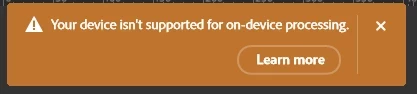
    Yet when I try to use on device I get the message "Your device isn't supported for on-device processing". How can this be?

    Please advise

    B Lucky

    Gary

    Inspiring
    June 19, 2026

    Wrong GPU detection you can try Photoshop Beta. Since yesterday the beta 20260616.m.3575 (199f0a1 x64). Works with blackwell.maybe your 4090 will also work. Let us know!

    Inspiring
    June 18, 2026

    the new release version Adobe Photoshop Version: 27.8.0 20260610.r.13 4081857  x64 (final, Release): your nvidia gpu does not have enough VRAM for device-side processing

    @Sameer K 

    Confirmed working in Photoshop Beta 27.9.0 20260616.m.3575 (199f0a1 x64).

    The previous issues appear to be resolved on my RTX 5080 system.

    • Device mode can be selected without any error message.
    • The Remove Tool completes successfully using on-device processing.
    • GPU core clock and VRAM clock increase during processing (verified with MSI Afterburner), indicating local GPU utilization.
    • Processing is significantly faster than on my Mac Studio M2 Max.

    It looks like Adobe has fixed the issue somewhere between build 3569 and 3575.
    Please let me know if other RTX 50-series users can confirm.

    Rockabilly Outlet
    Participating Frequently
    June 19, 2026

    Adobe Photoshop Version: 27.8.0 20260610.r.13 4081857  x64 (final, release) PC with RTX 5090 -> “Device” can be selected, but the error message “Device-side processing is not supported on your device” appears. So we’ll have to keep waiting for Adobe to fix the bug. 😴

    Inspiring
    June 19, 2026

    but the new beta runs on my hardware!!!

    tee_9682
    Participant
    June 16, 2026

    new RTX driver 610.62 just came out. anyone tried with the new driver? I rolled back to an older version of PS so I can’t test it.

    JohnDG Photography
    Known Participant
    June 17, 2026

    I've installed 610.62 and on the 27.9.0 20260614.m.3573.
    Nothing changed. My 5080 is recognised, but not used for AI functionality. All processing goes to my cpu.

    tee_9682
    Participant
    June 17, 2026

    thanks. that is some weird behavior. another weird thing is on VMware it lets you select on device processing while running generic VMware gpu driver. cant believe this is still not fixed in 27.9. probably wont be fixed till 27.99.

    Inspiring
    June 16, 2026

    a new beta is released Adobe Photoshop Version: 27.9.0 20260614.m.3573 f286363  x64 (beta, PublicBeta) in memory of jeff schewe.

    But my error message is the same (I delete my beta folder (C:\Users\***\AppData\Roaming\Adobe\Adobe Photoshop (Beta) ) to take care that the old profile has no influence to the error message. 


    JohnDG Photography
    Known Participant
    June 15, 2026

    My RTX5080 (Asus) is recognised, but instead of using the GPU, photoshop uses the CPU to process generative remove.
    I don't get the too less memory message. 
    Latest Studio drivers, 610.47 - May 26, 2026
    Photoshop 27.9

    Participant
    June 14, 2026

    Remove Tool Advanced Components are already installed on my system, but the “Device” option is still greyed out.

    System info:

    Photoshop 27.7.0
    Windows 11 64-bit, build 10.0.26200.8655
    GPU: NVIDIA GeForce RTX 4090
    GPU accessible RAM: 24,138 MB
    Driver version: 32.0.16.1047
    Use GPU: 1
    Use OpenCL: 1
    isGPUCapable: 1
    isGPUAllowed: 1
    HasSufficientRAM: 1

    Photoshop uses the RTX 4090 normally for GPU acceleration, but System Info shows:

    NVIDIA GeForce RTX 4090 UNKNOWN, NVIDIA

    Since the required components are installed and the GPU meets the VRAM requirement, this looks like an internal GPU qualification issue for the on-device Remove Tool model.

    Can Adobe confirm whether the “UNKNOWN” GPU entry is causing the Device option to remain unavailable?

    Inspiring
    June 13, 2026

    today i get a clear informafion: at Adobe Photoshop Version: 27.9.0 20260610.m.3569 5354c19  x64beta 

    my rtx 5080 has not enough vram *lol*

    before with  27.9.0 20260603.m.3562 1a80e9b it was nonsense

    vladinir37492500kny1
    Participating Frequently
    June 13, 2026

    I've been dealing with this problem for six months or even longer. I've tried it on different computers, but I can't solve it. Today, the cloud version stopped working.

    Rockabilly Outlet
    Participating Frequently
    June 12, 2026

    Here, the same thing happens—the feature remains grayed out and this is the case on two different PCs running Windows 11 with an RTX 5090 and an RTX 4080.
    I tried contacting Adobe Support, but I haven't received a response yet. 🙁

    Inspiring
    June 13, 2026

    Would be nice if someone with a rtx5090,  rtx4090 or a amd gpu with more than 16gb RAM would try the newest beta 27.9.0 20260610.m.3569 5354c19  x64 (beta, PublicBeta)
    to check the error message. it would be interesting if 16gb are now not enough or if the ram size detection failed 


    Known Participant
    June 13, 2026

    3090 with 24GB VRAM and the newest beta it actually installed. Funny thing is I was trying it earlier today and spent about an hour copying and pasting data from windows sandbox where it downloaded lol. 

    jonathan_bdlf
    Inspiring
    June 12, 2026

    Same over here running an Intel Arc A770 (16GB of VRAM)