Let me move this to the Photoshop forum for you, which is the appropriate forum for your question.
The Using the Community forum is for help in using the Adobe Support Community forums, not for help with specific programs. Product questions should be posted in the associated product community.
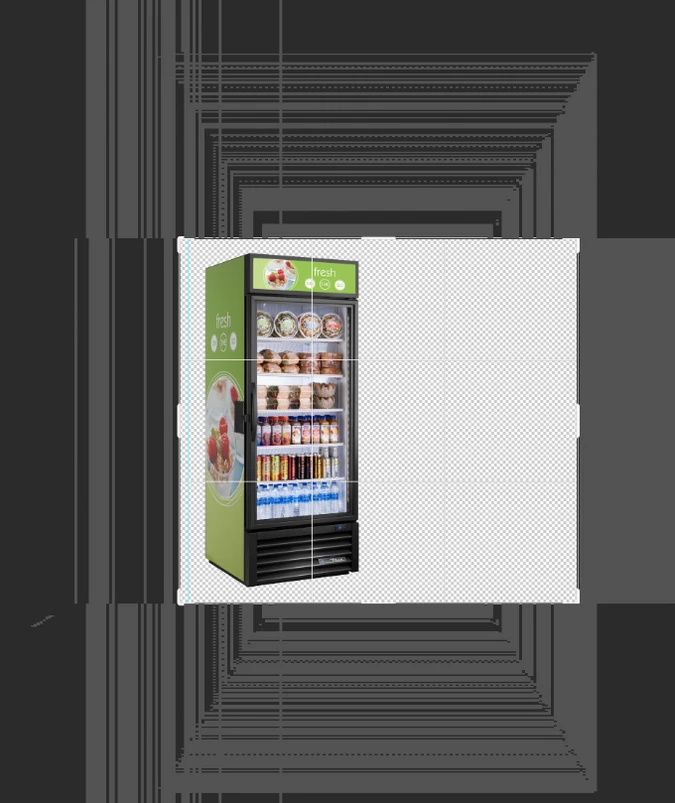
Bonjour, A chaque fois que j'ouve une image, un fichier sur photoshop, j'ai tout l'interface en dehors de l'espace de travail qui bug, voilà un exemple ci dessous. Une idée ? Sachant que mon ordi est tout neuf, c'est un des tout dernier mac portable, et que mon ancien, moins performant, ne m'a jamais fait ça.
Something very strange is happening when I use photoshop and it wasnt doing this yesterday. I can't really explain it so I attached a screen shot. Does anyone know whats happening? I tried a bunch of different options from uninstalling and restarting to adjusting things in preferences. Not sure what else to do so here I am. HELP! Thanks!
Let me move this to the Photoshop forum for you, which is the appropriate forum for your question.
The Using the Community forum is for help in using the Adobe Support Community forums, not for help with specific programs. Product questions should be posted in the associated product community.
I've started having this issue after the latest photoshop update earlier in August. Everytime I create or open an RGB file in Photoshop, I get this pixelated echo surrounding the artboard. It never goes away and only gets worse as I work (it multiplies as I zoom in and out). Makes working with old RGB files a pain. Is this a software problem or do I have some setting checked that I'm unaware of? Photos attached.
Have anyone encountered this weird shapes issue? I cant seem to get rid of it and it gets bad when creating other documents in photoshop too. Tried re installing photoshop but nothing is helping.
First, try disabling GPU in the preferences (Preformance tab). Any better? If not, recalibrate and build a new ICC display profile, the old one might be corrupted. If you are using software/hardware for this task, be sure the software is set to build a matrix not LUT profile, Version 2 not Version 4 profile. Some have reported color issues with displays that have an HDR option. Open Display Settings and toggle off the "Use HDR" switch if such an option exists. If turning OFF GPU works, it's a GPU bug and you need to contact the manufacturer or find out if there's an updated driver for it. Also see: https://helpx.adobe.com/photoshop/kb/acr-gpu-faq.html
Author “Color Management for Photographers" & "Photoshop CC Color Management/pluralsight"
I opened Photoshop and it started showing these random pixels on the artboard. I have tried disabling/enabling the GPU and restaring the whole application to no avail. I can still do things with it like usual, but this obviously tells me there's a problem. Please help.
Deactivating the Native Canvas has helped me to resolve this issue. Previously I was advised by an Adobe representative to roll back to the previous version. Now I am with 22.5.0 releasy and very happy. Thank you!



 AdChoices