


Inspiring
January 28, 2018

P: PNG Images Opens with Distortion

  • January 28, 2018
  • 204 replies
  • 3726 views

From time to time, when I open a png image, it will appear as bright, distorted lines.

I have deleted all Photoshop preference files, uninstalled the app, reinstalled it and restarted the computer. Does not prevent it from happening.

When it happens, I can quit Photoshop and reopen it and the png appears correctly. But then it will happen again later that day or the next. Rinse/Repeat.
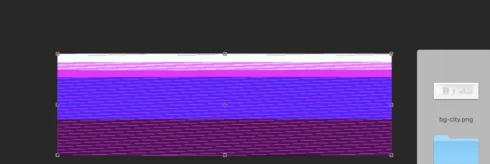


Very annoying. Please get better quality control Photoshop. CC seems to get progressively worse in terms of bugs.

Photoshop 19.1
Mac osX 10.13.2
5k iMac

This topic has been closed for replies.

204 replies

LeGrandLife
Participant
February 23, 2018
Every PNG I attempt to open gives me the same pixellated, distorted, saturated color images as others are seeing. The one previous suggestion of disabling plug-in extensions worked for me so far. I'm hoping doesn't cause other problems for me though.
Participant
February 23, 2018
Meghal, I'm not an expert, but before I downgraded to PS 2017 yesterday, I followed the instructions elsewhere in this thread to uncheck the extensions boxes in Preferences: Preferences-->Plug-Ins, UNcheck "Allow extensions to connect to the internet" and UNcheck "Load extension panels". Followed by a restart of PS. That worked for me. It doesn't seem to help everyone, though... But, try it before you revert to 2017. Cheers, and good luck today. 
Inspiring
February 23, 2018
same problem here. png always open distorted. Once it restarts it is fine again. does rolling back  PS or Mac version helps solve the problem or no?

I need to get things done today. what would be the best way to do it?

MacOSX 10.13.3
PS CC 19.1.0
Inspiring
February 23, 2018
I'm not getting notifications, so I'm sorry, I missed this even though I've been in the thread. Yes, I've seen it. I'm still seeing it. So that makes twice, or maybe 3 times. Despite always using PNGs, it really is so seldom here running El Cap that I barely feel any pain. Just the nuisance saving, quitting, and relaunching.  '-}
Hannah Nicollet
Community Manager
Community Manager
February 22, 2018
Silver linings! It reminds me of Andy Warhol 🙂 

But yes you've probably noticed that it happens with pngs only, so besides a restart (which only holds the distortion off for a little while) there is no workaround. In short, yes, you might want to use CC 2017 until the next update.

If you would like to work with the build for awhile that contains the fix and let us know how it goes for you feel free to email me and I could get you set up to do that. I'll put my email below.

Thanks,
Hannah

Participant
February 22, 2018
Thank you for the info-- I was still trying to sort through the thread to find a solution. So, revert to 2017 for now? I've been taking screen shots, because frankly, what I've been getting is beautiful.... Annoying and work stopping... but absolutely beautiful. 😄 
Hannah Nicollet
Community Manager
Community Manager
February 22, 2018
Thanks Julianna. You're right - there is no reliable workaround on this issue. Some users stop seeing it for a little while on a restart, but it eventually resurfaces. The resolution will come with the next update.
Participant
February 22, 2018
Hannah, I don't know if this helps as I haven't actually done the above test, BUT-- I run PS with no extensions and am having the same issue. 
c.pfaffenbichler
Community Expert
Community Expert
February 21, 2018
If you peruse this thread you should notice that Adobe personnel is aware of this issue and is working on rectifying it.

As for »many others« you may want to ascertain whether they are actual bugs (as opposed to user errors, malfunctions that basic trouble-shooting can correct etc.) and then see if reports on those exist and otherwise post them. 
Inspiring
February 21, 2018
Same Glitch here! and many others!!! What are you doing Adobe!???