


Participant
December 11, 2019

P: Starting in v 23.1.1 - keeps nagging me to save to Creative Cloud

  • December 11, 2019
  • 81 respuestas
  • 34537 visualizaciones

I've been paying for / using Photoshop for many years (since way back to version 3 in 1996).


I don't use the Creative Cloud for saving files, and don't want to.


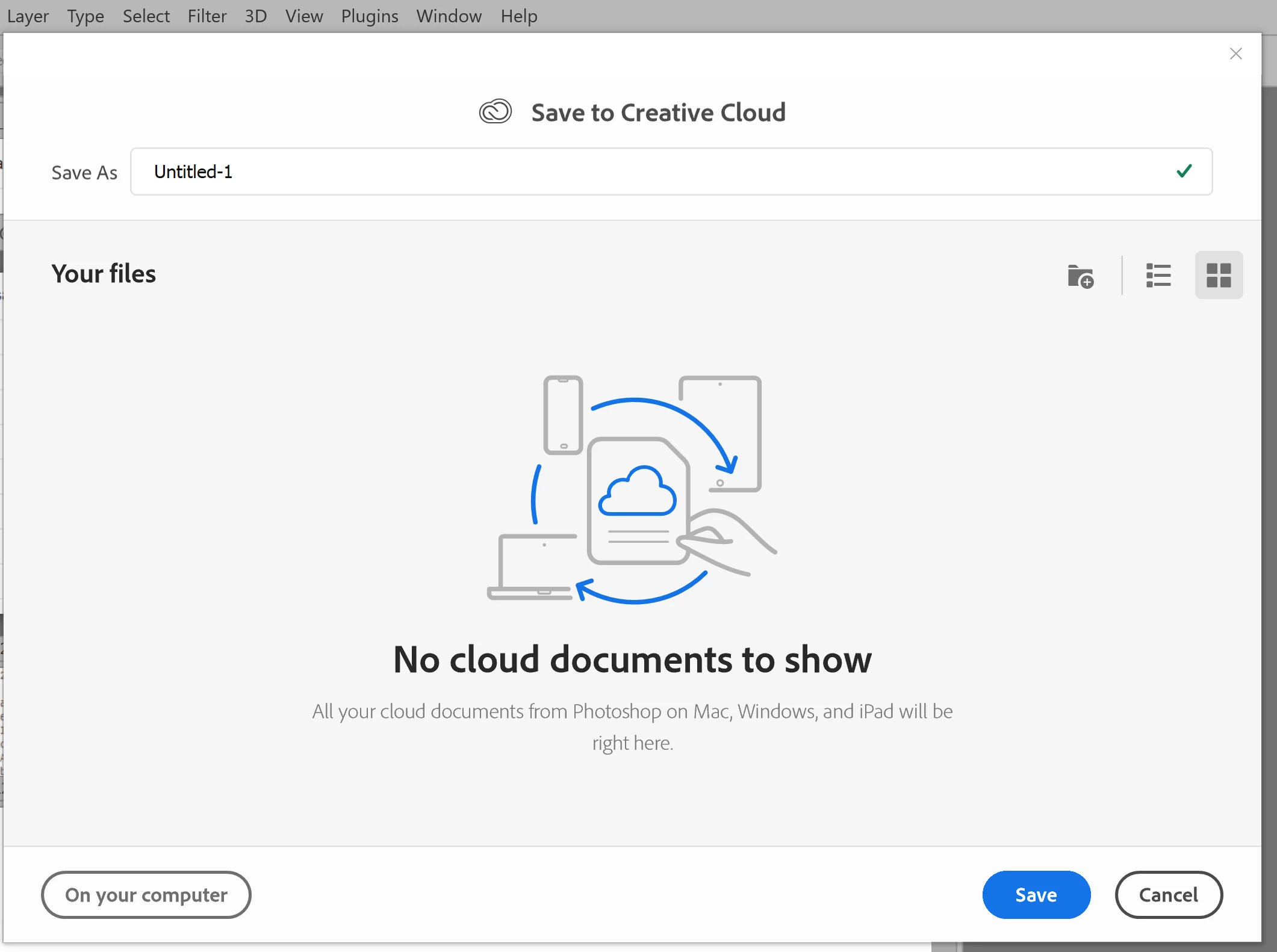
However, starting with version 23.1.1 whenever I create new file from an image I've copied to the PC's clipboard and then paste it into the blank PSD and Save, it now prompts me to save the file to the Creative Cloud.


The first time it popped-up (today) I made sure to put a check mark in the "Dont Show Again" box and chose "Save to your computer".


Yet it's still popping-up the "Save to Creative Cloud" prompt every time and still forcing me to make the extra step of choosing "On your computer" , every time. (Screenshot attached).


This is insanely annoying.


At first I thought hmmm... OK maybe just a glitch, so I shut down PhotoShop and restarted my PC. Problem still happens. I can't seem to find any way to change it in the settings.


Has anyone else encountering this bug? Know of a solution?

Many thanks for any input!


81 respuestas

Known Participant
August 18, 2022

This stupid "feature" resets itself on my PC about once a month, just about the same interval I get the stupid notification about the 3D features going away. This time, it did it in the middle of a session. I save one psd locally, 15 mins later, try to save another one and it prompts me to save to the stupid cloud. I am just about done with Adobe and their crap. Affinity Photo is a great replacement.


ADOBE: DO BETTER! Since you have switched to the subscription model, photoshop has suffered GREATLY. From keyboard shortcuts that don't allow you to move to an inactive layer, to you ACTIVELY REMOVING 3D features to try to get people to pay YET ANOTHER subscription fee (When you purchased Substance, you tweeted it would be added to CC), to resized images having semi transparent pixels at the edges, and NONE OF IT ever gets fixed.


DO BETTER.

Inspiring
August 16, 2022

Updated to 23.4.2 and it defaults back to saving to the Cloud AGAIN, despite changing it in my Preferences on the last version. You really are frustrating. 

jane-e
Community Expert
Community Expert
August 13, 2022


@Digital-M 

Now, please add this Illustrator where this is also a problem."


It's best to ask Illustrator questions in the Illustrator forum. Here's the link"

https://community.adobe.com/t5/illustrator/ct-p/ct-illustrator


Jane


Known Participant
August 13, 2022

I too have that same issue and just lost my patience and 'sucked it up'. Thanks to the answers, I made the changes and now feel a little better. I still have some huge issues and fast discovering it isn't (maybe) not Adobe, but me. The chip, the processor isn't good enough anymore. The application keeps crashing and even though tec support reinstalled the previous version, now that is crashing. Today I am not a happy camper, but one day I'll be flying with the birds again, but when?

Inspiring
July 19, 2022

It was nice to finally see that option in Photoshop. Now, please add this Illustrator where this is also a problem.

I assume this is an issue on all your programs so even nicer would be an option within the Creative Cloud app to just set this for all your apps. 


Participant
July 11, 2022

Cloud saves should not be the default!!!!  This is terrible I should not be getting this still. I should not have to change my settings with every edition.  You are pushing me off adobe very quickly.  You are no longer the only game in town.  I have no reason to cloud save I do not want to cloud save.  Stop resetting mt settings.

Inspiring
July 11, 2022

Just had the unpleasant experience of encountering this when I updated to the latest version and had the privilege of having to scour the forums to find the solution. That wasted 15 minutes of my workin day, thank you. Adobe - why could it not be the other way around, where the default when you first save is to offer your computer and then suggest Cloud? Why are you constantly imposing your own idea of how YOU think we should manage our workflow onto our desktops?

Known Participant
July 11, 2022

Yeah, it's annoying that we have to go into preferences and specifically indicate that we don't want to be annoyed. Just don't annoy us.

sinonA
Participating Frequently
July 7, 2022

Good Job Audrey!

Stephen Marsh
Community Expert
Community Expert
July 3, 2022

@whcressall – Could Adobe perhaps make local storage option a macro setting in our user profiles?


You can create your own action or script to set your preferences or other settings how you wish. In an action, you need to first set the preference to be opposite of how you wish, then when you record the action it will record the change from the unwanted setting to the wanted setting. Then you can use Script Events Manager to automatically run the action or script whenever Photoshop is run.


https://prepression.blogspot.com/2021/10/photoshop-script-events-manager.html?m=1